The 18 Best AI Image Generators in 2026, Ranked by Output Quality
For three years the answer was "Midjourney, unless you need text in the picture." Not any more. The frontier models now reason about an image before drawing it, and the leaderboard has reshuffled completely — with three of the top five costing nothing. Here are 18 AI image generators ranked by the quality of what actually comes out.
Last updated: 5 September 2026
For three years the honest answer to “which AI image generator is best?” was “Midjourney, unless you need text in the picture.” That answer is now out of date. In 2026 the frontier models stopped being diffusion models that guess at pixels and started being reasoning models that think about what the picture needs to contain — and the leaderboard reshuffled completely.
The practical effect is that the tools most people already pay for are now among the best. ChatGPT currently produces the highest-rated images of any tool available to the public. Google Gemini and Microsoft’s Copilot tools are close behind. You may already be paying for the best image generator on this list without knowing it.
Here are 18 that are worth your time, ranked by the quality of what actually comes out.
The short answer
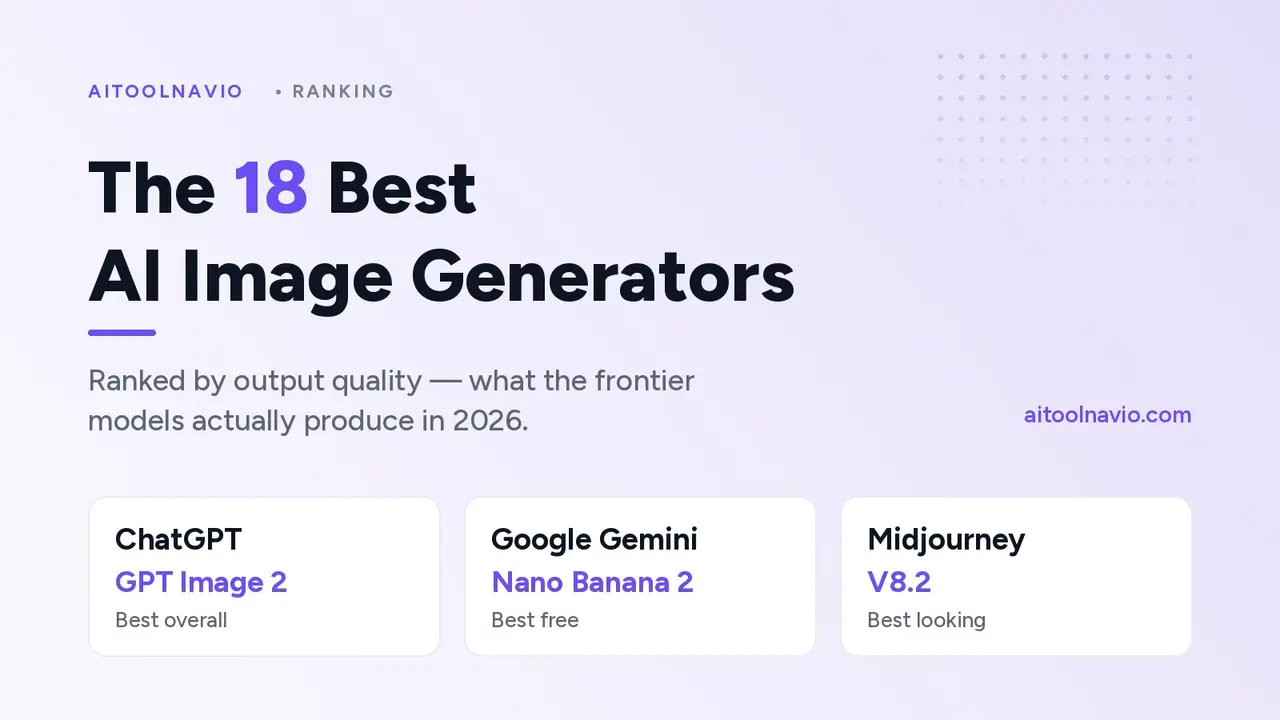
- Best overall quality: ChatGPT, running GPT Image 2.
- Best free option: Google Gemini — Nano Banana 2 on the free tier is better than most paid tools.
- Best for text and layout: Ideogram.
- Best-looking by default: Midjourney, still, after all this time.
- Best for commercial work: Adobe Firefly, because of the license rather than the pixels.
How this list was ranked
Ranking images is harder than ranking chatbots, because “good” is partly taste. So the order below rests on two things, and it is worth knowing which is which.
The backbone is blind human preference. Independent image arenas run the same prompt through two unlabelled models and ask people which output they prefer, then score the results with an Elo-style rating. As of early September 2026, the Artificial Analysis Image Arena had GPT Image 2 in front on 1172, Microsoft’s MAI-Image-2.6 second on 1145, Reve 2.1 third on 1127, Google’s Nano Banana 2 fourth on 1123 and Meta’s Muse Image fifth on 1114. A parallel leaderboard built on 11,284 blind votes put the same models in broadly the same order. Where a tool runs one of those models, its position here largely follows that evidence.
The rest is working assessment. Arena scores cover models, not products, and about half this list is a product wrapped around a model — a canvas, an asset library, a license, a fine-tuning pipeline. Those were ranked by using them: the same brief run through each, judged on how good the result was and how much fighting it took to get there.
Two honest caveats. Arena ratings move week to week and are within noise of each other in the middle of the table, so treat gaps of twenty points as a tie. And positions below roughly tenth are not really quality judgments any more — by that point the tools differ more in what they are for than in how good they look.
What is not here: Reve 2.1 currently sits third on the arena but is not yet in the directory, so it is not ranked. Several strong Chinese models are in the same position. If you want the full picture rather than the shortlist, browse Image & Design directly.
The ranking
1. ChatGPT — GPT Image 2
Freemium · Best overall output quality
GPT Image 2 arrived on 21 April 2026 and has led every blind-preference leaderboard since. What changed is architectural: rather than diffusing an image from noise, it reasons about the request first, which is why it handles briefs that used to break generators — “a shop sign in Bengali reflected in a puddle”, “a chart with these five labels correctly placed”.
Its text rendering is the best available, its photorealism rarely tips into the plasticky AI look, and because it lives inside ChatGPT you can iterate conversationally instead of rewriting prompts. The catch is speed and volume: it is slower than a purpose-built generator, and heavy image work will hit your plan limits fast.
Best for: the single highest-quality image, when you only need a few.
2. Microsoft Designer — MAI-Image-2.6
Freemium · Best quality-to-price ratio
Microsoft’s own image models are the surprise of 2026. MAI-Image-2 shipped into Copilot and Bing Image Creator in March, and successive versions have kept the family in second place on the arena — ahead of Google, ahead of everything open-weight, and effectively free.
Designer wraps it in an actual design tool: templates, brand kits, resizing, background removal. The generation quality is genuinely near the top, and the surrounding product is better than most standalone generators. If you want the same model with no design furniture, Bing Image Creator is the bare endpoint.
Best for: near-frontier quality at no cost, inside a real design tool.
3. Google Gemini — Nano Banana 2 and Nano Banana Pro
Freemium · Best free tier
Google runs two image models and the naming is confusing, so: Nano Banana 2 (Gemini 3.1 Flash Image) is the fast one and scores higher on the arena; Nano Banana Pro (Gemini 3 Pro Image) is the deliberate one, and is the better choice when the image has to be correct rather than merely attractive.
Pro’s party trick is knowledge. It will hold up to five characters and fourteen objects consistent across a set, render legible text in multiple languages, and output at 1K, 2K or 4K — which is why it has quietly become the default tool for infographics, diagrams and product mockups. Turning a page of handwritten notes into a clean diagram is something it does properly, not approximately.
Best for: free access to a frontier model, and anything with text, data or diagrams in it.
4. Meta AI — Muse Image
Free · Best zero-friction option
Meta’s Muse Image sits fifth on the arena, which puts it ahead of every paid specialist tool on this list, and it costs nothing. Output skews bright, social-media-friendly and slightly stylised — good for posts, weaker for anything that needs to look like a photograph.
The limits are the product, not the model: less control, fewer parameters, no serious asset management. Use it for speed, not for production.
Best for: fast, free, social-shaped images with no setup.
5. Midjourney — V8.2
Paid · Best aesthetic default
Midjourney no longer wins blind arenas, and it does not need to. It wins the thing arenas cannot measure: a house style so good that a mediocre prompt still produces a beautiful picture. V8.2 has been the default since 24 July 2026, tuned specifically for aesthetics and personalization, with V8.1 still available when you want speed, and Niji 7 for anime.
Where it has closed ground is control — the V8 edit model finally makes revision feel deliberate rather than like rerolling dice. Where it still loses is text, factual accuracy and anything resembling a diagram.
Best for: art direction, mood, and images judged by eye rather than by brief.
6. FLUX — FLUX.2, Black Forest Labs
Freemium · Best model you can run yourself
FLUX.2 is the serious open-weight option. The [dev] variant is a 32-billion-parameter model you can download and run on your own hardware; [pro] and [flex] are hosted, with [flex] exposing steps and guidance for people who want to tune rather than prompt.
It takes up to ten reference images at once, which makes it unusually good at character and style consistency across a set, and it edits at up to 4MP without smearing detail. If your work involves generating thousands of images, or images you cannot send to a third party, this is the answer.
Best for: pipelines, self-hosting, and anything at volume.
7. Ideogram — Ideogram 4.0
Freemium · Best typography and layout
Ideogram was the first model to render text reliably and is still the specialist. Version 4.0, released on 3 June 2026, went further and released open weights under a commercial license — an unusual move for a frontier design model.
The feature that matters is bounding-box layout control: you specify where the headline, logo and subject go, rather than describing it and hoping. Combined with 2K photoreal output and transparent layers, it is the closest thing to a generator that understands a design brief. Posters, packaging, signage, thumbnails.
Best for: anything where the words in the image matter as much as the picture.
8. Recraft
Freemium · Best for vectors and brand systems
Recraft generates true vector output — SVG icons, logos and illustration that scale — which almost nothing else on this list does. It also holds a defined style across a whole set, so you can produce forty icons that look like siblings rather than cousins.
Raster quality is good rather than frontier. You are here for the format and the consistency.
Best for: icon sets, logos, illustration systems, brand work.
9. Adobe Firefly
Freemium · Best for commercial safety
Firefly’s images are not the best on this list and Adobe knows it, which is why the pitch is the license: trained on licensed and public-domain material, with enterprise indemnification behind it. For agency and client work where “where did this image come from?” is a question someone will actually ask, that is worth more than an arena position.
It also lives inside Photoshop as Generative Fill, which for a lot of professionals is the whole argument.
Best for: client work, brand-safe assets, and Creative Cloud users.
10. Krea AI
Freemium · Best for iteration
Krea’s real-time canvas renders as you type, which changes how you work — you steer towards an image instead of writing a paragraph and waiting. Its enhancer and upscaler are among the best available, and it will run several third-party models behind one interface.
Treat it as the finishing and exploration tool rather than the source of the final render.
Best for: rapid visual iteration, upscaling and cleanup.
11. Leonardo AI
Freemium · Best for characters and game assets
Leonardo is built for people producing a lot of related images: trained character models, style presets, and asset pipelines aimed at game and content teams. Raw quality is a tier below the frontier, but consistency across hundreds of assets is a different problem and Leonardo solves it better than the leaders do.
Best for: consistent characters, sprites, and production asset sets.
12. Freepik
Freemium · Best model buffet
Freepik has turned itself into an aggregator: several frontier and open models behind one subscription, alongside a large stock library and editing tools. If you want to run the same prompt through four models and pick, this is the cheapest way to do it without four accounts.
The trade-off is that hosted versions of a model usually lag the vendor’s own by a version.
Best for: comparing models cheaply, and mixing generation with stock.
13. Stable Diffusion
Freemium · Best for full control
Stability’s models are no longer state of the art, but the ecosystem around them is unmatched: ControlNet, LoRAs, inpainting workflows, node graphs, and complete offline operation. If you need a specific pose, a specific composition and no external service involved, this is still the place.
Best for: local generation, fine-tuning and precise structural control.
14. Civitai
Free · Best model library
Not a model — a library. Civitai is where the open-weight community publishes checkpoints, LoRAs and workflows, with sample images so you can judge before downloading. Output quality is whatever you pick up there, which ranges from excellent to unusable.
Best for: finding a model tuned for exactly your style.
15. Canva
Freemium · Best for non-designers
Canva’s generation is mid-tier and that is beside the point. It is attached to the design tool that millions of people already use, so the generated image lands directly in the layout, at the right size, next to the brand colors. Distribution beats quality for most everyday work.
Best for: social posts, decks and marketing assets by non-designers.
16. Playground AI
Freemium · Best canvas workflow
A canvas-first generator built around masking, mixing and expanding rather than one-shot prompting. Good for composites and for people who think in layers, and its free allowance is more generous than most.
Best for: iterative composition on an infinite canvas.
17. NightCafe Studio
Freemium · Best for beginners
NightCafe puts several models behind a friendly interface with daily credits, challenges and a large community feed. Nobody is producing client work here, but it is the least intimidating way to learn what prompting actually does, and the community’s prompt sharing teaches faster than a tutorial.
Best for: learning, experimenting, and generating for fun.
18. Pollinations
Free · Best free API
Open-source generative media — image, text, audio and video — behind a simple API with no key and no bill. Quality is well behind the frontier and there are no guarantees about uptime, but for prototypes, side projects and anything where the image is a placeholder that has to exist, nothing else is this frictionless.
Best for: developers who need images generated programmatically for free.
The top ten at a glance
| # | Tool | Model | Price | Text in images | Strongest at |
|---|---|---|---|---|---|
| 1 | ChatGPT | GPT Image 2 | Freemium | Excellent | Overall quality |
| 2 | Microsoft Designer | MAI-Image-2.6 | Freemium | Very good | Value |
| 3 | Google Gemini | Nano Banana 2 / Pro | Freemium | Excellent | Free tier, diagrams |
| 4 | Meta AI | Muse Image | Free | Good | Speed |
| 5 | Midjourney | V8.2 | Paid | Weak | Aesthetics |
| 6 | FLUX | FLUX.2 | Freemium | Very good | Self-hosting, volume |
| 7 | Ideogram | Ideogram 4.0 | Freemium | Excellent | Typography, layout |
| 8 | Recraft | In-house | Freemium | Very good | Vectors, brand systems |
| 9 | Adobe Firefly | Firefly | Freemium | Good | Licensing safety |
| 10 | Krea AI | Multiple | Freemium | Good | Iteration, upscaling |
Prices change constantly and every tool here has a free tier or trial, so check the current plan on its profile page before you commit. Pricing on each listing in the Image & Design category is re-verified against the vendor’s own page rather than copied from a press release.
What actually changed in 2026
Four things, and they explain the whole reshuffle.
Reasoning came to image models. The leading generators now think about the request before drawing it. That is why prompts with conditions in them — “the sign should say X, in Y language, reflected in the window” — now work, and why the top of the arena is dominated by models that came out of language-model labs rather than image labs.
Text stopped being the tell. For years the fastest way to spot an AI image was to read the writing in it. Between GPT Image 2, Nano Banana Pro and Ideogram 4.0, legible multi-language text is now normal. This is the single biggest practical change for anyone making posters, thumbnails or packaging.
The best models became free. Three of the top five here cost nothing to use at moderate volume. Paying now buys throughput, resolution, licensing or workflow — not access to better pixels.
Open weights caught up enough to matter. FLUX.2 [dev] and Ideogram 4.0 both ship weights you can run and license commercially. They are a tier below the hosted frontier, but they are past the threshold where self-hosting is a real option rather than a compromise.
Choosing by job
- A poster, thumbnail or anything with words on it → Ideogram, then Google Gemini for the same job with more world knowledge.
- A photograph that must not look generated → ChatGPT, then FLUX.
- A logo, icon set or anything vector → Recraft.
- The same character across forty images → Leonardo AI or FLUX.
- Client work that needs a clean license → Adobe Firefly.
- Images generated by code, at volume, for nothing → Pollinations.
- A diagram or infographic that has to be accurate → Google Gemini.
- Something beautiful with a vague brief → Midjourney.
- No budget at all → Microsoft Designer or Meta AI.
Questions people ask
Which AI image generator is the best in 2026? By blind human preference, ChatGPT running GPT Image 2 produces the highest-rated images of anything publicly available. For images judged on style rather than accuracy, Midjourney is still the one professionals reach for.
What is the best free AI image generator? Google Gemini. Its free tier runs a genuinely frontier model. Microsoft Designer and Meta AI are close, and Pollinations is the free option for developers. More free options are listed under free AI tools.
Which AI image generator writes text properly? Ideogram is the specialist and adds layout control. ChatGPT and Google Gemini are now nearly as good and better at getting the content of the text right.
Can I use AI images commercially? It depends on the tool, and you should read its terms rather than assume. Adobe Firefly is the one built explicitly around commercial safety and indemnification. Most paid tiers elsewhere grant commercial use; most free tiers are more restrictive. This is information, not legal advice.
Do I need to pay for a good AI image generator? No. Three of the top five here are free at normal volumes. Paying buys speed, resolution, commercial licensing and workflow features — not fundamentally better images.
How often does this ranking change? The top of the arena has changed roughly every two months through 2026. Treat any ranking, including this one, as a snapshot rather than a settled result, and check the individual listings for current pricing and model versions.
Related reading
- The 100 Best AI Tools in 2026 — the full shortlist across ten categories
- Image & Design — every image tool in the directory
- Text to Image and Image Generation — the two sub-categories most of this list sits in
- Compare tools side by side — pricing and specs head to head
- Top 100 AI tools by traffic — the popularity-ranked view
- Newest AI tools — what has just been added
Sources
Model details, release dates and arena positions were compiled on 5 September 2026 from the following. Arena ratings are snapshots and move continuously.
- Artificial Analysis — Text to Image Leaderboard (Image Arena), accessed 5 September 2026
- LLM Stats — Best AI for Image Generation, 11,284 blind votes, updated 5 September 2026
- Wikipedia — GPT Image, for version history and release dates
- Midjourney Documentation — Version, for V8.2, V8.1 and Niji 7 release dates
- Black Forest Labs — “FLUX.2: Frontier Visual Intelligence”, for variants, reference-image count and editing resolution
- Google DeepMind — Gemini 3 Pro Image (Nano Banana Pro) model page, for resolution, consistency limits and text rendering
- OpenRouter — Gemini 3.1 Flash Image (Nano Banana 2) model listing
- Microsoft AI — “Introducing MAI-Image-2”, for the Copilot and Bing Image Creator rollout
- Ideogram — Ideogram 4.0 press release, 3 June 2026, for open weights and layout control
Liked this? We do one every Friday.
The week's new AI tools, what each one actually does, and the ones worth your time — written the same way as this post.
One email a week · unsubscribe in one click