Automate job postings, track applicants, and streamline hiring with an intuitive HCM platform for talent acquisition.
32M visits/mo+3.9%#5 Business & Marketing

Free, open-source desktop platform to install, run, and automate AI apps and agents locally without coding.
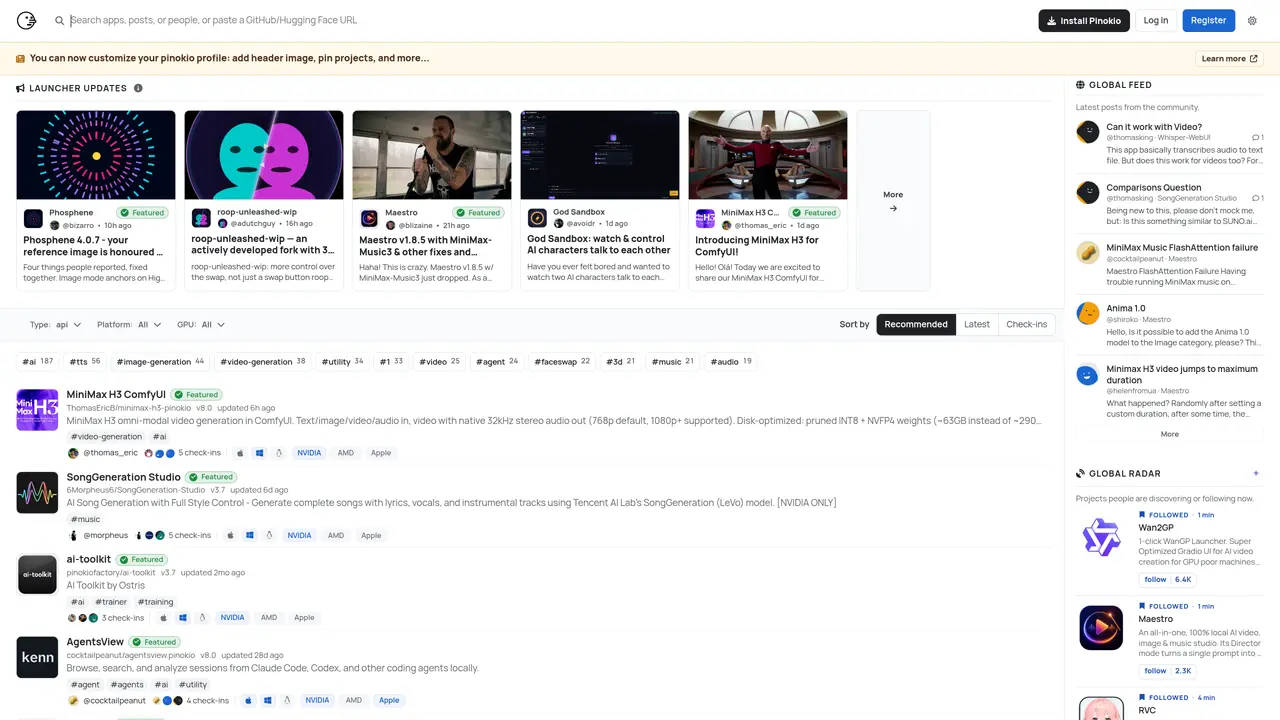
Pinokio is a free, open-source desktop application designed for everyday users and AI enthusiasts to install, run, and automate AI apps, agents, and web services locally on Windows, macOS, and Linux. It eliminates the need for cloud dependency by transforming a personal computer into a local alternative to cloud AI platforms. The tool provides one-click launchers that automatically handle dependencies and environment setup for AI apps, agents, or CLI tools. A visual, no-code workflow builder enables automation of both desktop and browser tasks by mimicking user actions such as clicks and keystrokes. Pinokio also includes an Agent Interpreter feature that prepares apps to be ‘agent-ready,’ allowing AI agents to launch and control them without additional configuration. An in-app assistant called ‘Ask AI’ offers contextual troubleshooting and guidance for error analysis, fixes, and app customization. The platform features a community library of published launchers and supports AI-assisted script generation for creating automation by describing desired behaviors. It is particularly useful for users who prefer local execution, privacy, and offline operation while maintaining ease of use without requiring programming knowledge.
Pinokio is a free, open-source desktop application that allows users to install, run, and automate AI apps, agents, and web services locally on Windows, macOS, and Linux. It transforms a personal computer into a local alternative to cloud AI platforms by handling dependencies and environment setup automatically.
Pinokio is designed for everyday users and AI enthusiasts who prefer local execution, privacy, and offline operation without requiring programming knowledge. It suits those who want to automate tasks, run AI models locally, or explore AI applications without cloud dependency.
Pinokio provides one-click launchers that automatically handle dependencies and environment setup for AI apps, agents, or CLI tools. This eliminates the need for manual configuration and ensures smooth operation of AI applications on the user's local machine.
Yes, Pinokio includes a visual, no-code workflow builder that enables automation of both desktop and browser tasks by mimicking user actions such as clicks and keystrokes. This allows users to create custom automation workflows without writing code.
Pinokio includes an Agent Interpreter feature that prepares apps to be 'agent-ready,' allowing AI agents to launch and control them without additional configuration. This makes it easier to integrate AI agents into local workflows.
Users can get started by downloading Pinokio from its official website, installing it on their operating system, and exploring the community library of published launchers. The in-app assistant 'Ask AI' provides contextual troubleshooting and guidance for error analysis and app customization.
pinokio.co · third-party estimates from Similarweb
Last 4 months · grows by one month every month
Share of visits · estimated visits
Other countries: 55.5%
How people reach this site from other AI tools
22K a month · 2% of all visits
Automation & Agents · Sep 2026
Traffic figures are third-party estimates, good for scale and trends; they can differ from a company's own numbers. Updated monthly.
We use essential cookies to run aitoolnavio™, and optional cookies to analyze traffic and measure our marketing. You choose what we use — optional cookies stay off unless you turn them on. See our Privacy Policy.
One short email a week: fresh tools worth trying, honest takes and the updates that actually matter. No spam, unsubscribe any time.
Automate job postings, track applicants, and streamline hiring with an intuitive HCM platform for talent acquisition.
Automate workflow, optimize operations, and detect potential issues with this efficient AI-driven solution.
AI automation and agent-building platform with 3,000+ app integrations
Automate email sending, save leads to CRMs, and create complex workflows for customer support tickets.
Open-source workflow automation platform to build, run, and monitor agentic and traditional workflows with 500+ integrations and AI governance.
AI-powered platform streamlining workflows with no-code automation.
With Accio, manufactures/ products/ suppliers/ inspirations will come to you, any time, any where.
Create & deploy AI apps, access real-time insights, and easily build models with an intuitive user interface.
Automate outreach campaigns, create personalized emails with AI, and monitor results with detailed analytics.
AI-powered fleet management platform for trucking, delivery, and field service teams, combining GPS tracking, ELD compliance, dash cams, maintenance, and spend management.
Automate tasks, streamline workflows, and create powerful automation flows effortlessly.
Control your computer and apps from any chat.
Matched on what this tool does — grouped by the job you would be replacing.
Paid placement · similar tools from listings that support aitoolnavio™
Instant lead response for home-service pros: your phone rings on every new lead, plus 14 days of follow-up
matches One-click launchers for AI apps, agents, and CLI tools · Visual no-code workflow builder for desktop and browser automation · Agent Interpreter for making apps 'agent-ready'
matches AI-assisted script generation for automation · Local execution without cloud dependency · Dependency and environment setup automation
matches Local execution without cloud dependency · Cross-platform support (Windows, macOS, Linux)
No-code AI workflow automation platform to build chatbots, AI agents, and internal tools with drag-and-drop workflows and real-time research.
A macOS desktop app for deploying and managing OpenClaw autonomous agents and no-code workflows locally without terminal setup.
A cross-platform desktop app to run, manage, and monitor autonomous AI agents with persistent memory and multimodal tool support.
A no-code/low-code platform for building, testing, and deploying AI agents through visual workflows without deep programming expertise.
Free AI coding agent for desktop with multi-file editing and terminal access
Terminal-based AI agent for coding, data tasks and workflow automation
An open-source AI coding agent that autonomously analyzes, modifies, and manages local codebases while keeping all data private and secure.
Local AI coding agent manager that turns tickets into isolated worktrees and pull requests
Chat, build, and explore with open AI models.
Run open-source chatbots locally on your PC without internet, keeping conversations private and offline.
Open-source, on-device AI assistant for documents, meetings, and automation with no cloud or API keys required.