
Automates software development tasks like coding, debugging, and project management to boost productivity and accelerate development cycles.
2.5M visits/mo+8.5%#54 Coding & Development

An open-source AI coding agent that autonomously analyzes, modifies, and manages local codebases while keeping all data private and secure.
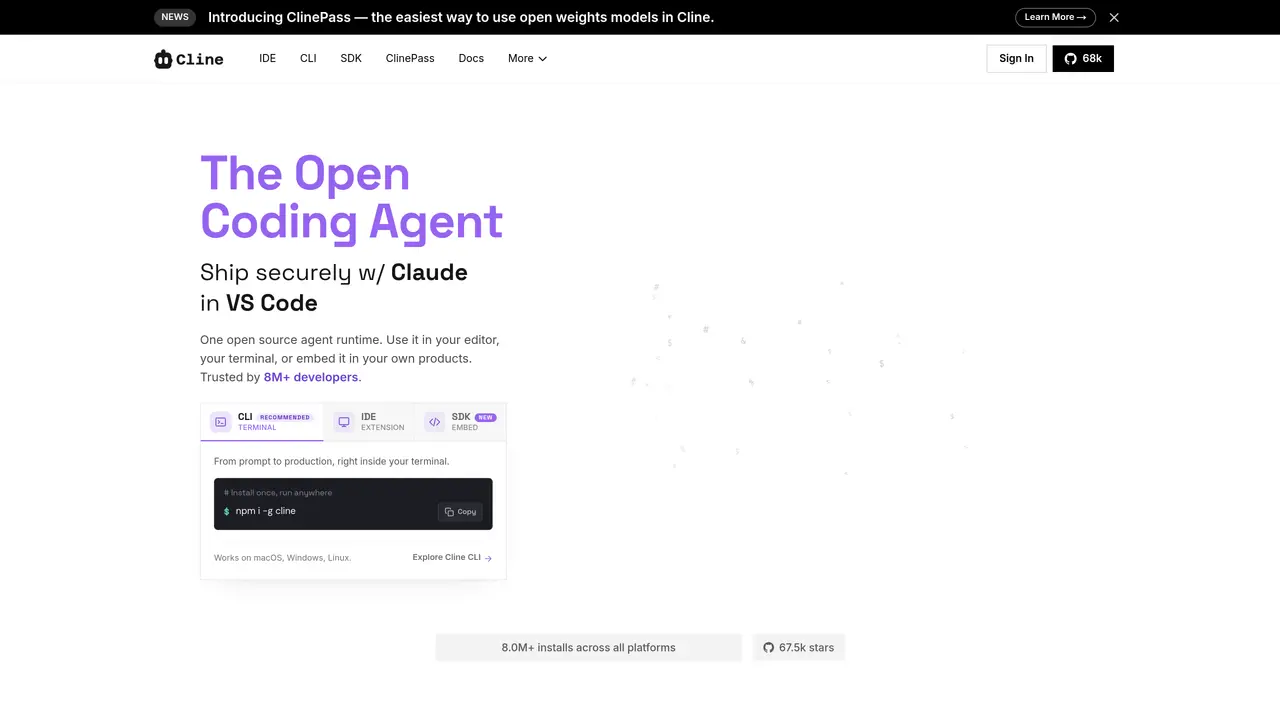
Cline is an open-source AI coding assistant designed as an autonomous agent that operates within your development environment. It understands your entire codebase, plans and executes multi-step tasks, and performs actions such as running terminal commands, handling browser automation, and integrating with APIs and databases—all while keeping your code local and secure. Unlike typical autocompletion tools, Cline provides users with full transparency, visibility, and control over every action it performs, including the ability to approve or modify steps before execution. The tool supports any major AI model or local models like Ollama and LM Studio, making it highly adaptable for individual developers and enterprise workflows. Cline can be used directly in your IDE, terminal, or embedded into custom products, offering flexibility across macOS, Windows, and Linux. It is particularly suited for developers and teams seeking a collaborative AI partner that enhances productivity without compromising control over their workflows. Cline emphasizes open-source principles and extensibility, allowing users to integrate custom tools via the SDK, connect to MCP servers, and deploy multi-agent teams for specialized tasks. It supports automated workflows in CI pipelines, chat-based interactions through platforms like Slack or Linear, and headless execution in GitHub Actions or GitLab. The architecture is designed to be secure and client-side, ensuring data privacy while enabling seamless collaboration and automation across development environments.
Yes, the Cline open-source extension is free for individual developers. You only pay for AI inference on a usage basis, with no subscriptions or seat fees required for the open-source version.
You pay only for AI inference credits when using AI models. This is a usage-based pricing model where you are charged for the AI inference you consume, with no additional subscriptions or hidden fees.
Yes, you can bring your own API keys from providers like OpenAI, Anthropic, Google, and others. This allows you to control your costs and usage independently of Cline's platform.
The Enterprise version is intended for organizations that require team collaboration features, advanced security, and enterprise-grade support. This includes centralized billing, team management, role-based access control, SSO, audit logs, and dedicated support.
No, Cline is open-source and supports a wide range of AI providers, including Anthropic, Gemini, OpenAI, OpenRouter, AWS Bedrock, GCP Vertex, and many more. You can switch providers or self-host at any time without vendor lock-in.
You can install Cline via the VS Code extension, JetBrains plugin, or CLI. After installation, you can start using it by selecting a task, and Cline will plan and execute the necessary steps while keeping you informed and in control.
We use essential cookies to run aitoolnavio™, and optional cookies to analyze traffic and measure our marketing. You choose what we use — optional cookies stay off unless you turn them on. See our Privacy Policy.
One short email a week: fresh tools worth trying, honest takes and the updates that actually matter. No spam, unsubscribe any time.
Automates software development tasks like coding, debugging, and project management to boost productivity and accelerate development cycles.
Control your computer through natural language commands
Turns plain-English ideas into engineering-grade specs, scoped tasks, and production-ready prompts by analyzing codebases and generating tests.
CodeFlying enables full-stack app creation via chat in minutes.
AI software engineer for automated coding solutions
An AI coding agent that analyzes GitHub codebases, drafts code changes, and opens pull requests for human review.
Turn product ideas into prioritized, implementation-ready tickets.
CLI coding agent that generates and shows a plan before making any code changes
AI coding agent that writes, reviews, and automates code across IDEs, CLI, and team workflows.
Autonomous AI coding loop that turns plain-English requests into merged pull requests
Turns AI coding agents into persistent coders that repeatedly refine code until tasks are fully completed.
Matched on what this tool does — grouped by the job you would be replacing.
matches Autonomous codebase analysis and understanding · Multi-step task planning and execution · Terminal command handling and automation
AI-powered coding platform that uses agents to plan, write, and test software with real-time feedback and verifiable artifacts.
Open-source, model-agnostic platform for autonomous cloud coding agents that plan, edit, test, debug, and apply real code changes across software projects.
AI coding agent for large-scale codebases with terminal-native workflows
Autonomous terminal AI agent that executes, verifies and ships code changes
matches Terminal command handling and automation · Full local execution with no cloud dependency · Support for any AI model or local models
matches Feature creation, bug fixes, and code refactoring · Support for any AI model or local models
Free, open-source desktop platform to install, run, and automate AI apps and agents locally without coding.
An open-source CLI tool that integrates Google's Gemini model directly into your terminal for autonomous task execution.
Open-source AI assistant that plans and runs Python locally for private file, database, and device automation.
AI-powered IDE for autonomous coding tasks and agentic development workflows
AI coding assistant that adds autocomplete, chat, debugging, and file-editing agents in VS Code and JetBrains with BYOK model control.
Open-source VS Code extension that writes, fixes, and manages code from natural language prompts.
Open-source AI coding assistant that generates, debugs, and manages code directly in VS Code and JetBrains to save time and reduce errors.