

Automates software development tasks like coding, debugging, and project management to boost productivity and accelerate development cycles.
2.5M visits/mo+8.5%#54 Coding & Development
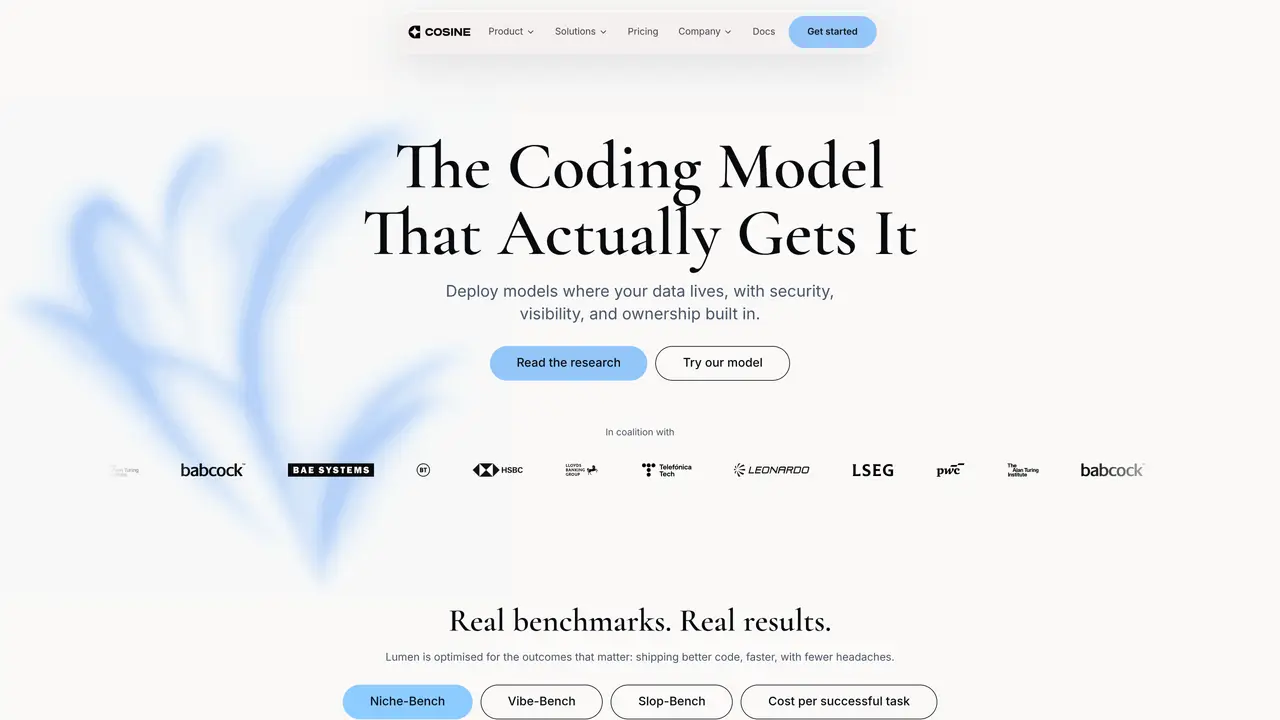
Cosine is an AI tool that helps developers by fixing bugs, building features, and improving your code automatically. It saves you time by managing coding tasks and works seamlessly with tools like GitHub and Jira, allowing you to clear backlogs and speed up development without altering your workflow. Cosine is suitable for software engineers, backend developers, DevOps engineers, QA engineers, project managers, and frontend developers. It can assist with tasks such as text to code, getting assistance for programming, fixing bugs automatically, building software features, refactoring code bases, generating pull requests, and more. Cosine integrates with various tools and platforms, making it a valuable addition to any development team. By automating coding tasks, Cosine helps developers focus on more complex and creative aspects of their work, leading to increased productivity and efficiency.
Cosine provides specialized AI models designed to assist developers with coding tasks such as fixing bugs, building features, and improving code quality. It focuses on producing production-ready, maintainable code rather than general-purpose outputs.
Cosine is suitable for software engineers, backend developers, DevOps engineers, QA engineers, project managers, and frontend developers who need assistance with coding, debugging, and feature development.
Cosine offers a terminal-native CLI and a cloud-based interface that supports external tool access via MCP and multi-agent orchestration. It is designed to integrate seamlessly with tools like GitHub and Jira without disrupting existing workflows.
Cosine supports public cloud deployment, managed single-tenant cloud, and fully air-gapped environments to meet varying security and compliance requirements. Users can start in the cloud and transition to dedicated or air-gapped setups as needed.
Cosine offers three models: Lumen Scout for fast, low-cost on-device tasks; Lumen Outpost for high-quality everyday production tasks; and Lumen Sovereign, designed for complex engineering challenges and coming soon.
Users can start with Cosine CLI by installing it via a package manager like Homebrew or explore Cosine Cloud for collaborative coding tasks. Documentation and support are available to guide setup and usage.
cosine.sh · third-party estimates from Similarweb
Last 4 months · grows by one month every month
Share of visits · estimated visits
Other countries: 12.9%
Coding & Development · Sep 2026
Traffic figures are third-party estimates, good for scale and trends; they can differ from a company's own numbers. Updated monthly.
We use essential cookies to run aitoolnavio™, and optional cookies to analyze traffic and measure our marketing. You choose what we use — optional cookies stay off unless you turn them on. See our Privacy Policy.
One short email a week: fresh tools worth trying, honest takes and the updates that actually matter. No spam, unsubscribe any time.
Automates software development tasks like coding, debugging, and project management to boost productivity and accelerate development cycles.
Control your computer through natural language commands
Turns plain-English ideas into engineering-grade specs, scoped tasks, and production-ready prompts by analyzing codebases and generating tests.
CodeFlying enables full-stack app creation via chat in minutes.
An AI coding agent that analyzes GitHub codebases, drafts code changes, and opens pull requests for human review.
Turn product ideas into prioritized, implementation-ready tickets.
An open-source AI coding agent that autonomously analyzes, modifies, and manages local codebases while keeping all data private and secure.
CLI coding agent that generates and shows a plan before making any code changes
AI coding agent that writes, reviews, and automates code across IDEs, CLI, and team workflows.
Autonomous AI coding loop that turns plain-English requests into merged pull requests
Turns AI coding agents into persistent coders that repeatedly refine code until tasks are fully completed.
Matched on what this tool does — grouped by the job you would be replacing.
matches Autonomous task completion · Bug fixing and feature building · Code refactoring and improvement
Enterprise-grade AI coding assistant that automates full-stack development tasks using codebase-aware generation.
An AI-driven full-stack development platform that writes, reviews, tests, and deploys code with built-in analytics and integrations.
AI coding assistant that autonomously fixes bugs, writes tests, and creates pull requests to streamline development workflows.
An open-source AI coding agent that autonomously analyzes, modifies, and manages local codebases while keeping all data private and secure.
matches Text to code assistance · Code generation, editing, and visualization · Seamless workflow integration
matches Code generation, editing, and visualization · Autonomous task completion
AI-powered IDE that provides free access to Claude models for real-time coding assistance, code generation, and task automation.
Open-source VS Code extension that writes, fixes, and manages code from natural language prompts.
An AI coding assistant that integrates with IDEs to provide code completion, generation, editing, debugging, and explanations.
AI coding assistant that writes, debugs, refactors, and automates code tasks using natural language in terminals, IDEs, or web interfaces.
Enhance coding efficiency with AI-driven insights.
Revolutionize coding with real-time assistance, error detection, and code optimization.
AI coding agent that writes, reviews, and automates code across IDEs, CLI, and team workflows.