Generate captions, optimize content, and enhance with custom images for maximum engagement.
46M visits/mo-10%#3 Image & Design

A cross-platform desktop app to run, manage, and monitor autonomous AI agents with persistent memory and multimodal tool support.
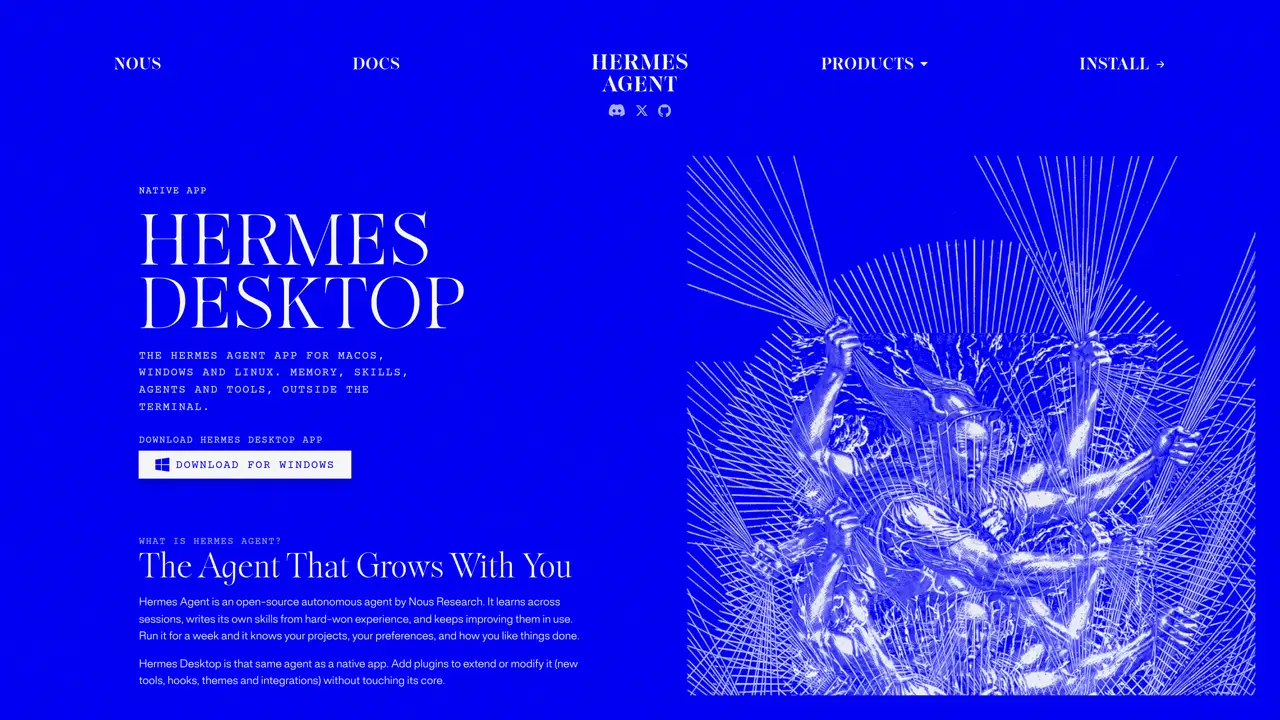
Hermes Desktop is the native desktop front end for Nous Research’s open-source Hermes Agent, providing a polished chat interface for macOS, Windows, and Linux. It synchronizes work and context across interfaces by sharing persistent memory, sessions, API keys, and skills with the CLI and web gateway. The app enables agents to invoke multimodal AI tools such as web search, browser automation, vision, image generation, text-to-speech, and multi-model reasoning. Users can schedule recurring automations, spawn isolated subagents for delegated tasks, and run agents on various backends including local, Docker, SSH, Singularity, and Modal for hardened, sandboxed execution. Hermes Desktop is designed for users who want a self-hostable, cross-platform AI agent that learns and remembers projects while running unattended automations. It offers a more user-friendly way to monitor streaming tool output and manage complex AI workflows through an intuitive interface.
Hermes Desktop is a native desktop application for macOS, Windows, and Linux that provides a graphical interface for the open-source Hermes Agent. It enables users to interact with the agent outside the terminal while maintaining synchronization with CLI and web versions.
Yes, Hermes Desktop is free to download and use under the MIT license. Additional features, such as cloud agents and tool usage credits, are available through paid tiers on Nous Portal.
Hermes Desktop supports macOS 12 or later, Windows 10/11, and any Linux distribution. On Linux, installation is performed via terminal commands.
Yes, Hermes Desktop supports plugins that add tools, hooks, themes, and integrations without modifying the core application.
No account is required for the base app. Signing in to Nous Portal unlocks additional features like always-on cloud agents, discounted models, and bundled tool usage credits.
Hermes Desktop provides the same agent functionality as the command line but with a graphical interface. All features available in the terminal, such as chat, sessions, and file browsing, are accessible in the app.
We use essential cookies to run aitoolnavio™, and optional cookies to analyze traffic and measure our marketing. You choose what we use — optional cookies stay off unless you turn them on. See our Privacy Policy.
One short email a week: fresh tools worth trying, honest takes and the updates that actually matter. No spam, unsubscribe any time.
Generate captions, optimize content, and enhance with custom images for maximum engagement.
Build conversational forms, capture rich responses, and automate follow-ups with AI-powered surveys and workflows.
Automate code, research, and documents using agents.
AI-powered IDE for autonomous coding tasks and agentic development workflows
Source, match, and manage talent with predictive analytics for effortless recruiting.
Automate workflow, optimize operations, and detect potential issues with this efficient AI-driven solution.
Transforms thoughts into actions, enhancing productivity and efficiency.
AI Recruitment engine to hire top global talent
All-in-one team productivity platform combining chat, docs, video meetings, workflows, and AI tools in one place.
Personal assistant that coordinates tasks across apps and devices via text or call
AI automation and agent-building platform with 3,000+ app integrations
AI job search copilot that matches roles to skills, optimizes resumes for ATS, generates cover letters, and autofills applications with real-time insights.
Matched on what this tool does — grouped by the job you would be replacing.
matches Cross-platform support for macOS, Windows, and Linux · Persistent memory and session synchronization across interfaces · Recurring automation scheduling and subagent spawning
Control your computer and apps from any chat.
Free, open-source desktop platform to install, run, and automate AI apps and agents locally without coding.
Open-source framework for running controllable, auditable AI agents in Docker sandboxes on your local hardware with a desktop launcher and plugin hub.
Open-source framework to build, orchestrate, and scale custom AI agents with tools, memory, and multi-agent systems.
matches Multimodal AI tool integration (web search, vision, image generation, etc.) · Streaming tool output monitoring in a polished UI
matches Self-hostable and open-source agent framework · Backend flexibility (local, Docker, SSH, Singularity, Modal)
Parallel AI coding agent IDE that runs multiple agents side by side in isolated git worktrees for faster, comparative development.
Open-source, on-device AI assistant for documents, meetings, and automation with no cloud or API keys required.
Terminal-based AI agent for coding, data tasks and workflow automation
Desktop app for multi-agent coding sessions with AI PR review and CI debugging
Open-source desktop AI chat app that runs local LLMs offline or connects to cloud providers via API keys.
Self-host and manage AI language models entirely offline with full control over data and models.
Open-source AI-integrated browser with local LLM and OS automation