Generate captions, optimize content, and enhance with custom images for maximum engagement.
46M visits/mo-10%#3 Image & Design

Desktop app for multi-agent coding sessions with AI PR review and CI debugging
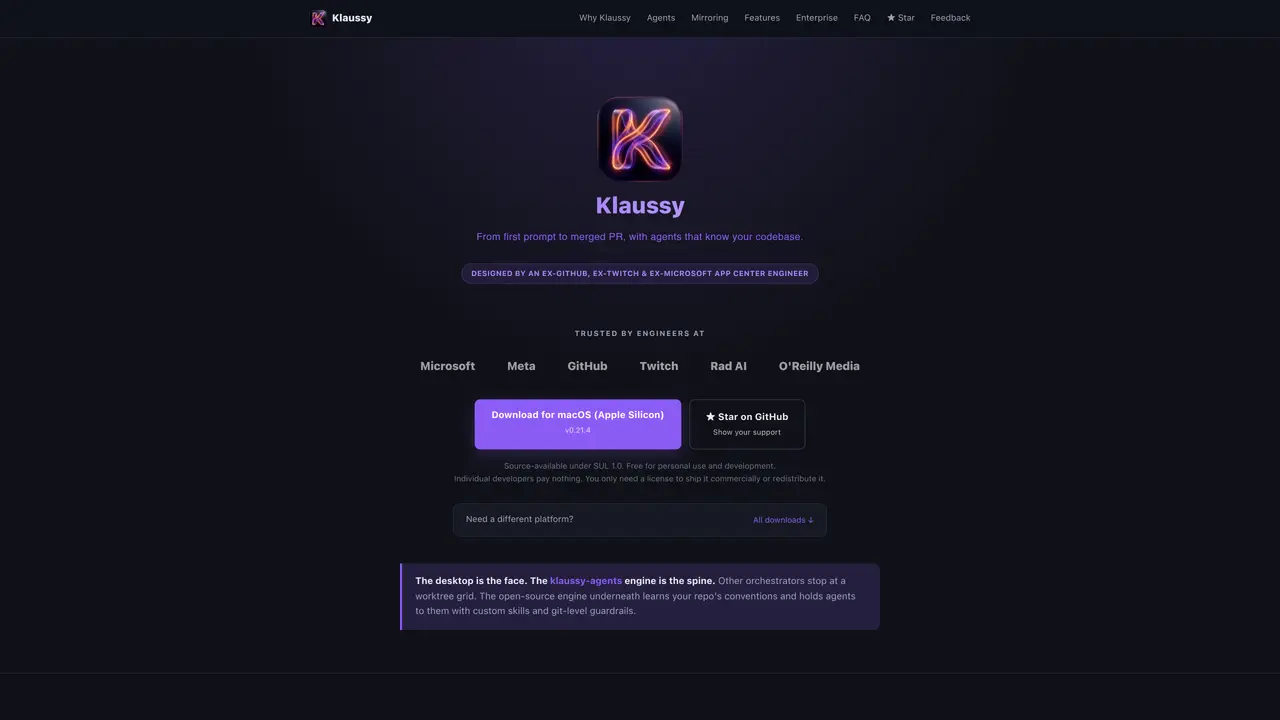
Klaussy Desktop is a desktop application designed for multi-agent coding sessions, AI-powered pull request review, and CI debugging. It operates entirely on the user’s machine without requiring an account, cloud sync, or backend services, ensuring that code, prompts, and session history remain local. The tool integrates with various AI agents such as Claude Code, Codex, OpenAI, Gemini, and others, allowing users to select and switch between agents per session or even run multiple agents simultaneously in isolated Docker containers. Each agent operates within a worktree, enabling parallel work across multiple repositories while maintaining context through shared notes that persist outside the repository. The application supports offline use and free local models via Ollama, with commercial licensing required only for production deployment or redistribution. It emphasizes privacy by not collecting or selling user data, and its source code is available under the SUL 1.0 license for transparency.
Klaussy Desktop is a desktop application for multi-agent coding sessions, AI-powered pull request review, and CI debugging. It runs entirely on the user’s machine without requiring an account, cloud sync, or backend services, ensuring local control over code, prompts, and session history.
The tool is designed for individual developers, engineers, and teams who need privacy-focused, offline-capable AI coding assistance. It suits users who prefer local execution, multi-agent workflows, and integration with existing AI providers like Claude, OpenAI, or Gemini.
Klaussy Desktop allows users to select and switch between AI agents per session or run multiple agents simultaneously in isolated Docker containers. It supports agents like Claude Code, Codex, OpenAI, Gemini, and local models via Ollama, with each agent operating in a worktree for parallel work across repositories.
No, Klaussy Desktop does not require a subscription or cloud service. Users can bring their own AI provider subscriptions or use free local models via Ollama. The tool emphasizes privacy by not collecting or selling user data, and source code is available under the SUL 1.0 license.
Klaussy Desktop operates serverless, with all data processed locally on the user’s machine. It does not collect or sell user data, and session history, prompts, and code remain on the user’s device. The tool’s privacy policy explicitly states that user data is not harvested or trained on.
Klaussy Desktop is free for individual developers and personal use. A paid license is required only for commercial production deployment or redistribution. The source code is open-source under the SUL 1.0 license, ensuring transparency and inspectability.
We use essential cookies to run aitoolnavio™, and optional cookies to analyze traffic and measure our marketing. You choose what we use — optional cookies stay off unless you turn them on. See our Privacy Policy.
One short email a week: fresh tools worth trying, honest takes and the updates that actually matter. No spam, unsubscribe any time.
Generate captions, optimize content, and enhance with custom images for maximum engagement.
Build conversational forms, capture rich responses, and automate follow-ups with AI-powered surveys and workflows.
Automate code, research, and documents using agents.
AI-powered IDE for autonomous coding tasks and agentic development workflows
Source, match, and manage talent with predictive analytics for effortless recruiting.
Automate workflow, optimize operations, and detect potential issues with this efficient AI-driven solution.
Transforms thoughts into actions, enhancing productivity and efficiency.
AI Recruitment engine to hire top global talent
All-in-one team productivity platform combining chat, docs, video meetings, workflows, and AI tools in one place.
Personal assistant that coordinates tasks across apps and devices via text or call
AI automation and agent-building platform with 3,000+ app integrations
AI job search copilot that matches roles to skills, optimizes resumes for ATS, generates cover letters, and autofills applications with real-time insights.
Matched on what this tool does — grouped by the job you would be replacing.
matches Multi-agent coding sessions with shared context · Worktree-based parallel repository management · Session mirroring to Discord or Slack for remote control
Local desktop app that consolidates multiple coding agents into one window
A multi-agent engine that routes IM messages to local CLI processes for persistent, parallel AI coding tasks
Native desktop cockpit to run and coordinate multiple AI coding agents on a local machine
Keyboard-driven manager for running and reviewing multiple AI coding agents in parallel
matches AI-powered pull request review and CI debugging · Docker-sandboxed agent execution for isolation · Custom skills and git-level guardrails for agents
matches Offline operation with local model support via Ollama · Source-available under SUL 1.0 license
Plan, code, and review software in parallel with Verdent's AI-native coding environment.
Define and run cloud agents in YAML with API control for automation and code review
Autonomous software delivery agent that turns tickets into reviewed pull requests
Local AI coding agent manager that turns tickets into isolated worktrees and pull requests
A desktop workspace that integrates AI agents with sessions, memory and tools
Local workspace for running and supervising AI agents with private control
Runs coding-agent workloads as isolated, observable jobs on self-hosted infrastructure