AI-powered website builder that generates a professional site in under a minute and includes tools for content, SEO, and analytics.
52M visits/mo+0.7%#4 Coding & Development

Run open-source chatbots locally on your PC without internet, keeping conversations private and offline.
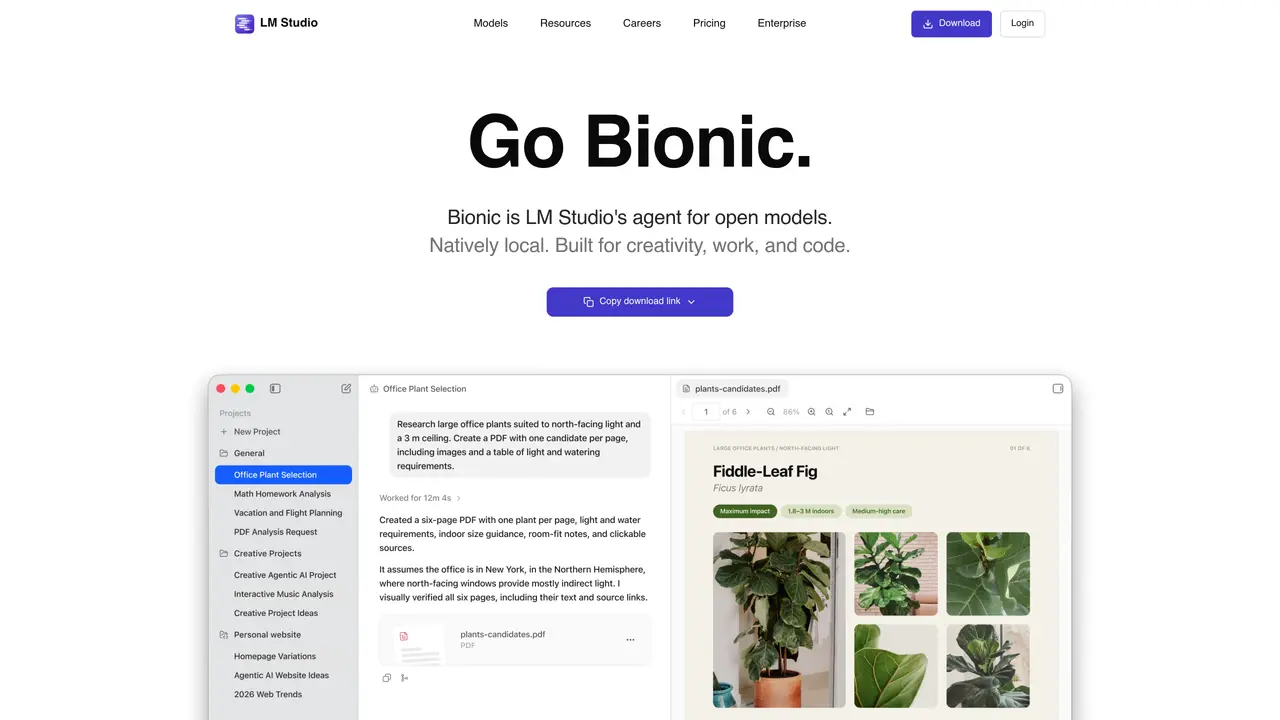
LMStudio enables users to download and run open-source AI models directly on their personal computers, eliminating the need for an internet connection. Once a model is installed, conversations remain private and are not shared with external servers. The tool is designed for ease of use, with a straightforward installation process and an intuitive interface for chatting with AI. It supports multiple operating systems, including Windows, macOS (M1/M2/M3), and Linux, making it accessible to a broad range of users. LMStudio is particularly useful for those interested in experimenting with the latest open-source language models without relying on cloud services. Performance varies depending on the downloaded model, with smaller or ‘instruct’/’chat’ models typically offering faster response times. The tool is free to use and open-source, appealing to developers, researchers, and AI enthusiasts who prioritize privacy and offline functionality.
LMStudio Bionic is an agentic AI tool integrated into LM Studio designed for work, coding, and automation tasks. It operates natively on local devices and supports real-time voice transcription while processing all data locally.
LMStudio Bionic is suitable for users who need an AI assistant for document creation, coding, automation, and computer control while maintaining privacy and offline functionality.
No, LMStudio Bionic operates locally on your device, and all voice and audio data is processed without leaving your machine.
Bionic supports running the latest open frontier models such as GLM 5.2, Kimi K3, and DeepSeek V4 Pro, which can be downloaded directly within the app.
LM Studio itself is free and open-source, and Bionic is available as part of its features, though specific enterprise or advanced features may have separate terms.
Download the LM Studio app, install it on your device, and explore the Bionic agent within the application to start using its capabilities for work and coding.
lmstudio.ai · third-party estimates from Similarweb
Last 4 months · grows by one month every month
Share of visits · estimated visits
Other countries: 57.2%
How people reach this site from other AI tools
106K a month · 4.3% of all visits
Coding & Development · Sep 2026
Traffic figures are third-party estimates, good for scale and trends; they can differ from a company's own numbers. Updated monthly.
We use essential cookies to run aitoolnavio™, and optional cookies to analyze traffic and measure our marketing. You choose what we use — optional cookies stay off unless you turn them on. See our Privacy Policy.
One short email a week: fresh tools worth trying, honest takes and the updates that actually matter. No spam, unsubscribe any time.
AI-powered website builder that generates a professional site in under a minute and includes tools for content, SEO, and analytics.
AI-powered coding platform that uses agents to plan, write, and test software with real-time feedback and verifiable artifacts.
Automate code, research, and documents using agents.
AI-powered code assistant that generates, reviews, optimizes, and debugs code with natural language prompts and editor integrations.
AI assistant for safe, reliable productivity with code, collaboration, and integrations.
AI-powered IDE for autonomous coding tasks and agentic development workflows
Privacy-focused AI chatbot that generates uncensored text, code, images, and translations without storing conversations or requiring an account.
A free web-based AI chatbot and agent for writing, coding, research, and content creation with multilingual support.
Write & run code in 50+ languages, auto-complete with AI, and code faster with an intuitive interface.
An IDE that automates legacy-to-modern code migration using autonomous coding agents.
AI models that return typed decisions with calibrated confidence for software automation
Practice coding challenges, improve technical skills, get detailed explanations, compare performance with peers.
Matched on what this tool does — grouped by the job you would be replacing.
matches Download and run open-source AI models locally · No internet required after model download · Supports Windows, macOS (M1/M2/M3), and Linux
Chat, build, and explore with open AI models.
Open-source desktop AI chat app that runs local LLMs offline or connects to cloud providers via API keys.
Runs private AI models entirely on a user’s Mac without cloud dependency
matches Private conversations not shared with external servers · In-app Chat UI for direct interaction · OpenAI-compatible local server for integration
Open-source, on-device AI assistant for documents, meetings, and automation with no cloud or API keys required.
Self-hosted AI platform running locally with user-owned data and models