

AI-powered website builder that generates a professional site in under a minute and includes tools for content, SEO, and analytics.
52M visits/mo+0.7%#4 Coding & Development
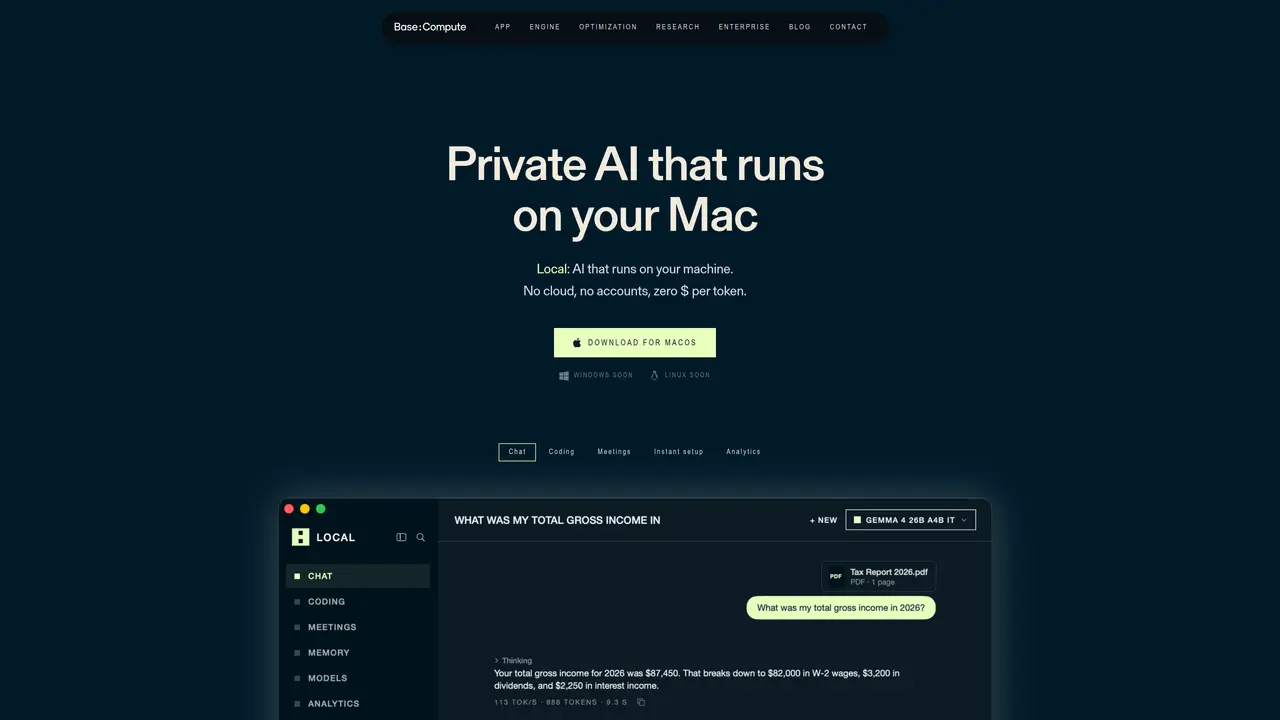
Local is a desktop application that enables users to run AI models locally on Apple silicon Macs. The tool installs and runs entirely offline after initial setup, with no data transmitted to external servers. It supports a range of open models such as Llama, Gemma, Mistral, and Phi, which are automatically selected based on the Mac’s available memory and chip capabilities. The application includes features for chat, coding assistance, meeting transcription, and memory management, all of which operate within the user’s device. Users can also connect their own API keys for cloud models when needed, while keeping sensitive operations confined to local execution. Performance is optimized through BaseRT, a custom inference engine compiled for the specific Mac’s silicon, which the developer claims can deliver faster token generation compared to generic builds. The tool is designed for researchers, developers, and enterprises seeking privacy-focused AI workflows without reliance on cloud services.
Local requires an internet connection only for the initial download of the app and models. After setup, all operations run entirely offline, with no data transmitted to external servers.
Local supports any Mac with Apple silicon. The application automatically selects models based on the available memory and chip capabilities of the device.
No data is collected or transmitted. All interactions, memories, and files remain stored locally on the user's device, with no telemetry or account requirements.
Yes, users can connect their own API keys for cloud models when needed. These requests are directed to the provider's servers, while local operations remain offline.
Memory capacity determines which models can run, while chip speed influences processing time. Local automatically optimizes model selection and performance based on the device's specifications.
Local uses BaseRT, a custom inference engine compiled specifically for the user's Apple silicon chip. This optimization delivers faster token generation compared to generic builds used by other local apps.
We use essential cookies to run aitoolnavio™, and optional cookies to analyze traffic and measure our marketing. You choose what we use — optional cookies stay off unless you turn them on. See our Privacy Policy.
One short email a week: fresh tools worth trying, honest takes and the updates that actually matter. No spam, unsubscribe any time.
AI-powered website builder that generates a professional site in under a minute and includes tools for content, SEO, and analytics.
AI-powered coding platform that uses agents to plan, write, and test software with real-time feedback and verifiable artifacts.
Automate code, research, and documents using agents.
AI-powered code assistant that generates, reviews, optimizes, and debugs code with natural language prompts and editor integrations.
AI assistant for safe, reliable productivity with code, collaboration, and integrations.
AI-powered IDE for autonomous coding tasks and agentic development workflows
Privacy-focused AI chatbot that generates uncensored text, code, images, and translations without storing conversations or requiring an account.
A free web-based AI chatbot and agent for writing, coding, research, and content creation with multilingual support.
Write & run code in 50+ languages, auto-complete with AI, and code faster with an intuitive interface.
An IDE that automates legacy-to-modern code migration using autonomous coding agents.
AI models that return typed decisions with calibrated confidence for software automation
Practice coding challenges, improve technical skills, get detailed explanations, compare performance with peers.
Matched on what this tool does — grouped by the job you would be replacing.
matches On-device coding assistance
Control your computer and apps from any chat.
Ships AI agents inside a local TypeScript app with built-in inference and no external APIs
Desktop AI agent that queries local files and connected apps without cloud processing
Open-source offline AI agent that runs entirely on your local machine with no cloud dependency.
matches Chat with documents and files
matches Meeting transcription with speaker labeling
Run open-source chatbots locally on your PC without internet, keeping conversations private and offline.
Open-source desktop AI chat app that runs local LLMs offline or connects to cloud providers via API keys.
Run open LLMs locally on Mac as a private AI coworker with no cloud dependency.
Speak, your Mac privately types into every app.
Captures audio and screen locally, transcribes with speaker separation, and generates private AI summaries without cloud dependency.
Offline transcription and AI summarization for iPhone and Mac
Local speech-to-text transcription for macOS with privacy-focused features