

Generate content, correct spelling, suggest synonyms to enhance writing.
173M visits/mo+0.1%#1 Productivity & Office
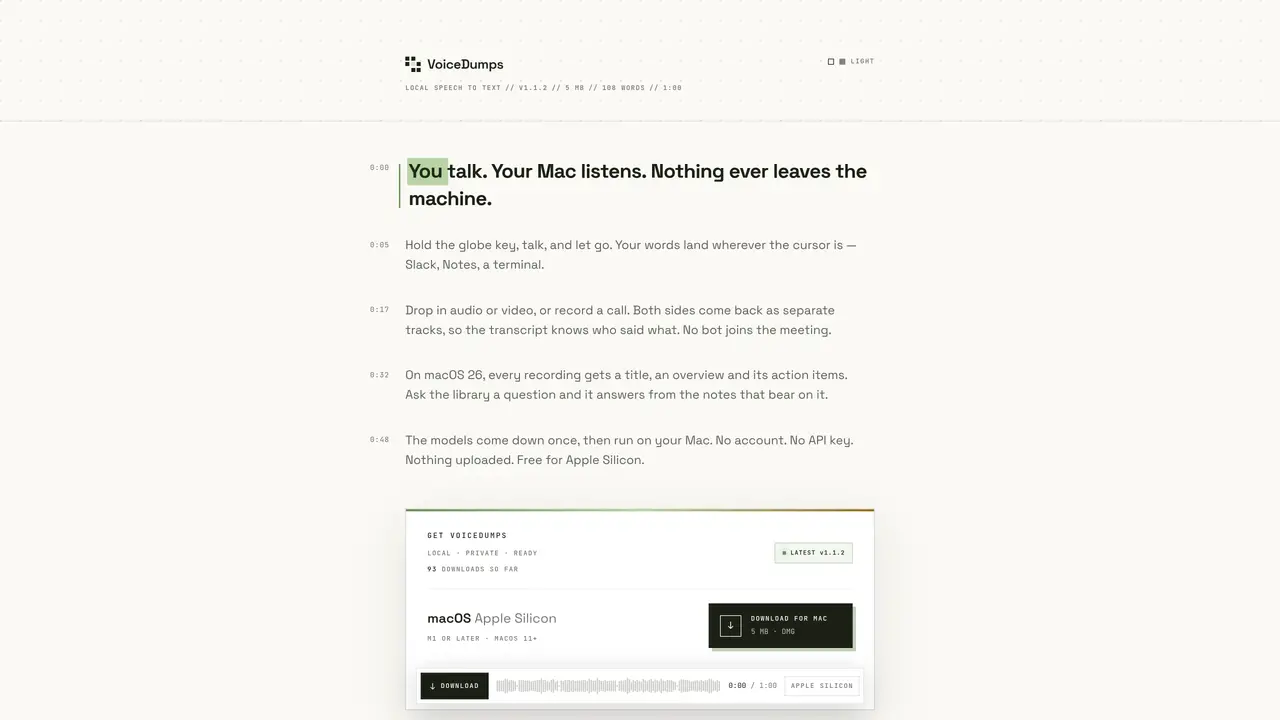
VoiceDumps is a macOS application that performs local speech-to-text transcription entirely on the user’s device. It supports real-time dictation via a globe key shortcut, direct transcription of audio or video files, and call recording with speaker separation for multi-participant conversations. The application maintains privacy by processing all data locally without requiring an account, API key, or internet connection after initial model download. On macOS 26 with Apple Intelligence enabled, it provides automated titles, summaries, and action item extraction for recordings, along with a searchable library. The app fetches speech models once (approximately 730 MB) and then operates offline. It is compatible with Apple Silicon Macs running macOS 11 or later, though advanced features require macOS 26 with Apple Intelligence enabled.
Yes. After the initial model download (about 730 MB), all transcription and processing occur locally on the user’s Mac. No account, API key, or internet connection is required, and audio or transcripts are never uploaded.
VoiceDumps runs on Apple Silicon Macs (M1 or later) with macOS 11 or newer. Intel Macs and Windows are not supported at this time.
Automated titles, summaries, and action item extraction for recordings, as well as the searchable library feature, require macOS 26 with Apple Intelligence enabled. Other core functions work on macOS 11 or later.
The warning appears because VoiceDumps is signed ad-hoc rather than with a paid Apple Developer ID. This is common for free, one-person projects and does not indicate a security issue. Users can bypass it via terminal installation or manual command.
Install via the terminal using the provided script, which downloads the latest release, verifies its signature, and copies the app to Applications without requiring sudo or writing outside the folder. Alternatively, manually clear the quarantine flag before opening.
Yes. VoiceDumps is free, with no account, subscription, or mailing list required. The developer encourages users to star the project on GitHub to help others discover it.
We use essential cookies to run aitoolnavio™, and optional cookies to analyze traffic and measure our marketing. You choose what we use — optional cookies stay off unless you turn them on. See our Privacy Policy.
One short email a week: fresh tools worth trying, honest takes and the updates that actually matter. No spam, unsubscribe any time.
Generate content, correct spelling, suggest synonyms to enhance writing.
Turn messy team ideas into actionable plans with Miro's visual workspace.
Leverage analytics, automate tasks, share documents, and coordinate projects.
Integrates AI into Airtable to analyze data, summarize insights, draft content, and automate workflows without prior AI experience.
Cloud accounting software that automates bookkeeping, invoicing, and financial reporting for small and growing businesses.
Streamline teamwork, manage projects, automate tasks efficiently.
Automate code, research, and documents using agents.
AI assistant for safe, reliable productivity with code, collaboration, and integrations.
Create customizable tables, databases, and spreadsheets, share data securely with team members.
Easy-to-use CRM platform that automates lead capturing, prioritizes tasks, and provides sales pipeline analytics for businesses of all sizes.
Transforms thoughts into actions, enhancing productivity and efficiency.
Write & run code in 50+ languages, auto-complete with AI, and code faster with an intuitive interface.
Matched on what this tool does — grouped by the job you would be replacing.
Paid placement · similar tools from listings that support aitoolnavio™
Instant lead response for home-service pros: your phone rings on every new lead, plus 14 days of follow-up
matches Real-time dictation via globe key shortcut · File transcription for audio or video · Offline operation after initial model download
matches Call recording with speaker separation · Automated titles and summaries for recordings · Searchable transcript library
matches Automated titles and summaries for recordings · Searchable transcript library
Local dictation app for macOS that transcribes speech into text offline
Fast, private, open-source voice dictation for macOS
Local voice-to-text dictation and file transcription for macOS
Offline voice dictation for macOS with instant text output
AI-powered meeting assistant for transcription, summaries and action items
An AI note-taking app for Apple devices that records, transcribes, and summarizes audio or video into searchable notes and action items.
Mac call assistant that transcribes calls privately and suggests replies
Transcribe and summarize audio or video recordings with AI-powered speech recognition and summarization.
Local AI tool that transcribes and summarizes voice recordings into searchable notes
Converts meeting audio into structured notes, decisions, and action items