

Generate content, correct spelling, suggest synonyms to enhance writing.
173M visits/mo+0.1%#1 Productivity & Office
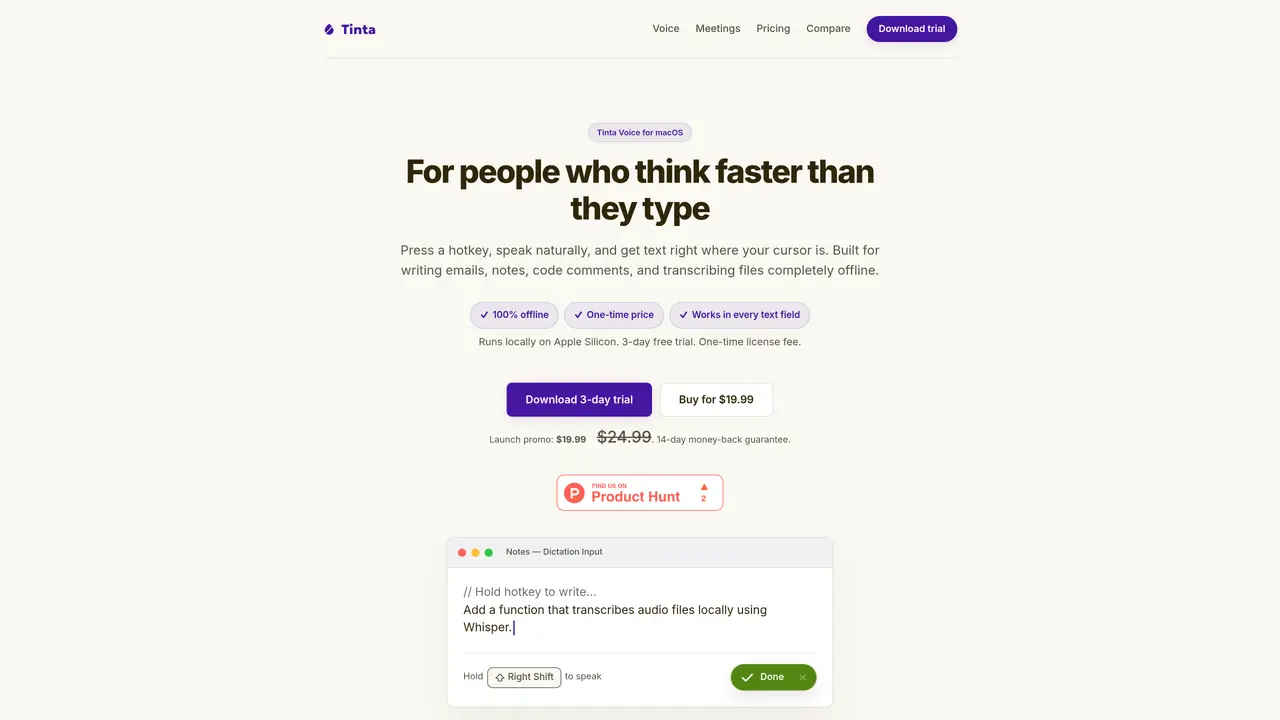
Tinta Voice is a native macOS utility that converts speech to text entirely offline using local machine learning on Apple Silicon. It allows users to press a hotkey, speak naturally, and have text appear at the cursor position in any text field without cloud processing. The tool supports system-wide push-to-talk dictation, enabling faster writing of emails, notes, code comments, and chat messages. It also transcribes local audio or video files into text with optional timestamps, exporting in formats like TXT, Markdown, or SRT. Designed for privacy, Tinta Voice does not send recordings or transcripts to external servers, ensuring all data remains on the user’s device. The application includes a 3-day free trial and a 14-day money-back guarantee, with a one-time license fee covering lifetime updates and offline use.
Yes. The trial is fully featured for 3 days, requires no account, and does not ask for a credit card.
Tinta Voice requires macOS 14 Sonoma or later and an Apple Silicon Mac (M1, M2, M3, M4, or newer) for local machine learning acceleration.
You need internet access during initial setup to download the local speech model. Once downloaded, all speech-to-text processing runs locally and works completely offline.
Tinta does not send dictation audio or transcript text to cloud transcription APIs. After initial model setup, speech-to-text runs locally on your Mac, and the app contains no tracking or telemetry.
Yes, Tinta Voice supports system-wide dictation and file transcription in multiple languages using optimized local multilingual models.
Tinta never silently drops your text. If the active focus isn't an editable field, a floating card appears with your transcription, a Copy button, and a 15-second countdown. You can paste the text manually if needed.
We use essential cookies to run aitoolnavio™, and optional cookies to analyze traffic and measure our marketing. You choose what we use — optional cookies stay off unless you turn them on. See our Privacy Policy.
One short email a week: fresh tools worth trying, honest takes and the updates that actually matter. No spam, unsubscribe any time.
Generate content, correct spelling, suggest synonyms to enhance writing.
Turn messy team ideas into actionable plans with Miro's visual workspace.
Leverage analytics, automate tasks, share documents, and coordinate projects.
Integrates AI into Airtable to analyze data, summarize insights, draft content, and automate workflows without prior AI experience.
Cloud accounting software that automates bookkeeping, invoicing, and financial reporting for small and growing businesses.
Streamline teamwork, manage projects, automate tasks efficiently.
Automate code, research, and documents using agents.
AI assistant for safe, reliable productivity with code, collaboration, and integrations.
Create customizable tables, databases, and spreadsheets, share data securely with team members.
Easy-to-use CRM platform that automates lead capturing, prioritizes tasks, and provides sales pipeline analytics for businesses of all sizes.
Transforms thoughts into actions, enhancing productivity and efficiency.
Write & run code in 50+ languages, auto-complete with AI, and code faster with an intuitive interface.
Matched on what this tool does — grouped by the job you would be replacing.
Paid placement · similar tools from listings that support aitoolnavio™
Instant lead response for home-service pros: your phone rings on every new lead, plus 14 days of follow-up
matches Push-to-talk system dictation · Local file transcription for audio and video · Markdown and SRT export with timestamps
matches Local file transcription for audio and video · Markdown and SRT export with timestamps · No recurring subscriptions or usage quotas
Speak, your Mac privately types into every app.
On-device voice dictation for macOS with push-to-talk
Fast, private, open-source voice dictation for macOS
Offline voice dictation for macOS with instant text output
Offline AI subtitle generator for Mac with SRT and Final Cut Pro export
Windows dictation tool that transcribes speech locally without cloud upload
Transcribes audio and video files to text in 90+ languages
Offline transcription app that converts video and audio files into .txt, .srt, and .vtt files with no quotas or limits.