AI video clipping and editing tool that turns long videos into short clips with captions, reframing, and one-click social publishing.
5.1M visits/mo-0.4%#9 Video & Animation

Offline AI subtitle generator for Mac with SRT and Final Cut Pro export
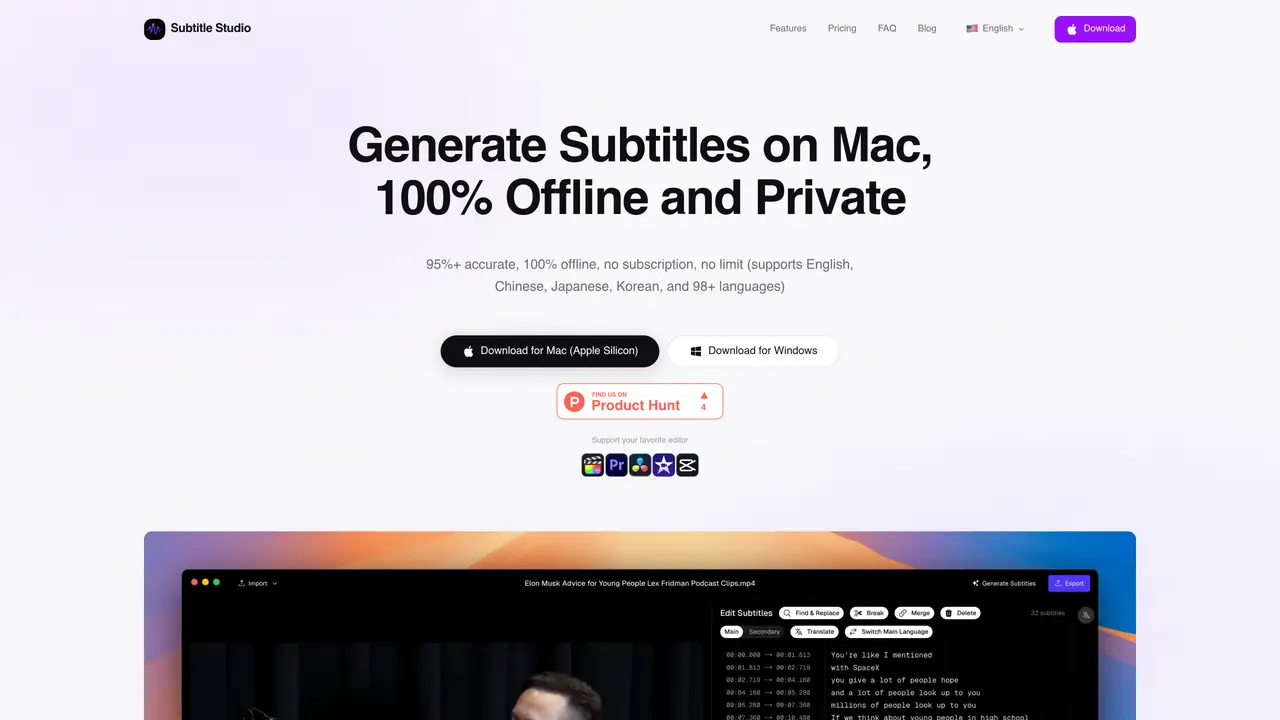
Subtitle Studio is a desktop application that generates and edits subtitles for video content entirely offline on macOS. It uses local AI models to transcribe audio into text with reported accuracy above 95% for clear speech in supported languages. The tool supports bulk processing of video files and offers dual subtitle generation and translation capabilities. Exports are available as SRT files for editors like Premiere Pro and DaVinci Resolve, or as native Final Cut Pro title layers for direct timeline integration. The workflow is designed to integrate with existing editing tools, allowing users to import videos, generate subtitles, and export without leaving their preferred software. All processing occurs on-device, ensuring privacy and eliminating the need for cloud uploads or subscriptions. The app is optimized for Apple Silicon processors and includes lifetime software updates.
Subtitle Studio preprocesses audio by isolating speech, removing background noise, and aligning transcripts to exact timing before transcription. This results in cleaner, better-timed subtitles with fewer manual corrections. The workflow is designed around how editors work, requiring minimal configuration and no post-processing in another app.
Yes, Subtitle Studio operates entirely offline after the initial model download. All transcription runs on-device using local AI models, and videos never leave your machine. Translation can also be performed locally using Ollama or via a public LLM API if preferred.
Subtitle Studio supports all major video formats, including MP4, MOV, MKV, AVI, and M4V. If macOS can play the file, Subtitle Studio can process it.
Subtitle Studio supports transcription in 98+ languages, including English, Spanish, French, Mandarin, Japanese, Korean, Arabic, and German. Translation is powered by an LLM and requires either a locally running Ollama instance or a public LLM API key.
Subtitle Studio exports to SRT, which is compatible with Adobe Premiere Pro and DaVinci Resolve. For Final Cut Pro users, it exports as a native title layer, allowing direct timeline integration and style editing without leaving the software.
The Lifetime License covers 1 device. For additional seats, users can contact hello@subtitlestudio.ai to discuss multi-seat options.
subtitlestudio.ai · third-party estimates from Similarweb
Last 4 months · grows by one month every month
Share of visits by channel
No measurable traffic from Paid Referrals.
Share of visits · estimated visits
Other countries: 1.9%
Writing & Content · Sep 2026
Traffic figures are third-party estimates, good for scale and trends; they can differ from a company's own numbers. Updated monthly.
We use essential cookies to run aitoolnavio™, and optional cookies to analyze traffic and measure our marketing. You choose what we use — optional cookies stay off unless you turn them on. See our Privacy Policy.
One short email a week: fresh tools worth trying, honest takes and the updates that actually matter. No spam, unsubscribe any time.
AI video clipping and editing tool that turns long videos into short clips with captions, reframing, and one-click social publishing.
AI-powered video clipping and editing tool that extracts viral moments, adds captions, and schedules shorts for TikTok, YouTube, and Instagram.
Cloud-based video editor with AI-powered clip generation, voiceovers, and auto-subtitles for fast, browser-based editing.
Free online AI video editor for beginners to create videos with text, music, animations, and effects.
Create captivating videos with AI-based captions, edit and customize them, and easily share on social media.
Submagic is an AI tool that helps content creators create viral reels and shorts 10 times faster than any other video editing tool.
AI-powered tool for accurate captions, video clipping, and impactful face centering.
Web-based AI editor that upscales videos to 4K, removes backgrounds and watermarks, generates subtitles, makes clips, and translates videos.
AI video generator that turns scripts or prompts into faceless TikTok and YouTube Shorts with voiceovers, captions, and music for creators and small businesses.
Web-based drag-and-drop video editor for adding animated text, templates, and AI captions to social and marketing videos.
Turn long videos or text into viral short-form clips with AI avatars, captions, and auto-scheduling for TikTok, Reels, and YouTube Shorts.
AI-powered video editor for clips, captions, supercuts and web animations
Matched on what this tool does — grouped by the job you would be replacing.
matches Local AI transcription using Whisper model · Voice activity detection and noise reduction · Dual subtitle generation
macOS video player that generates and translates subtitles in real time for foreign media or language learning with offline processing.
Offline AI transcription app that turns audio and video into editable captions in 60+ languages with SRT/VTT export.
Generates and translates subtitles from videos using local AI on Mac or Windows
On-device subtitle and caption generator for videos with animated styles
matches Local AI transcription using Whisper model · Voice activity detection and noise reduction · Apple Silicon optimization
Offline AI voice-to-text app for macOS and iOS that formats transcribed speech into clean text for emails, code, or documents.
Local speech-to-text transcription for macOS with privacy-focused features
Local voice-to-text dictation and file transcription for macOS
On-device voice dictation for macOS with push-to-talk