AI video clipping and editing tool that turns long videos into short clips with captions, reframing, and one-click social publishing.
5.1M visits/mo-0.4%#9 Video & Animation

AI-powered video editor for clips, captions, supercuts and web animations
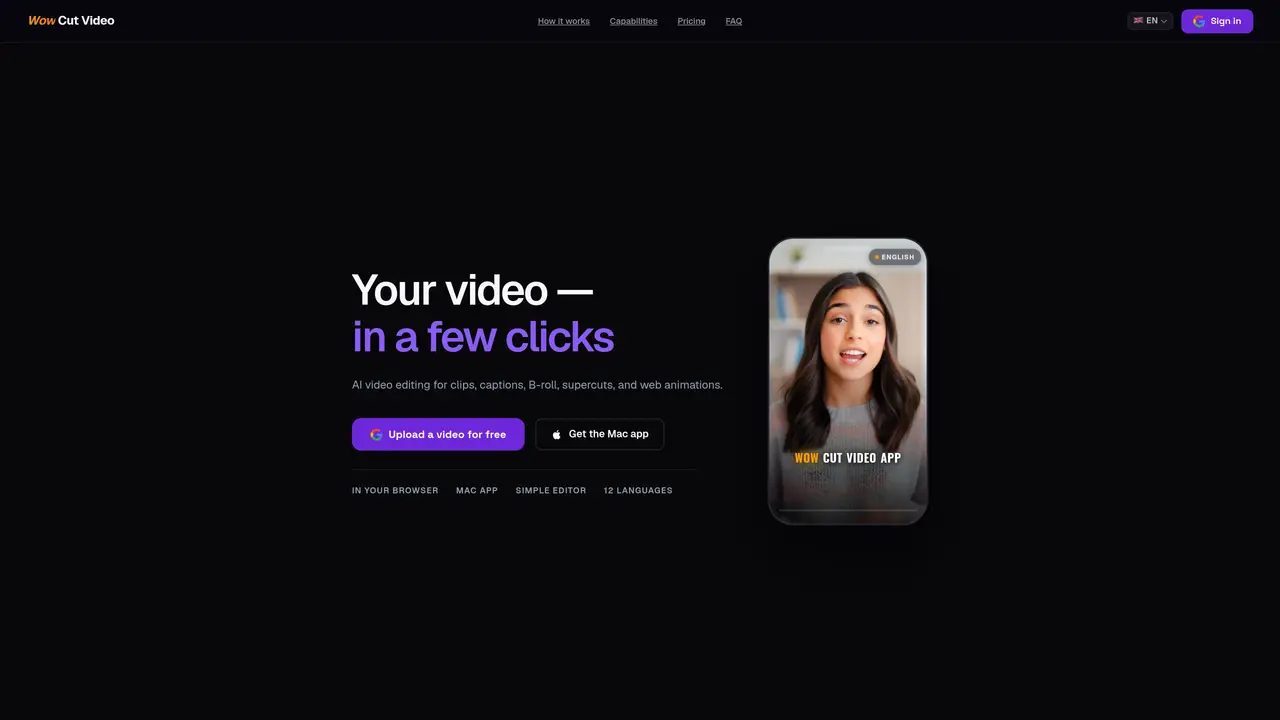
Wow Cut Video automates the creation of short-form video content by uploading a video file or YouTube link and letting AI identify the strongest moments. The tool offers four modes: captioned highlight clips, full-video captions, supercuts from multiple files, and silent loops for websites. It transcribes audio, scores segments, and generates ready-to-use titles and hooks. Users can edit transcripts, translate subtitles into 12 languages, and customize fonts, colors, and animated word highlights. Supercuts stitch the best moments from up to 10 videos, while B-roll can be added from stock libraries. Framing tools allow switching between vertical and horizontal formats, and website animations can be exported as MP4 or WebM files. Processing typically takes 2–4 minutes per video.
Wow Cut Video automates the creation of short-form video content by identifying the strongest moments in uploaded videos or YouTube links. It offers four modes: captioned highlight clips, full-video captions, supercuts from multiple files, and silent loops for websites.
The tool is designed for content creators, marketers, and social media managers who need to quickly generate engaging short-form videos for platforms like TikTok, Instagram Reels, and YouTube Shorts.
Wow Cut Video offers a free tier with limited features and a PRO subscription for unlimited access. The free plan allows one video cut into clips, three subtitle burns, one supercut, and two animations.
Yes, YouTube links can be pasted directly into the macOS app, which downloads the video locally for private and unrestricted processing. The web version requires uploading a file from your device.
The tool supports exporting videos in MP4 and WebM formats. It also allows adding B-roll from stock libraries like Pexels and Pixabay, and supports framing adjustments for vertical and horizontal formats.
Users can start by uploading a video file or pasting a YouTube link in the web version or macOS app. The AI processes the video, identifies highlights, and generates ready-to-use clips or captions.
We use essential cookies to run aitoolnavio™, and optional cookies to analyze traffic and measure our marketing. You choose what we use — optional cookies stay off unless you turn them on. See our Privacy Policy.
One short email a week: fresh tools worth trying, honest takes and the updates that actually matter. No spam, unsubscribe any time.
AI video clipping and editing tool that turns long videos into short clips with captions, reframing, and one-click social publishing.
AI-powered video clipping and editing tool that extracts viral moments, adds captions, and schedules shorts for TikTok, YouTube, and Instagram.
Cloud-based video editor with AI-powered clip generation, voiceovers, and auto-subtitles for fast, browser-based editing.
Free online AI video editor for beginners to create videos with text, music, animations, and effects.
Create captivating videos with AI-based captions, edit and customize them, and easily share on social media.
Submagic is an AI tool that helps content creators create viral reels and shorts 10 times faster than any other video editing tool.
AI-powered tool for accurate captions, video clipping, and impactful face centering.
Web-based AI editor that upscales videos to 4K, removes backgrounds and watermarks, generates subtitles, makes clips, and translates videos.
AI video generator that turns scripts or prompts into faceless TikTok and YouTube Shorts with voiceovers, captions, and music for creators and small businesses.
Web-based drag-and-drop video editor for adding animated text, templates, and AI captions to social and marketing videos.
Turn long videos or text into viral short-form clips with AI avatars, captions, and auto-scheduling for TikTok, Reels, and YouTube Shorts.
LyricEdits allows musicians to create lyric videos with AI in minutes.
Matched on what this tool does — grouped by the job you would be replacing.
matches Supercut assembly from multiple videos · AI highlight detection with segment scoring
AI video clipping and editing tool that turns long videos into short clips with captions, reframing, and one-click social publishing.
Turns long videos into ready-to-post short clips for TikTok, Reels, and YouTube Shorts in minutes.
AI-powered video editor that writes scripts, edits clips, adds captions and auto-posts to multiple platforms
AI-powered video clipping tool for Mac that identifies and extracts shareable clips from long videos
matches Automated caption generation and translation · Transcript editing and pause removal · Real-time subtitle styling preview
matches B-roll integration with stock footage
AI-assisted web video editor that repurposes long videos into social-ready clips with automatic keyframes, subtitles, and aspect-ratio exports.
AI video editor that edits videos by text transcript
AI video editor that automatically removes silences, adds background music, and generates subtitles from transcripts.
Browser-based tool that adds timed captions to short-form videos
AI-powered video clipping and editing tool that extracts viral moments, adds captions, and schedules shorts for TikTok, YouTube, and Instagram.
Web-based AI editor that upscales videos to 4K, removes backgrounds and watermarks, generates subtitles, makes clips, and translates videos.
AI-powered platform that turns raw video and audio into shareable clips with auto-editing, captions, and platform-ready exports.