AI video clipping and editing tool that turns long videos into short clips with captions, reframing, and one-click social publishing.
5.1M visits/mo-0.4%#9 Video & Animation

Create captivating videos with AI-based captions, edit and customize them, and easily share on social media.
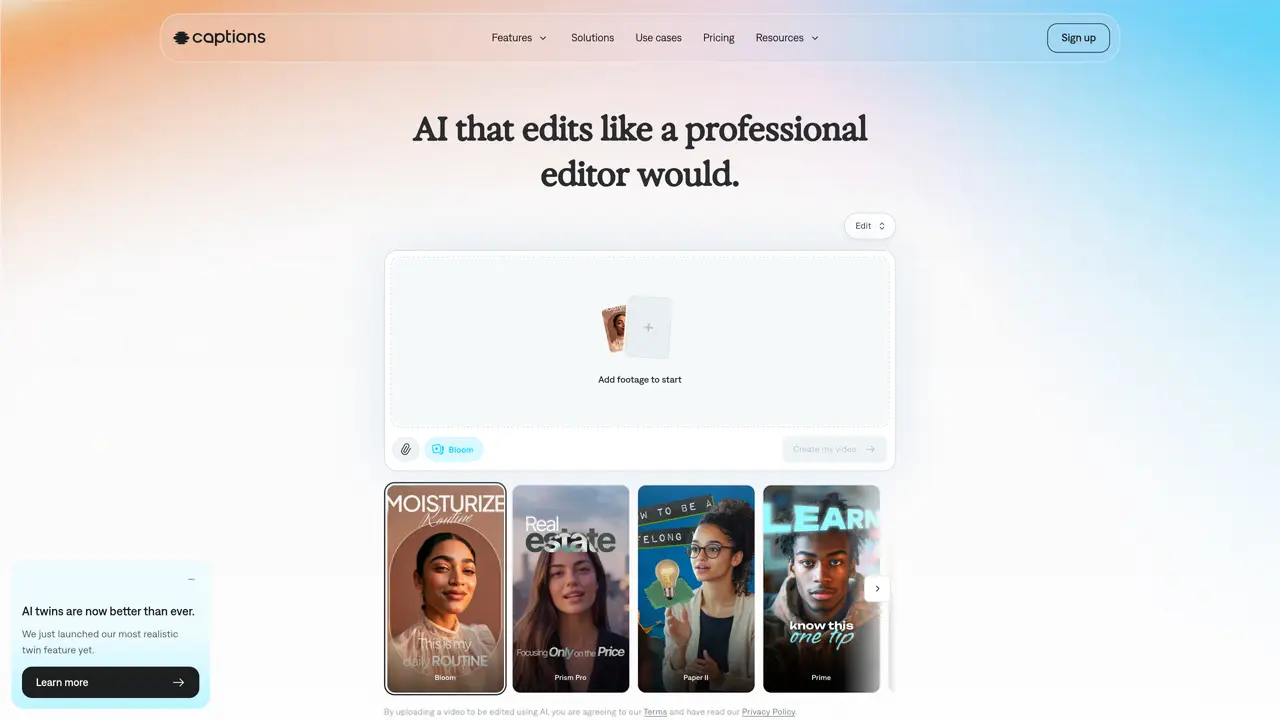
Captions is an AI-powered video creation platform that enables users to create professional-looking videos with ease. With Captions, you can record your video with just one tap, and watch captions appear on the screen in real-time. You can customize your captions, clip and edit your video, and then share it to social media platforms. The app’s AI-powered technology can quickly analyze your audio and generate captions that are accurate and in sync with your video. It also offers a range of editing tools and filters, so that you can create the perfect video for your audience. With Captions, you can create captivating and shareable videos with ease and in a fraction of the time it would normally take.
Captions is an AI video editor that produces fully-edited videos from uploaded footage or entirely new content. It guides users through suggested edits using an AI editor, enabling video creation regardless of prior editing experience.
You can use Captions on your phone or computer. To start online, sign up in your browser. Alternatively, download the app from the App Store or Google Play. The platform offers a free sign-up option with additional features available through paid plans.
Captions is free to download, and some features are accessible without a subscription. To unlock all capabilities and achieve professional-quality results, a paid plan is required.
Captions supports a wide range of video types and formats, including vertical and horizontal videos. It works for social content, video ads, podcast clips, tutorials, product assets, and more.
Yes. Captions automates the editing process, handling tasks such as scene cuts, B-roll overlays, music, transitions, and stylization. Users can make adjustments via a simple editor, while the platform manages time-consuming and specialized tasks.
Mirage Studio has been merged into Captions. Existing Mirage Studio subscribers can access their projects and actors through the Captions platform, which now includes additional editing features.
captions.ai · third-party estimates from Similarweb
Last 4 months · grows by one month every month
Share of visits · estimated visits
Other countries: 51.4%
How people reach this site from other AI tools
10K a month · 1.3% of all visits
Writing & Content · Sep 2026
Traffic figures are third-party estimates, good for scale and trends; they can differ from a company's own numbers. Updated monthly.
We use essential cookies to run aitoolnavio™, and optional cookies to analyze traffic and measure our marketing. You choose what we use — optional cookies stay off unless you turn them on. See our Privacy Policy.
One short email a week: fresh tools worth trying, honest takes and the updates that actually matter. No spam, unsubscribe any time.
AI video clipping and editing tool that turns long videos into short clips with captions, reframing, and one-click social publishing.
AI-powered video clipping and editing tool that extracts viral moments, adds captions, and schedules shorts for TikTok, YouTube, and Instagram.
Cloud-based video editor with AI-powered clip generation, voiceovers, and auto-subtitles for fast, browser-based editing.
Free online AI video editor for beginners to create videos with text, music, animations, and effects.
Submagic is an AI tool that helps content creators create viral reels and shorts 10 times faster than any other video editing tool.
AI-powered tool for accurate captions, video clipping, and impactful face centering.
Web-based AI editor that upscales videos to 4K, removes backgrounds and watermarks, generates subtitles, makes clips, and translates videos.
AI video generator that turns scripts or prompts into faceless TikTok and YouTube Shorts with voiceovers, captions, and music for creators and small businesses.
Web-based drag-and-drop video editor for adding animated text, templates, and AI captions to social and marketing videos.
Turn long videos or text into viral short-form clips with AI avatars, captions, and auto-scheduling for TikTok, Reels, and YouTube Shorts.
AI-powered video editor for clips, captions, supercuts and web animations
LyricEdits allows musicians to create lyric videos with AI in minutes.
Matched on what this tool does — grouped by the job you would be replacing.
matches AI-based captioning · Real-time captioning · Customizable captions
Create, edit, subtitle, and translate pro-grade videos instantly.
AI-powered tool for accurate captions, video clipping, and impactful face centering.
AI-driven video creation tool with auto-captions, dynamic editing, and real-time enhancements.
AI-powered video captioning tool that adds multilingual captions, emojis, and B-roll footage to videos for creators and educators.
matches AI-based captioning · Video editing tools · Filters for video creation
matches AI-based captioning · Customizable captions · Video editing tools
Turn long videos or text into viral short-form clips with AI avatars, captions, and auto-scheduling for TikTok, Reels, and YouTube Shorts.
AI-powered platform that turns raw video and audio into shareable clips with auto-editing, captions, and platform-ready exports.
Turns blogs, scripts, and text into polished explainer videos with AI avatars, captions, and music in minutes.
AI-powered video generator that turns user inputs into professional, edited videos with stock footage and audio for quick social media content creation.
Create, convert, and enhance videos effortlessly with professional effects and royalty-free music.
Submagic is an AI tool that helps content creators create viral reels and shorts 10 times faster than any other video editing tool.
Generate clips with AI templates for on-brand TikTok and Instagram videos, ensuring consistent visuals.
Create custom videos with recorded voice, generate animations from words, and share on social media channels.