
AI chatbot for conversation, work, research, coding, and content creation.
5.9B visits/mo+5%#1 Chatbots & Assistants
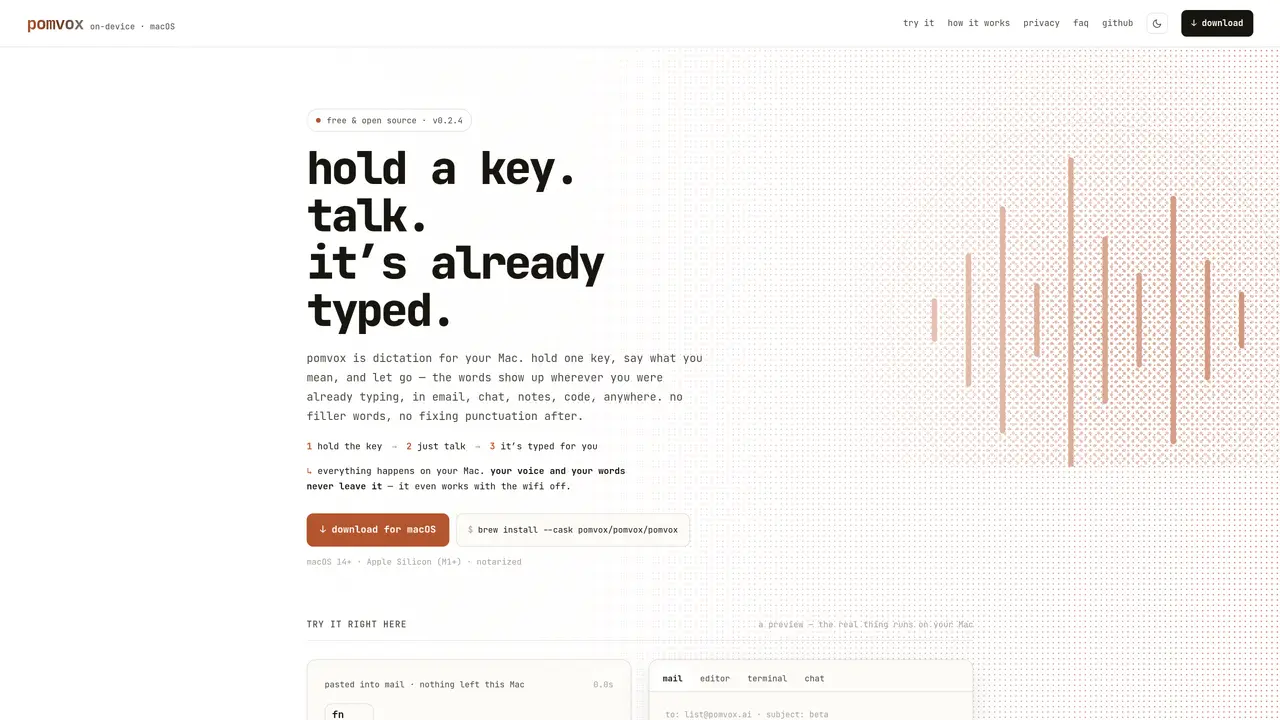
Pomvox is a local voice dictation tool designed for macOS that processes speech entirely on the user’s device. It allows users to hold a hotkey, speak naturally, and have the transcribed text appear at the current cursor position in any application with a text field. The tool uses Apple’s Neural Engine for real-time transcription and a local model to clean up punctuation, casing, and filler words without requiring internet access. After an initial one-time model download, Pomvox operates fully offline, ensuring that audio and transcripts never leave the device. The software is free, open source, and notarized for macOS 14+ on Apple Silicon (M1 or newer) devices. It supports integration with various applications including email clients, chat programs, code editors, terminals, and note-taking apps.
Pomvox is an on-device voice dictation tool for macOS that transcribes speech locally using Apple’s Neural Engine and a local cleanup model. Users hold a hotkey, speak naturally, and the polished text appears at their cursor in any application with a text field.
Pomvox is designed for macOS users, particularly those using Apple Silicon (M1 or newer) devices running macOS 14 or later. It suits anyone who prefers hands-free text input across applications like email clients, code editors, terminals, and note-taking apps.
No. After an initial one-time model download, Pomvox operates fully offline, ensuring audio and transcripts never leave the device. It works even with Wi-Fi turned off.
Yes. Pomvox is free and open source, with the full source code available on GitHub for review, building, and contributions. No payment or subscription is required.
Pomvox can be installed via the command `brew install --cask pomvox/pomvox/pomvox` in Terminal or by downloading the notarized .dmg file from GitHub Releases. It requires macOS 14+ and Apple Silicon (M1 or newer).
Yes. Pomvox processes audio and text entirely on-device with no network transmission. The tool includes no network code in the transcription path, and its open-source nature allows users to audit the code for privacy assurances.
We use essential cookies to run aitoolnavio™, and optional cookies to analyze traffic and measure our marketing. You choose what we use — optional cookies stay off unless you turn them on. See our Privacy Policy.
One short email a week: fresh tools worth trying, honest takes and the updates that actually matter. No spam, unsubscribe any time.
AI chatbot for conversation, work, research, coding, and content creation.
Create fully customizable AI companions with persistent memory, selfies, and live voice calls.
Create lifelike AI voice agents that can perform complex tasks and interact like humans.
Transform apps with advanced, multi-language voice AI; easy integration, scalable.
An AI voice assistant that delivers emotionally intelligent, context-aware conversations with natural timing and personal engagement.
Voice AI platform for building conversational agents across customer touchpoints and industries.
A free cloud-based bot for Kick.com streamers offering chat automation, moderation, alerts, AI text-to-speech, clips, widgets, and tipping tools.
Easily build interactive voice experiences, create voice-driven stories, games, and track performance.
Real-time voice, video, and AI infrastructure platform with WebRTC SDKs and Pipecat for developers building conversational agents.
AI Character Roleplay Platform!
AI-powered phone agents that simulate human-like conversations for automations like sales, surveys, and customer support.
Analyze and respond to human emotions in real-time voice interactions with AI.
Matched on what this tool does — grouped by the job you would be replacing.
Paid placement · similar tools from listings that support aitoolnavio™
Instant lead response for home-service pros: your phone rings on every new lead, plus 14 days of follow-up
matches Push-to-talk hotkey activation · Real-time transcription via Apple Neural Engine · Local cleanup of punctuation and casing
matches Push-to-talk hotkey activation · Real-time transcription via Apple Neural Engine · Local cleanup of punctuation and casing
Speak, your Mac privately types into every app.
Local voice-to-text dictation and file transcription for macOS
Local speech-to-text for macOS with no cloud processing
Fast, private, open-source voice dictation for macOS
Windows dictation tool that transcribes speech locally without cloud upload
Windows dictation tool that converts speech to polished text in any app
Offline voice dictation tool for Windows, macOS and Linux
Windows speech-to-text tool that types spoken words anywhere using local processing