Create, edit, subtitle, and translate pro-grade videos instantly.
7.9M visits/mo-7.1%#4 Video & Animation

Generates and translates subtitles from videos using local AI on Mac or Windows
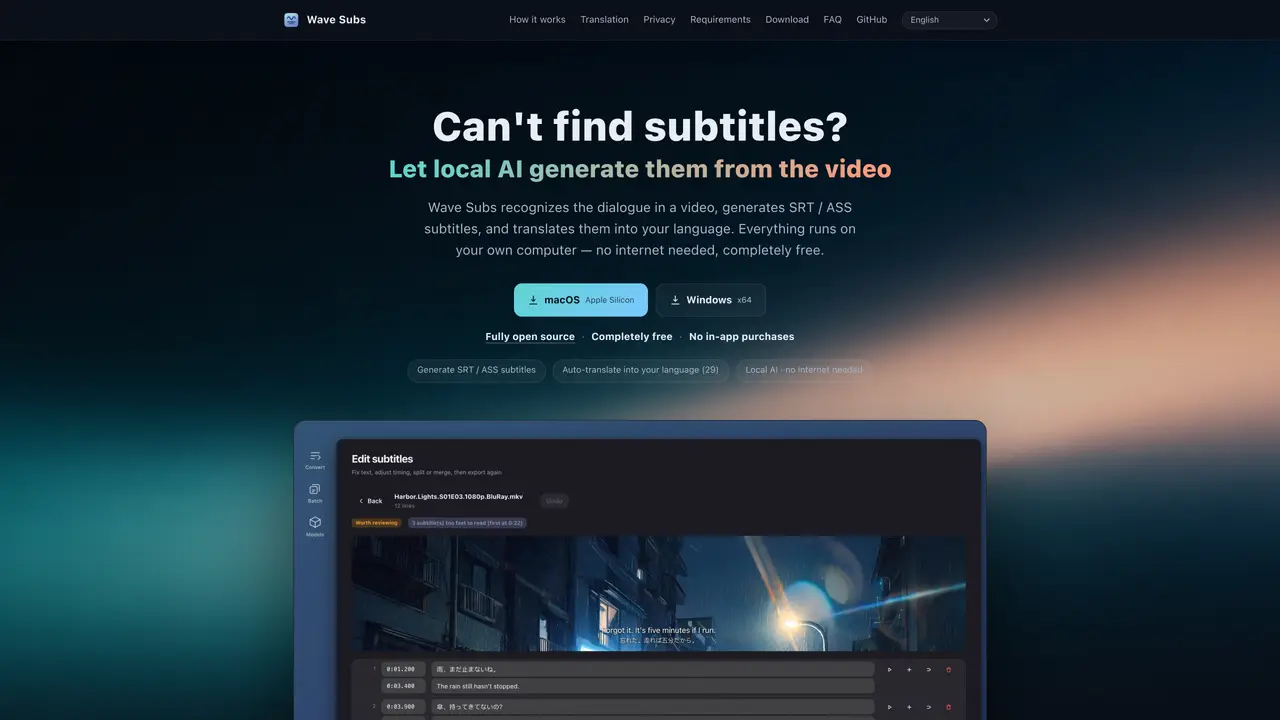
Wave Subs is a desktop application that creates SRT or ASS subtitle files from video files using local artificial intelligence. It processes videos entirely offline, recognizing dialogue with whisper.cpp and aligning timing against reference subtitles. The software supports automatic translation into 29 languages using a locally running Qwen3 model or an OpenAI-compatible API. Users can edit subtitles with a built-in editor that includes video preview, timing adjustment, and audio playback for verification. The tool handles multiple video formats including MKV, MP4, MOV, and TS, and can process entire folders of videos with shared settings. It provides quality verdicts to highlight sections requiring review and allows glossary customization to maintain consistency across translations. All operations occur on the user’s machine without uploading videos or requiring an account.
Wave Subs supports MKV, MP4, MOV, and TS video formats for subtitle generation.
Yes, it can auto-translate subtitles into 29 languages using a locally running Qwen3 model or an OpenAI-compatible API.
No, all operations including recognition, alignment, translation, editing, and export occur locally on the user's machine without requiring an internet connection.
Wave Subs uses whisper.cpp for local speech recognition with automatic language detection and refines timing by aligning against the official subtitles of six full-length films.
Yes, users can drop in an entire folder of videos, and each file will follow shared settings, with the option to override specific parameters per file.
Wave Subs does not upload videos or require an account, ensuring full privacy with no analytics or server involvement.
We use essential cookies to run aitoolnavio™, and optional cookies to analyze traffic and measure our marketing. You choose what we use — optional cookies stay off unless you turn them on. See our Privacy Policy.
One short email a week: fresh tools worth trying, honest takes and the updates that actually matter. No spam, unsubscribe any time.
Create, edit, subtitle, and translate pro-grade videos instantly.
Turn scripts and recordings into ready-to-share videos.
AI-powered video translation and dubbing that syncs lip movements, generates subtitles, and supports 111 source and 74 target languages.
RecCloud is a comprehensive tool for AI-driven video creation, editing, and enhancement.
AI Dubbing translates videos into multiple languages, generates speech based on scripts, and achieves accurate lip sync.
Transforms video dubbing with nuanced voice preservation and 100+ languages.
Localize videos in multiple languages, customize content, and use voice-over, captioning, and subtitling for various purposes.
Generate auto-translated captions, edit with ease, and collaborate on projects with shared captions in 17 languages.
Generate multilingual voiceovers, dub videos, and localize content with reliable text-to-speech voice solutions.
A chat-based AI creative studio for recording, editing, enhancing, dubbing, subtitling, and publishing video and audio content, plus Voice APIs for developers.
Automate dubbing with AI for multilingual videos, ensuring natural sound and effortless global reach.
Transform screen recordings into multilingual videos and documents effortlessly.
Matched on what this tool does — grouped by the job you would be replacing.
matches Local AI speech recognition with automatic language detection · SRT and ASS subtitle export formats · Bilingual or translation-only export options
Offline AI subtitle generator for Mac with SRT and Final Cut Pro export
Offline AI transcription app that turns audio and video into editable captions in 60+ languages with SRT/VTT export.
On-device subtitle and caption generator for videos with animated styles
Web-based AI tool to generate and edit subtitles for videos
matches Real-time AI subtitle generation during playback · On-device processing for offline use and privacy · Dual subtitles (original and translated) side-by-side
matches Automatic hardcoded subtitle removal · AI-powered subtitle translation · Muted audio output for reuse
Browser extension that dubs YouTube videos into 42 languages with bilingual subtitles and automatic language detection.
macOS video player that generates and translates subtitles in real time for foreign media or language learning with offline processing.
AI-powered document translation with perfect formatting
AI-powered tool to translate and replace hardcoded subtitles in product videos for reuse in new markets