Generate content, correct spelling, suggest synonyms to enhance writing.
173M visits/mo+0.1%#1 Productivity & Office
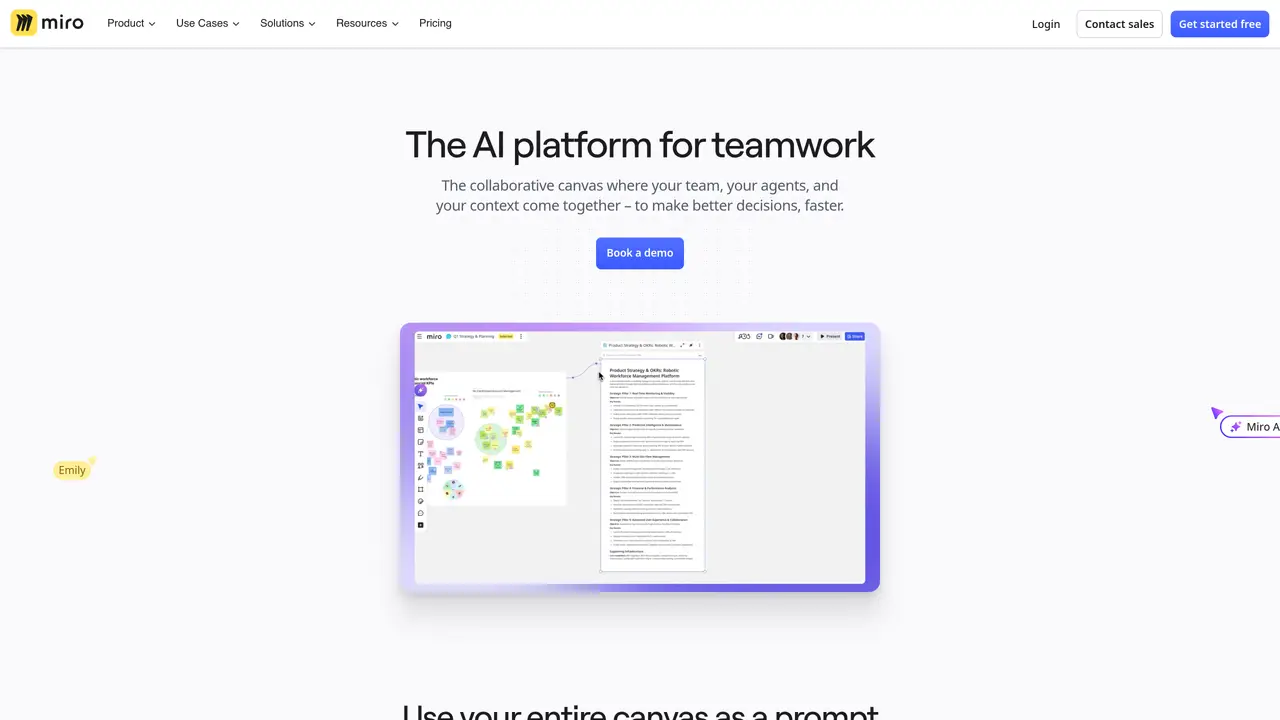
Miro AI is the perfect tool for teams who want to work smarter, faster, and better. This AI-powered platform enables teams to collaborate and communicate more efficiently, so you can get the job done in record time. Miro AI’s intuitive and user-friendly interface makes it easy to coordinate projects, share documents, and track conversations. With its powerful analytics and reporting capabilities, you can gain insight into your team’s performance and make data-driven decisions. Plus, the platform’s advanced automation features help to streamline processes and optimize workflow. With Miro AI, you can work smarter and get more done with less effort, so you can focus on the things that really matter. Use Cases And Features 1. Leverage analytics for data-driven decisions. 2. Automate tasks to optimize workflow. 3. Share documents and coordinate projects.
Miro AI is an AI-powered platform designed for teams to collaborate and make decisions faster by integrating their work into a shared visual canvas. It is suitable for product managers, designers, engineers, marketers, and other professionals who rely on visual collaboration.
Miro AI uses the entire canvas—including diagrams, documents, and discussions—as a prompt to understand your team’s context. This allows it to generate relevant outputs and ask targeted questions to solve problems rooted in your existing work.
Miro AI can generate content tailored to your canvas, such as frames, timelines, kanbans, diagrams, and structured plans. It adapts its outputs to fit the specific visual format your team is using.
Yes, Miro AI supports integrations through connectors and the Developer Platform, allowing it to pull in context from other tools your team uses. This ensures a seamless workflow across different applications.
Miro AI Sidekicks are AI assistants that understand the context of your canvas and help you solve problems by generating relevant content or asking clarifying questions. They operate within Miro’s visual workspace to streamline collaboration.
To get started, you can explore Miro’s AI features directly within the platform or book a demo to see how it fits into your team’s workflow. Miro offers resources like playbooks and learning materials to help teams adopt AI effectively.
miro.com · third-party estimates from Similarweb
Last 4 months · grows by one month every month
Share of visits · estimated visits
Other countries: 55.9%
How people reach this site from other AI tools
238K a month · 0.8% of all visits
Productivity & Office · Sep 2026
Traffic figures are third-party estimates, good for scale and trends; they can differ from a company's own numbers. Updated monthly.
We use essential cookies to run aitoolnavio™, and optional cookies to analyze traffic and measure our marketing. You choose what we use — optional cookies stay off unless you turn them on. See our Privacy Policy.
One short email a week: fresh tools worth trying, honest takes and the updates that actually matter. No spam, unsubscribe any time.
Generate content, correct spelling, suggest synonyms to enhance writing.
Turn messy team ideas into actionable plans with Miro's visual workspace.
Integrates AI into Airtable to analyze data, summarize insights, draft content, and automate workflows without prior AI experience.
Cloud accounting software that automates bookkeeping, invoicing, and financial reporting for small and growing businesses.
Streamline teamwork, manage projects, automate tasks efficiently.
Automate code, research, and documents using agents.
AI assistant for safe, reliable productivity with code, collaboration, and integrations.
Create customizable tables, databases, and spreadsheets, share data securely with team members.
Easy-to-use CRM platform that automates lead capturing, prioritizes tasks, and provides sales pipeline analytics for businesses of all sizes.
Transforms thoughts into actions, enhancing productivity and efficiency.
Write & run code in 50+ languages, auto-complete with AI, and code faster with an intuitive interface.
Record lectures, create tutorials, and securely share videos with teams.
Matched on what this tool does — grouped by the job you would be replacing.
Paid placement · similar tools from listings that support aitoolnavio™
Instant lead response for home-service pros: your phone rings on every new lead, plus 14 days of follow-up
matches Automate tasks to optimize workflow · Advanced automation features
matches Share documents and coordinate projects · Intuitive and user-friendly interface
matches Leverage analytics for data-driven decisions · Powerful analytics and reporting capabilities
Streamline teamwork, manage projects, automate tasks efficiently.
Build specialized AI agents that automate complex business workflows and integrate with internal tools and data.
Brainstorm ideas, automate tasks, and streamline collaboration with AI-powered suggestions, processes, and all-in-one workspace.
Automate tasks, leverage predictive analytics, and customize operations for improved efficiency and better decision-making.
Organize and track projects, set deadlines, and gain insights with customizable boards and advanced analytics.
All-in-one project management platform for task management, team collaboration, and workflow visualization with time tracking and reporting.
Turn messy team ideas into actionable plans with Miro's visual workspace.
AI-powered collaborative workspace for teams to generate editable diagrams, cloud architecture, docs, and task boards with real-time collaboration and templates.
Develop, run data jobs, transform datasets, leverage ML algorithms for actionable insights.
Create custom visualizations, automate data analysis, leverage real-time data for informed decisions and business growth.
Track tasks, projects, and deadlines, create custom timelines, and gain real-time insights for performance improvement.