Turn messy team ideas into actionable plans with Miro's visual workspace.
30M visits/mo+11.8%#8 Productivity & Office

All-in-one project management platform for task management, team collaboration, and workflow visualization with time tracking and reporting.
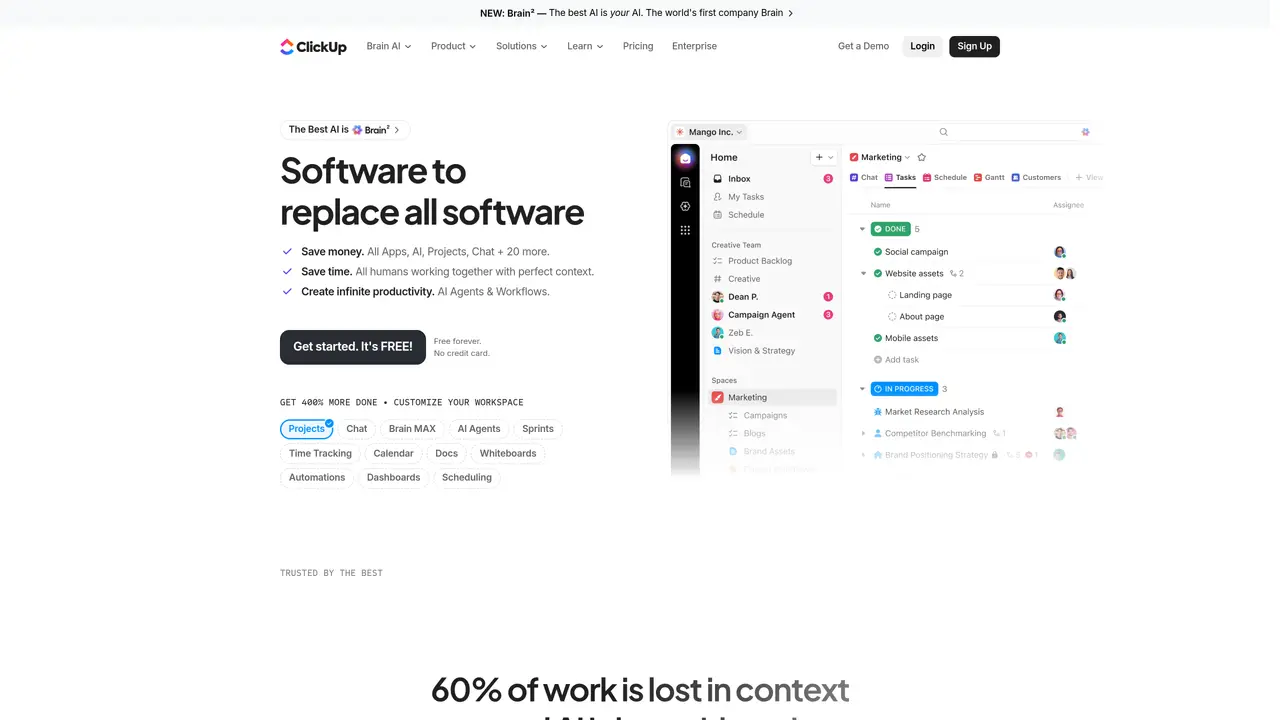
ClickUp is an all-in-one project management platform designed to streamline team collaboration, visualize workflows, and track project progress. It provides powerful task management, clear communication tools, and real-time tracking capabilities to help teams stay organized and productive. ClickUp supports projects of any scale, from simple task lists to complex project plans, with an intuitive drag-and-drop interface and customizable features. Teams can plan, assign, and track tasks while keeping everyone aligned through shared workspaces and folders. The platform includes advanced features such as custom automation, time tracking, and reporting to monitor and analyze progress. Users can visualize workflows using customizable views to quickly identify and resolve issues. ClickUp is suitable for any team looking to improve organization and project oversight.
ClickUp
San Diego, United States · Founded 2016
ClickUp is an all-in-one productivity platform that combines project management, AI agents, and team collaboration tools. It is designed for teams of any size looking to streamline workflows, centralize work, and improve productivity through automation and AI assistance.
Brain² is an AI assistant that learns team preferences, workflows, and context over time. It integrates with connected apps and surfaces relevant tasks, insights, and suggestions without requiring manual input, adapting to how your team operates.
Yes, ClickUp provides a free plan with core features available at no cost. The free tier includes basic project management, collaboration tools, and limited AI capabilities.
ClickUp supports integrations with over 100 apps and tools through its MCP (Model Context Protocol) system. It connects with platforms like Google Drive, GitHub, Salesforce, and others to centralize workflows and data.
ClickUp is typically used for project planning, task management, team collaboration, time tracking, and workflow automation. It also serves as a centralized hub for documentation, reporting, and AI-driven insights.
Users can sign up for ClickUp for free on the website. The platform offers onboarding resources, templates, and tutorials to help teams customize their workspace and begin using core features immediately.
clickup.com · third-party estimates from Similarweb
Last 4 months · grows by one month every month
Share of visits by channel
Share of visits · estimated visits
Other countries: 50.9%
How people reach this site from other AI tools
268K a month · 0.8% of all visits
Productivity & Office · Sep 2026
Traffic figures are third-party estimates, good for scale and trends; they can differ from a company's own numbers. Updated monthly.
We use essential cookies to run aitoolnavio™, and optional cookies to analyze traffic and measure our marketing. You choose what we use — optional cookies stay off unless you turn them on. See our Privacy Policy.
One short email a week: fresh tools worth trying, honest takes and the updates that actually matter. No spam, unsubscribe any time.
Turn messy team ideas into actionable plans with Miro's visual workspace.
Streamline teamwork, manage projects, automate tasks efficiently.
Organize and track projects, set deadlines, and gain insights with customizable boards and advanced analytics.
Optimize project management with custom workflows, real-time task assignment, and easy navigation of complex projects.
Centralize project information, automate workflows, and integrate popular applications for efficient project management.
Plan projects, track progress, streamline workflow, share files, and communicate collaboratively, maximizing productivity.
Leading product roadmap software for product and marketing teams to plan, visualize, and share strategies with Gantt charts and integrations.
Real-time task tracking, project management, collaboration, and task assignment.
Cloud-based professional services automation platform for agencies and consultancies to manage projects, resources, time tracking, invoicing, and profitability forecasting.
Agile project management platform for teams to organize workflows, track progress, and collaborate in real time with reporting and analytics.
Streamline project tasks and team collaboration with Plane.
Schedule events, streamline projects, and draft emails efficiently with its features.
Matched on what this tool does — grouped by the job you would be replacing.
Streamline teamwork, manage projects, automate tasks efficiently.
Organize and track projects, set deadlines, and gain insights with customizable boards and advanced analytics.
Centralize project information, automate workflows, and integrate popular applications for efficient project management.
Agile project management platform for teams to organize workflows, track progress, and collaborate in real time with reporting and analytics.
Plan projects, track progress, streamline workflow, share files, and communicate collaboratively, maximizing productivity.
See all ClickUp alternatives, compared →
Compare: ClickUp vs Monday · ClickUp vs Asana
Optimize project management with custom workflows, real-time task assignment, and easy navigation of complex projects.
Streamline project tasks and team collaboration with Plane.
Generate content, correct spelling, suggest synonyms to enhance writing.
Create customizable tables, databases, and spreadsheets, share data securely with team members.