
AI-powered video messaging tool that records, shares, and manages video messages with AI-generated titles, summaries, and tasks.
16M visits/mo-3.4%#5 Chatbots & Assistants

Converts meeting audio into structured notes, decisions, and action items
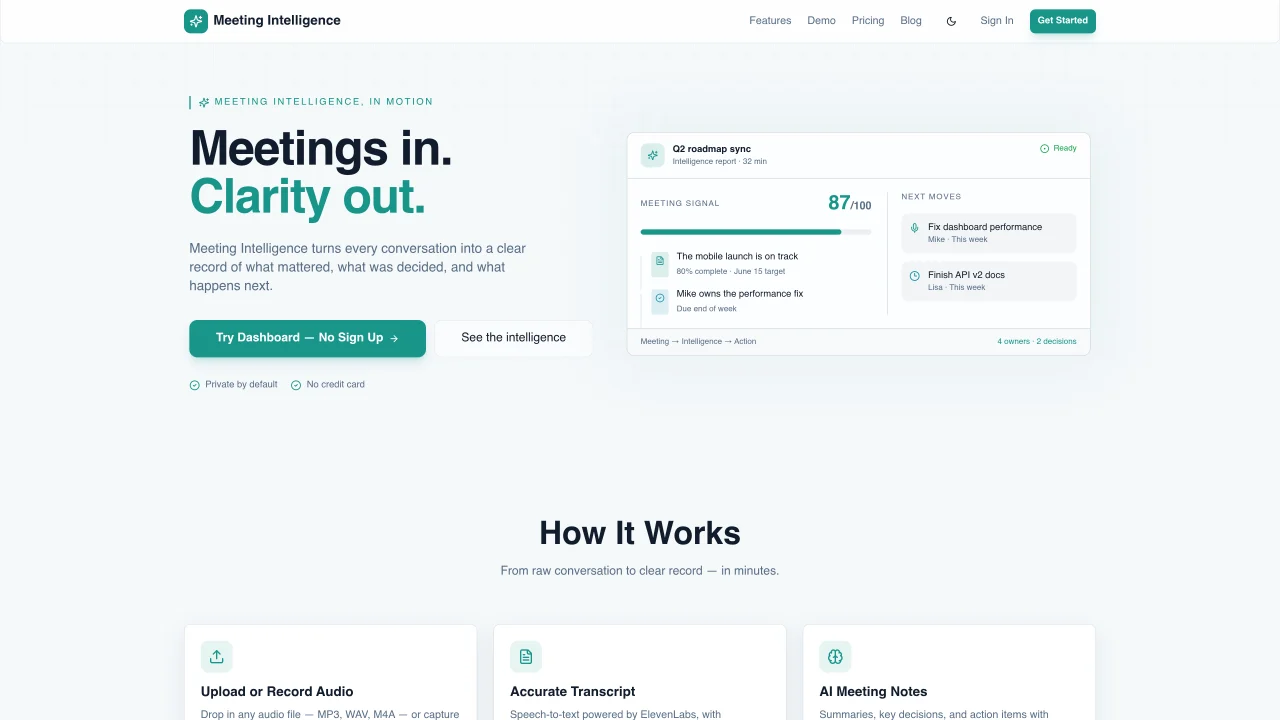
Meeting Intelligence processes audio recordings or live meetings to produce structured summaries. Users can upload audio files in MP3, WAV, or M4A formats or record meetings directly using the built-in voice recorder. The service generates accurate transcripts with timestamps using speech-to-text technology. AI meeting notes include summaries, key decisions, and assigned action items with owners. Speaker diarization identifies who spoke when, and notes can be exported as PDF, Word, or Markdown. All data is encrypted and kept private by default, with no use of meeting content for AI training. The platform supports team collaboration with features like shared notes and an admin dashboard.
Meeting Intelligence is an AI-powered tool that processes audio recordings or live meetings to generate structured summaries. It converts speech into accurate transcripts with timestamps, identifies key decisions, and assigns action items with owners.
The tool is designed for professionals, teams, and organizations that need to capture, analyze, and share meeting insights efficiently. It suits users who rely on structured notes for follow-ups, decision tracking, and team collaboration.
Meeting Intelligence encrypts all data by default and does not use meeting content for AI training. User privacy is prioritized, ensuring that meeting recordings and transcripts remain confidential and secure.
The platform supports team collaboration features such as shared notes and an admin dashboard, but specific integrations with third-party tools are not detailed on the website. Users should check the documentation or contact support for integration options.
Meeting Intelligence supports audio file uploads in MP3, WAV, and M4A formats. Users can also record meetings directly using the built-in voice recorder for real-time transcription.
To get started, users can upload an audio file or start a live recording directly on the platform. The tool processes the audio to generate transcripts, summaries, and action items, which can then be exported in PDF, Word, or Markdown formats.
We use essential cookies to run aitoolnavio™, and optional cookies to analyze traffic and measure our marketing. You choose what we use — optional cookies stay off unless you turn them on. See our Privacy Policy.
One short email a week: fresh tools worth trying, honest takes and the updates that actually matter. No spam, unsubscribe any time.
AI-powered video messaging tool that records, shares, and manages video messages with AI-generated titles, summaries, and tasks.
Hardware device that records conversations and converts them into searchable transcripts, summaries, and notes.
Automate transcription, generate summaries, identify speakers, and timestamps for video-conferencing conversations.
AI-powered meeting recorder and summarizer that captures, transcribes, and generates actionable insights from conversations.
Automatically record, transcribe, take notes, and create summaries with key insights during meetings.
Transforms audio/video to summarized text, instantly, across platforms.
Automatically transcribe meetings, create summaries, and securely store audio files in a searchable format.
Automatically turn meetings into searchable notes and tasks.
Wearable AI device that captures conversations and meetings, then auto-generates transcripts, summaries, action items, mind maps, and searchable notes.
Record, transcribe, and share key insights from virtual trainings, online meetings, and content creation.
Record, transcribe, and summarize online meetings from Google Meet and Zoom with AI, then share insights across collaboration tools.
Transform audio/video to text with precision, supporting 1500+ platforms, enriched by AI features.
Matched on what this tool does — grouped by the job you would be replacing.
matches Audio upload or live recording · Accurate speech-to-text transcription · AI-generated meeting summaries
Automatically transcribe meetings, create summaries, and securely store audio files in a searchable format.
AI tool that records, transcribes, and summarizes meetings to keep users organized and share key insights.
AI-powered meeting transcription, summarization and action-item extraction
AI-powered meeting transcription and note-taking tool
matches Audio upload or live recording · Accurate speech-to-text transcription · Speaker diarization with timestamps
AI-powered transcription service that converts audio and video into editable, timestamped text with speaker labels and noise reduction.
Transcribes audio and video files to text in 90+ languages
AI transcription and study platform converting audio, video and YouTube to text with notes, flashcards and
Web app that converts audio and video files into searchable text with timestamps and subtitles