

AI-powered video messaging tool that records, shares, and manages video messages with AI-generated titles, summaries, and tasks.
16M visits/mo-3.4%#5 Chatbots & Assistants
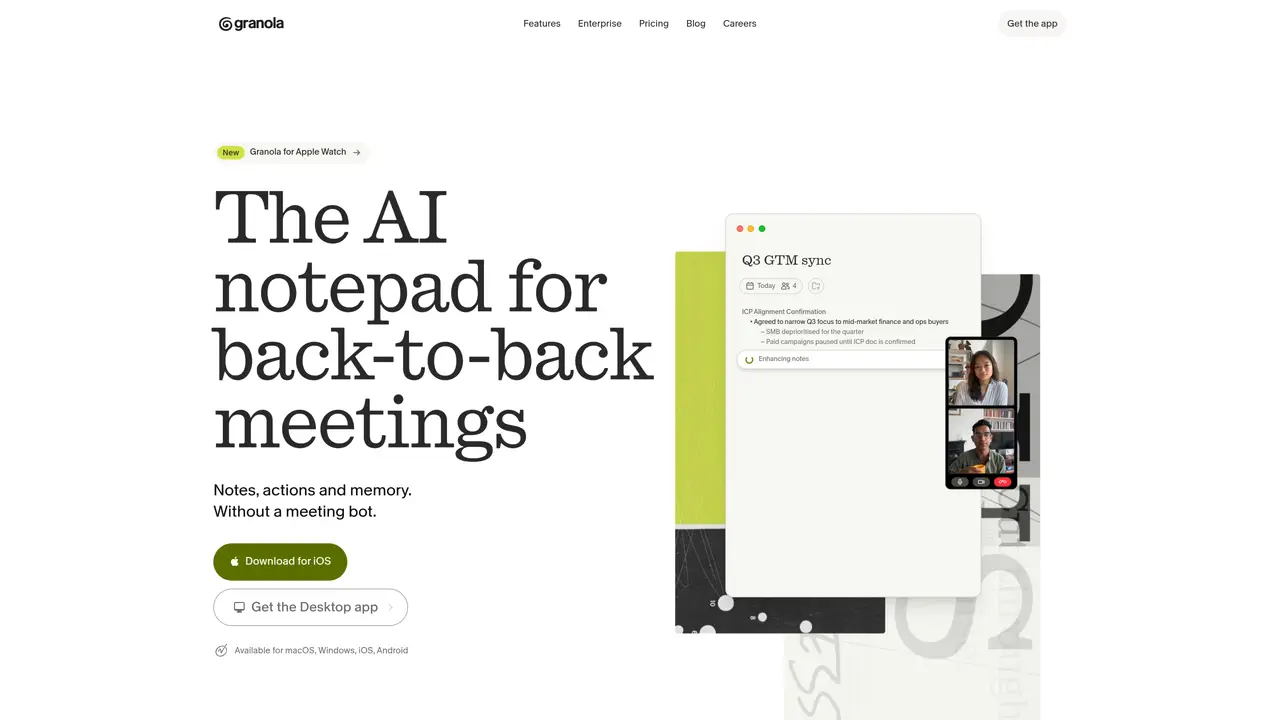
Granola is an AI notepad built for people who live in back-to-back meetings. It records your computer’s audio, pairs it with the notes you type, then uses modern language models to turn that raw material into structured summaries, action lists, and follow ups. Instead of a separate meeting bot, it behaves more like an upgraded Apple Notes that quietly does transcription and thinking in the background. The result is calmer meetings, better recall, and less admin work after every call. Key Features: AI Notepad With Live Transcription: Desktop and mobile apps capture your notes while transcribing meeting audio directly from your device, so it works with Zoom, Google Meet, Teams, and traditional phone calls. Automatic Note Enhancement: When a meeting ends, Granola merges your bullets with the transcript into organized documents, with sections such as key takeaways, decision drivers, objections, budget, and next steps. Meeting-Aware AI Chat: Built-in chat can answer questions like “What did they say about timing?” or “Who joined this call?” by searching across recent meetings and their transcripts.
Granola is an AI notepad designed for people with back-to-back meetings. It captures notes and meeting audio directly from your device, then uses language models to generate structured summaries, action lists, and follow-ups without requiring a separate meeting bot.
Granola is ideal for professionals who attend frequent meetings and need to streamline note-taking, recall, and post-meeting admin work. It is particularly useful for teams and individuals who want to stay organized and prepared before, during, and after meetings.
Granola works with popular meeting platforms like Zoom, Google Meet, and Microsoft Teams, as well as traditional phone calls. It captures audio directly from your device, so it does not require bots or additional integrations.
Granola emphasizes privacy by default, capturing audio directly from your device without inviting external bots. Notes and transcripts can be shared easily if desired, but the tool prioritizes keeping your data secure.
Yes, Granola syncs with your calendar to provide a brief before external meetings, including attendee details, past discussion points, and key topics to focus on.
Granola is available as a free download for macOS, Windows, iOS, and Android. Users can install the app and begin capturing notes and audio immediately, with no additional setup required.
granola.ai · third-party estimates from Similarweb
Last 4 months · grows by one month every month
Share of visits · estimated visits
Other countries: 24.4%
How people reach this site from other AI tools
112K a month · 3.8% of all visits
Chatbots & Assistants · Sep 2026
Traffic figures are third-party estimates, good for scale and trends; they can differ from a company's own numbers. Updated monthly.
We use essential cookies to run aitoolnavio™, and optional cookies to analyze traffic and measure our marketing. You choose what we use — optional cookies stay off unless you turn them on. See our Privacy Policy.
One short email a week: fresh tools worth trying, honest takes and the updates that actually matter. No spam, unsubscribe any time.
AI-powered video messaging tool that records, shares, and manages video messages with AI-generated titles, summaries, and tasks.
Hardware device that records conversations and converts them into searchable transcripts, summaries, and notes.
Automate transcription, generate summaries, identify speakers, and timestamps for video-conferencing conversations.
AI-powered meeting recorder and summarizer that captures, transcribes, and generates actionable insights from conversations.
Automatically record, transcribe, take notes, and create summaries with key insights during meetings.
Transforms audio/video to summarized text, instantly, across platforms.
Automatically transcribe meetings, create summaries, and securely store audio files in a searchable format.
Wearable AI device that captures conversations and meetings, then auto-generates transcripts, summaries, action items, mind maps, and searchable notes.
Record, transcribe, and share key insights from virtual trainings, online meetings, and content creation.
Record, transcribe, and summarize online meetings from Google Meet and Zoom with AI, then share insights across collaboration tools.
Transform audio/video to text with precision, supporting 1500+ platforms, enriched by AI features.
AI meeting notetaker that records, transcribes, and summarizes calls with CRM and workflow integrations.
Matched on what this tool does — grouped by the job you would be replacing.
matches AI Notepad With Live Transcription · Automatic Note Enhancement · Meeting-Aware AI Chat
A bot-free AI note taker that records meetings, generates transcripts, summaries, and action items, and syncs notes to CRMs in 100+ languages.
AI notetaker for sales and customer success teams that records meetings, transcribes with speaker ID, generates summaries and action items, and syncs insights to CRM.
Privacy-first AI that captures meetings, generates notes and action items, and makes everything searchable without giving up data ownership.
AI meeting assistant that transcribes calls, generates summaries, action items, and follow-up emails for teams.
matches AI Notepad With Live Transcription
Hardware device that records conversations and converts them into searchable transcripts, summaries, and notes.
Wearable AI device that captures conversations and meetings, then auto-generates transcripts, summaries, action items, mind maps, and searchable notes.
AI voice note-taker that records, transcribes, and organizes spoken thoughts, ideas, and conversations in over 50 languages.
An AI note-taking app for Apple devices that records, transcribes, and summarizes audio or video into searchable notes and action items.