

AI-powered video messaging tool that records, shares, and manages video messages with AI-generated titles, summaries, and tasks.
16M visits/mo-3.4%#5 Chatbots & Assistants
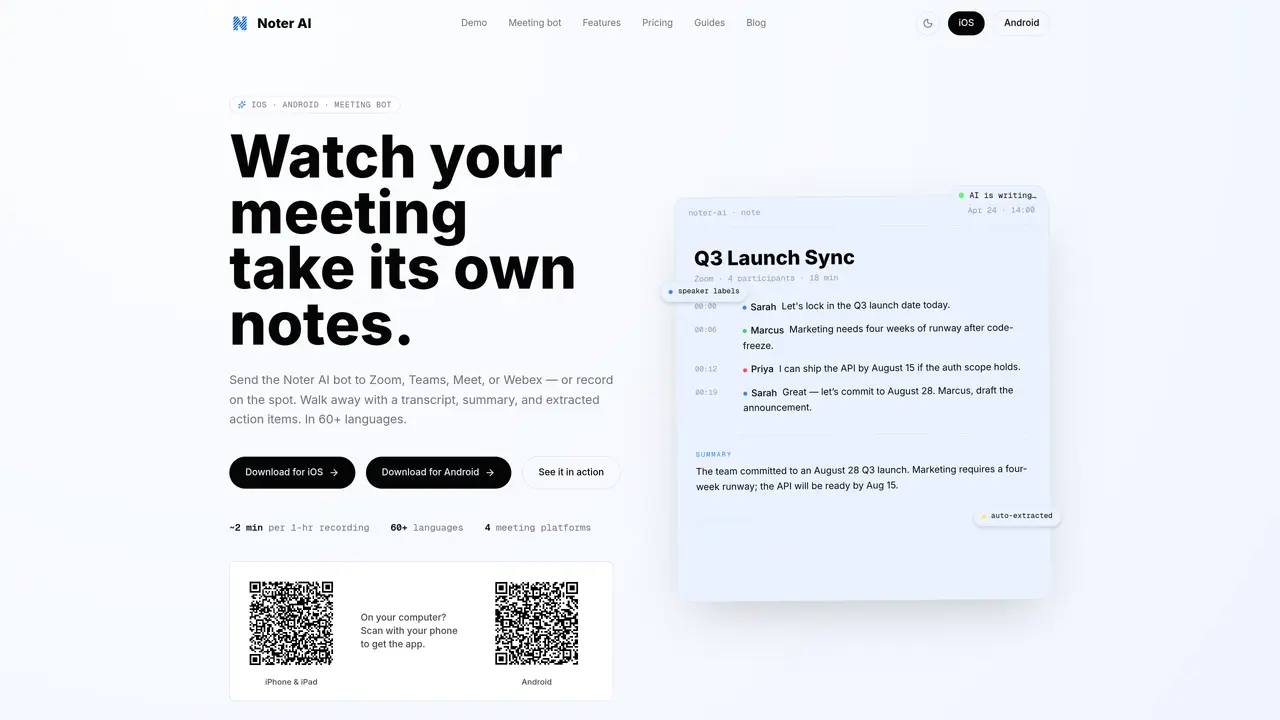
Noter AI records, transcribes, and summarizes meetings held on Zoom, Microsoft Teams, Google Meet, or Webex. Users can either join calls directly with the Noter AI bot or record audio on the spot via the mobile app. The service produces a speaker-aware transcript with timestamps and readable paragraphs, an executive summary highlighting decisions, risks, blockers, and next steps, and a list of extracted action items. Transcripts can be translated into 18 languages, and the AI chat feature lets users search across all stored meetings for specific information. Notes can be exported to PDF, Word, or plain text and attached back to calendar events. The app is available natively on iOS and Android, with features including Siri-ready capture, Dynamic Island status, Control Center access, and optimized layouts for iPad.
Paste a meeting link or tap 'Join' from a synced calendar. The Noter AI bot joins as a participant, records the entire call, and automatically generates a transcript, summary, analysis, and action items.
Transcription supports 60+ languages with automatic detection, while finished notes can be translated into 18 languages, including Arabic, Chinese, English, French, German, Japanese, Spanish, and more.
Sample notes can be explored in the app to preview functionality, but full access to all features requires a subscription with no hidden limits.
All data is encrypted in transit and at rest. The service supports Sign in with Apple, uses OAuth authentication, and allows users to delete their account and all associated data at any time.
Yes — Noter AI has an optimized layout for iPad and is available on Android via Google Play, with all core features accessible on both platforms.
Notes can be exported as PDF, Word (.docx), or plain text (.txt). Rich text formatting is also available for copying to clipboard and pasting into emails or documents.
noterai.net · third-party estimates from Similarweb
Last 4 months · grows by one month every month
Share of visits · estimated visits
Chatbots & Assistants · Sep 2026
Traffic figures are third-party estimates, good for scale and trends; they can differ from a company's own numbers. Updated monthly.
We use essential cookies to run aitoolnavio™, and optional cookies to analyze traffic and measure our marketing. You choose what we use — optional cookies stay off unless you turn them on. See our Privacy Policy.
One short email a week: fresh tools worth trying, honest takes and the updates that actually matter. No spam, unsubscribe any time.
AI-powered video messaging tool that records, shares, and manages video messages with AI-generated titles, summaries, and tasks.
Hardware device that records conversations and converts them into searchable transcripts, summaries, and notes.
Automate transcription, generate summaries, identify speakers, and timestamps for video-conferencing conversations.
AI-powered meeting recorder and summarizer that captures, transcribes, and generates actionable insights from conversations.
Automatically record, transcribe, take notes, and create summaries with key insights during meetings.
Transforms audio/video to summarized text, instantly, across platforms.
Automatically transcribe meetings, create summaries, and securely store audio files in a searchable format.
Automatically turn meetings into searchable notes and tasks.
Wearable AI device that captures conversations and meetings, then auto-generates transcripts, summaries, action items, mind maps, and searchable notes.
Record, transcribe, and share key insights from virtual trainings, online meetings, and content creation.
Record, transcribe, and summarize online meetings from Google Meet and Zoom with AI, then share insights across collaboration tools.
Transform audio/video to text with precision, supporting 1500+ platforms, enriched by AI features.
Matched on what this tool does — grouped by the job you would be replacing.
matches Live meeting recording via bot or mobile · Speaker-aware transcription with timestamps · Automatic summary generation
AI note-taking and meeting transcription app that records audio, generates transcripts, summaries, and action items.
Converts meeting audio into structured notes, decisions, and action items
AI-powered meeting recorder, transcriber and search tool for teams
AI-powered meeting transcription and note-taking tool
matches 18-language translation of transcripts
Transforms audio/video to summarized text, instantly, across platforms.
A bot-free AI note taker that records meetings, generates transcripts, summaries, and action items, and syncs notes to CRMs in 100+ languages.
AI-powered meeting assistant for transcription, summaries and action items
AI-powered transcription that separates speakers, extracts insights, and makes voice notes searchable.