Generate captions, optimize content, and enhance with custom images for maximum engagement.
46M visits/mo-10%#3 Image & Design

A macOS desktop app for deploying and managing OpenClaw autonomous agents and no-code workflows locally without terminal setup.
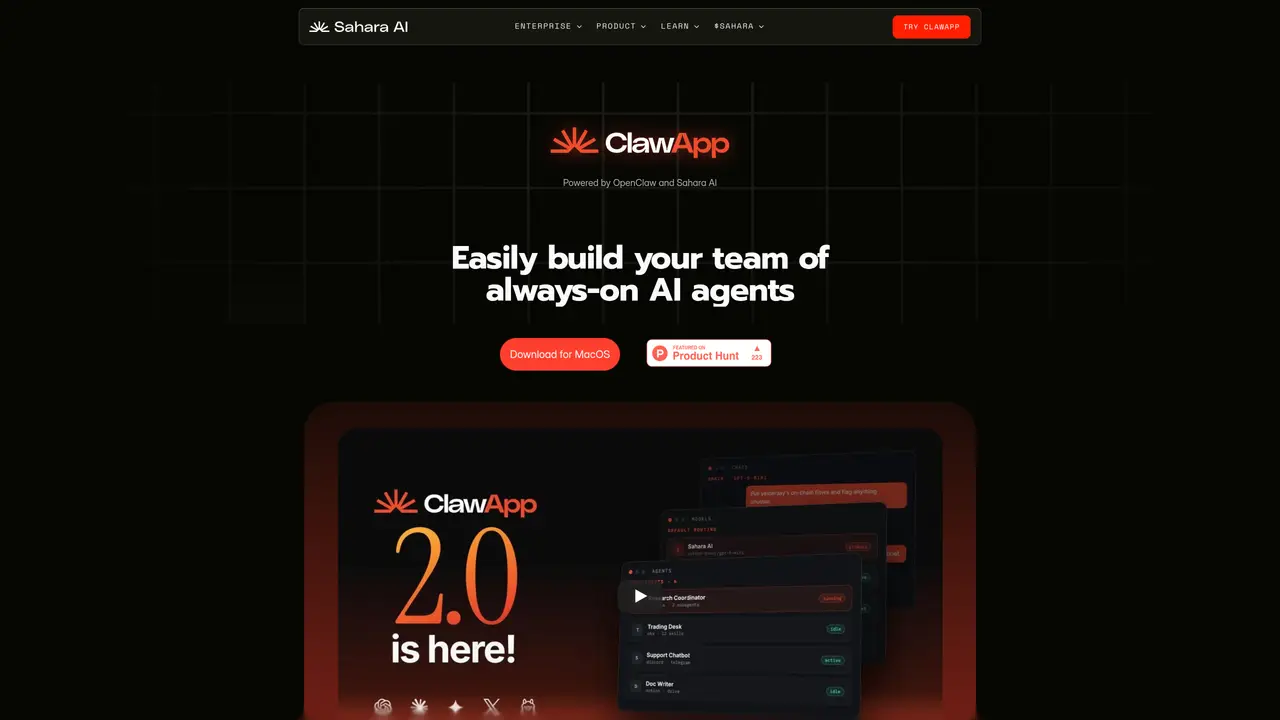
ClawApp is a macOS desktop application designed for individuals and developers who need to deploy and run OpenClaw autonomous agents and workflows without command-line setup or coding. The tool provides a local-first approach, allowing users to manage multiple specialized agents through a single dashboard, enabling real-time monitoring and control. It supports no-code/low-code workflow building, where tasks like email summarization, note creation, and market analysis can be automated via natural-language requests. ClawApp also includes scheduling integrations to trigger automated routines and recurring agent actions, along with safety controls through guardrail logic to minimize risky or unwanted agent behavior. The application operates on a credit-based system, offering initial free credits before requiring top-up payments based on agent activity. It is open-source and part of Sahara AI’s decentralized AI platform, enabling users to build complete autonomous applications, including dashboards and workflows for crypto trading and portfolio management, directly from the desktop app.
ClawApp is a macOS desktop application that enables users to deploy and run OpenClaw autonomous agents and workflows without requiring command-line setup or coding. It is designed for individuals and developers who want to manage specialized agents through a centralized dashboard, automate tasks via natural-language requests, and maintain privacy with local or hosted model options.
ClawApp offers privacy options by allowing users to host agents with no prompt retention or run models fully locally through Ollama. Users can start with built-in models like GPT, Claude, Gemini, and Grok via the Sahara endpoint, or connect their own OpenAI or Anthropic-compatible providers, including local models.
Yes, ClawApp allows users to import existing Claude skills as .md files, eliminating the need to rebuild existing capabilities. Users can also create new skills directly within the app using guided setups and extend them with preloaded tools or custom additions.
ClawApp includes scheduling integrations to trigger automated routines and recurring agent actions. Users can attach schedules to agents to run tasks autonomously, such as daily briefings, market monitoring, or onchain activity analysis, with outputs delivered to platforms like Telegram.
ClawApp includes safety controls through guardrail logic, allowing users to define instructions and permissions for each agent. Users can manage access controls with allow and deny lists to restrict what agents can interact with, and toggle capabilities on or off as needed.
Yes, ClawApp is open-source and part of Sahara AI’s decentralized AI platform. Users can download the macOS application from the official website and begin building agents through guided setups or manual configuration, with options to start using built-in models or connect their own providers.
We use essential cookies to run aitoolnavio™, and optional cookies to analyze traffic and measure our marketing. You choose what we use — optional cookies stay off unless you turn them on. See our Privacy Policy.
One short email a week: fresh tools worth trying, honest takes and the updates that actually matter. No spam, unsubscribe any time.
Generate captions, optimize content, and enhance with custom images for maximum engagement.
Build conversational forms, capture rich responses, and automate follow-ups with AI-powered surveys and workflows.
Automate code, research, and documents using agents.
AI-powered IDE for autonomous coding tasks and agentic development workflows
Source, match, and manage talent with predictive analytics for effortless recruiting.
Automate workflow, optimize operations, and detect potential issues with this efficient AI-driven solution.
Transforms thoughts into actions, enhancing productivity and efficiency.
AI Recruitment engine to hire top global talent
All-in-one team productivity platform combining chat, docs, video meetings, workflows, and AI tools in one place.
Personal assistant that coordinates tasks across apps and devices via text or call
AI automation and agent-building platform with 3,000+ app integrations
AI job search copilot that matches roles to skills, optimizes resumes for ATS, generates cover letters, and autofills applications with real-time insights.
Matched on what this tool does — grouped by the job you would be replacing.
matches Local-first agent deployment and management · Single dashboard for running and monitoring multiple agents · No-code/low-code workflow building via natural-language requests
Free, open-source desktop platform to install, run, and automate AI apps and agents locally without coding.
A user-friendly native app powered by OpenClaw (Clawdbot) for regular users.
Desktop AI agent that automates tasks across local apps and files
Unified local workspace for running AI models, automations and custom tools on a computer
matches Safety controls with guardrail logic to reduce risky behavior · Support for building autonomous applications (e.g., dashboards, crypto workflows) · Scheduling integrations for automated routines and recurring actions
matches No-code/low-code workflow building via natural-language requests · Scheduling integrations for automated routines and recurring actions
Open-source platform to visually build, deploy, and manage LLM apps, agents, and RAG pipelines with drag-and-drop workflows and APIs.
Nexos builds autonomous AI agents and workflows that execute multi-step tasks without manual oversight.
Open-source TypeScript framework for building and deploying autonomous AI agents with RAG memory and tools.
Create autonomous agents for sales, support, & HR with AI First's no-code platform.
Open-source workflow automation platform that connects apps and automates tasks with AI, no coding required.
A no-code AI automation platform for building secure AI chat, autonomous agents, and workflow automations with 100+ integrations and governance controls.
Open-source, local-first visual builder for designing and running AI workflows without coding.