

Generate captions, optimize content, and enhance with custom images for maximum engagement.
46M visits/mo-10%#3 Image & Design
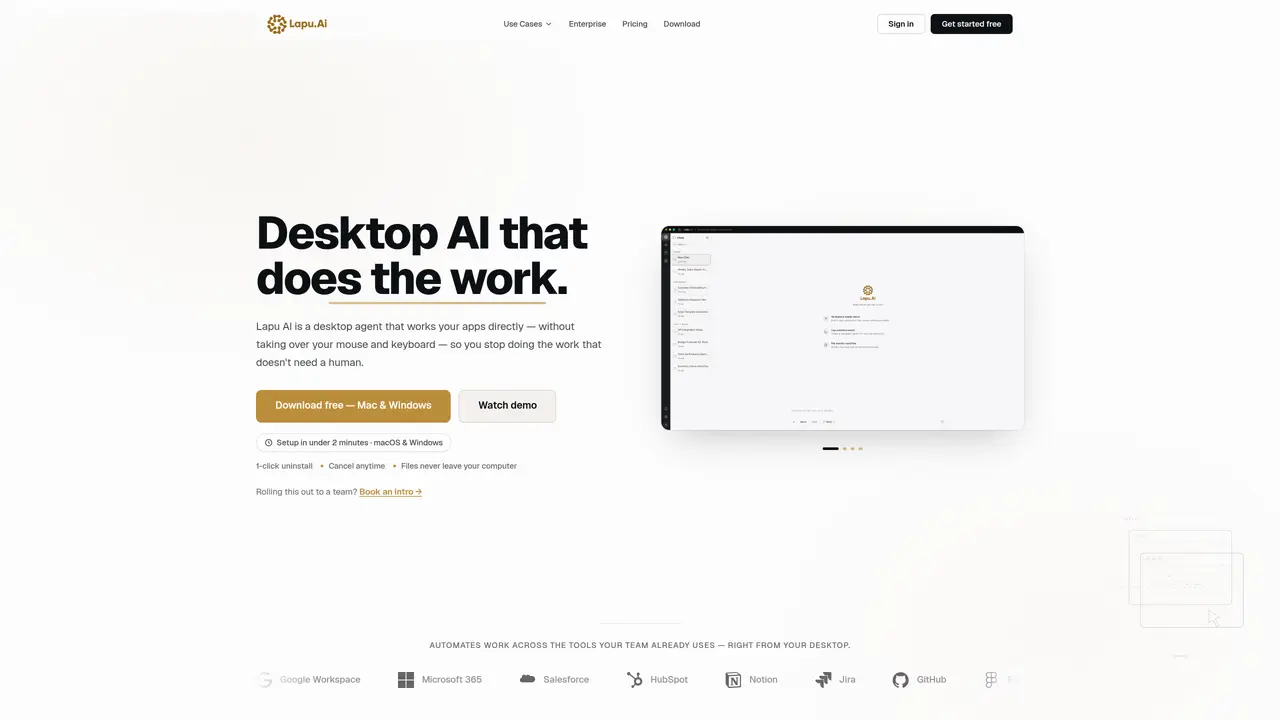
Lapu AI is a desktop AI agent that performs multi-step tasks on a user’s computer without taking control of the mouse or keyboard. It operates locally on macOS and Windows, accessing files, terminal, and desktop applications through the native controls exposed by the operating system. The agent accepts plain-language instructions, breaks them into executable steps, and carries them out with optional user approval for sensitive actions. It supports cross-application workflows, allowing data to be pulled from one tool and pushed into another without manual switching. Users can create reusable skills, schedule recurring tasks, and manage workflows through a mini chat interface that remains accessible across applications. The tool emphasizes security with permissioned execution, local data storage, full audit trails, and context isolation to limit the scope of any single action. It is designed for both non-technical users and developers, handling repetitive desktop tasks such as document processing, file management, and research synthesis.
Lapu AI is a desktop AI agent that performs multi-step tasks directly on a user’s computer without taking control of the mouse or keyboard. It operates locally on macOS and Windows, executing tasks such as file management, document processing, and cross-application workflows based on plain-language instructions.
Unlike general AI assistants that provide answers, Lapu AI executes tasks directly on your desktop. It has native access to files, terminal, and applications, enabling it to complete multi-step workflows rather than just offering suggestions.
Lapu AI can automate repetitive desktop tasks such as document processing, data extraction, file management, research synthesis, recurring reports, and cross-application workflows. It supports workflows across tools like Google Workspace, Microsoft 365, Salesforce, and more.
Yes. Lapu AI emphasizes security with permissioned execution, local data storage, full audit trails, and context isolation. All files remain on the user’s machine, and sensitive actions require explicit user approval before proceeding.
No. Lapu AI is designed for both non-technical users and developers. Tasks are described in plain language, and the agent handles execution. Some complex workflows may require iteration, but common tasks work out of the box.
Users can download Lapu AI for free on macOS or Windows, set it up in under two minutes, and start automating tasks immediately. No credit card is required to begin, and the tool can be uninstalled or canceled at any time.
lapu.ai · third-party estimates from Similarweb
Last 4 months · grows by one month every month
Share of visits by channel
Share of visits · estimated visits
Other countries: 47%
How people reach this site from other AI tools
94 a month · 0.4% of all visits
Automation & Agents · Sep 2026
Traffic figures are third-party estimates, good for scale and trends; they can differ from a company's own numbers. Updated monthly.
We use essential cookies to run aitoolnavio™, and optional cookies to analyze traffic and measure our marketing. You choose what we use — optional cookies stay off unless you turn them on. See our Privacy Policy.
One short email a week: fresh tools worth trying, honest takes and the updates that actually matter. No spam, unsubscribe any time.
Generate captions, optimize content, and enhance with custom images for maximum engagement.
Build conversational forms, capture rich responses, and automate follow-ups with AI-powered surveys and workflows.
Automate code, research, and documents using agents.
AI-powered IDE for autonomous coding tasks and agentic development workflows
Source, match, and manage talent with predictive analytics for effortless recruiting.
Automate workflow, optimize operations, and detect potential issues with this efficient AI-driven solution.
Transforms thoughts into actions, enhancing productivity and efficiency.
AI Recruitment engine to hire top global talent
All-in-one team productivity platform combining chat, docs, video meetings, workflows, and AI tools in one place.
Personal assistant that coordinates tasks across apps and devices via text or call
AI automation and agent-building platform with 3,000+ app integrations
AI job search copilot that matches roles to skills, optimizes resumes for ATS, generates cover letters, and autofills applications with real-time insights.
Matched on what this tool does — grouped by the job you would be replacing.
matches Direct app control via native OS controls · Multi-step task execution with step-by-step approval · Reusable skills and scheduled automation
AI agentic browser that automates complex workflows, deep research, and multi-step digital tasks across public and private platforms.
Autonomous AI agent that executes multi-step tasks across thousands of apps and services
Windows desktop AI agent that plans and executes local tasks with user approval
Desktop AI agent that automates multi-step tasks across files, browsers and chat platforms