
Generate captions, optimize content, and enhance with custom images for maximum engagement.
46M visits/mo-10%#3 Image & Design
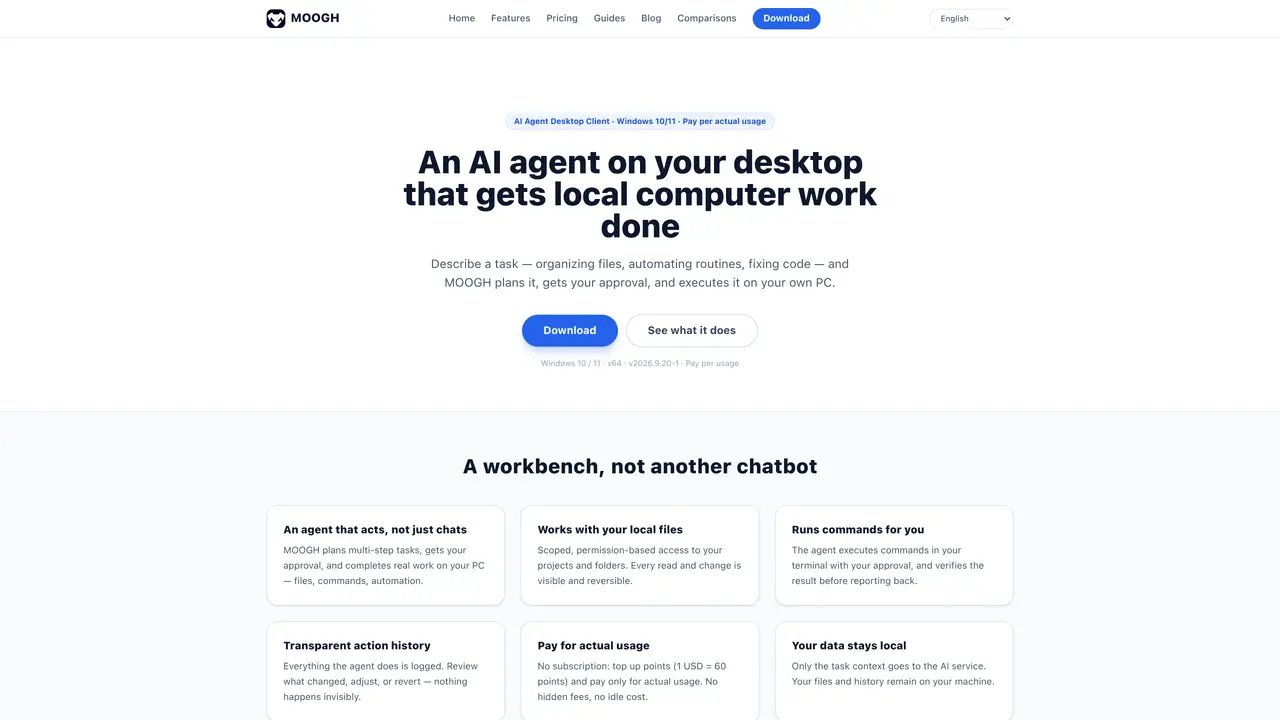
MOOGH is a Windows desktop application that runs an AI agent on the user’s own computer to perform local tasks such as file organization, code fixes, automation routines, and document processing. The agent accepts plain-language task descriptions, generates a step-by-step plan, and waits for user approval before executing actions on the local machine. It operates with scoped, permission-based access to files and folders, logging every action so users can review, adjust, or revert changes. The tool can run terminal commands with verification, ensuring results are checked before reporting back. MOOGH is designed for users who want an AI assistant that performs real work rather than just chat, with full transparency in its actions and pricing. It targets Windows 10/11 users and emphasizes local data privacy by keeping files and history on the user’s machine while only sending task context to the AI service.
MOOGH is an AI agent desktop client for Windows that performs real work on a user’s local machine, such as file organization, code fixes, and automation routines. It plans tasks, seeks user approval, and executes actions with scoped, permission-based access to files and folders.
MOOGH operates on a pay-per-usage model with no subscription required. Users top up points (1 USD = 60 points) and are charged only for actual task execution, with no hidden fees or idle costs.
Yes. MOOGH proposes every action before execution, logs all activities, and restricts access to only the folders the user scopes it to. Files and history remain on the user’s machine, with only task context sent to the AI service.
The current installer targets Windows 10/11 (64-bit). Users should check the download page for the latest platform support and compatibility details.
No programming knowledge is required. Users describe tasks in plain language, review the agent’s proposed plan, and approve execution. MOOGH handles the technical steps.
Download the MOOGH desktop client for Windows, install it, and sign up for an account. New accounts receive initial points, and users can top up points to start executing tasks. Support is available via email or Telegram.
We use essential cookies to run aitoolnavio™, and optional cookies to analyze traffic and measure our marketing. You choose what we use — optional cookies stay off unless you turn them on. See our Privacy Policy.
One short email a week: fresh tools worth trying, honest takes and the updates that actually matter. No spam, unsubscribe any time.
Generate captions, optimize content, and enhance with custom images for maximum engagement.
Build conversational forms, capture rich responses, and automate follow-ups with AI-powered surveys and workflows.
Automate code, research, and documents using agents.
AI-powered IDE for autonomous coding tasks and agentic development workflows
Source, match, and manage talent with predictive analytics for effortless recruiting.
Automate workflow, optimize operations, and detect potential issues with this efficient AI-driven solution.
Transforms thoughts into actions, enhancing productivity and efficiency.
AI Recruitment engine to hire top global talent
All-in-one team productivity platform combining chat, docs, video meetings, workflows, and AI tools in one place.
Personal assistant that coordinates tasks across apps and devices via text or call
AI automation and agent-building platform with 3,000+ app integrations
AI job search copilot that matches roles to skills, optimizes resumes for ATS, generates cover letters, and autofills applications with real-time insights.
Matched on what this tool does — grouped by the job you would be replacing.
matches Plain-language task description and planning · Permission-based file and folder access · Terminal command execution with verification
Desktop AI agent that automates tasks across local apps and files
AI agent that reads, edits and organizes files and runs commands on desktop
AI terminal ledger that records, explains and reverses every AI action on Windows
AI assistant for Windows that performs tasks from a single keystroke