Generate captions, optimize content, and enhance with custom images for maximum engagement.
46M visits/mo-10%#3 Image & Design

Desktop AI agent that automates multi-step tasks across files, browsers and chat platforms
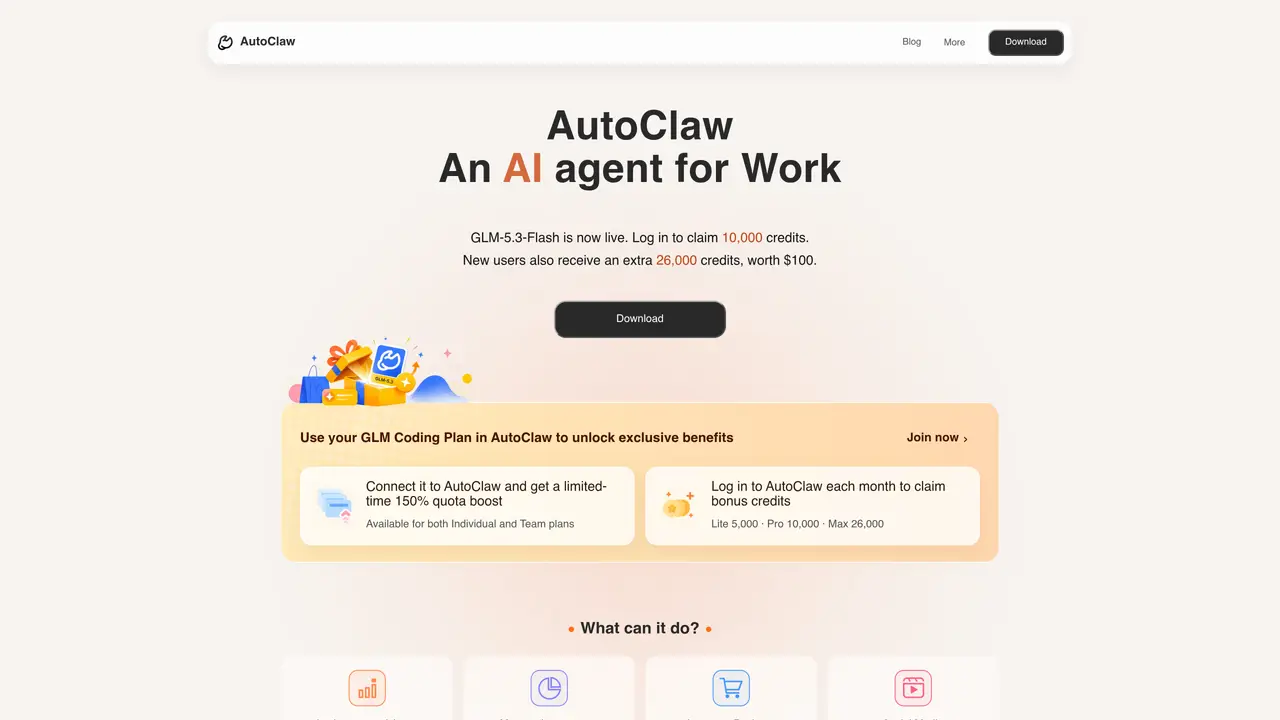
AutoClaw is a desktop AI agent developed by Z.ai that automates repetitive tasks across documents, browsers, and instant messaging platforms without requiring scripting or complex workflow setup. The tool functions as a local application, enabling users to describe goals in natural language through a chat interface, after which AutoClaw breaks down the task, selects appropriate tools, and executes multi-step operations. It integrates with Microsoft Office formats, financial data sources, and multiple chat applications to streamline documentation, content creation, investment research, and web automation. The platform supports both individual and team workflows, offering tiered plans with credit-based usage for model calls and operations. AutoClaw is designed for professionals such as operations managers, sales teams, project managers, analysts, and content creators who need to handle repetitive documentation, data analysis, and workflow automation efficiently. By consolidating office automation, browser tasks, and IM integrations into a single desktop app, it reduces tool-switching and accelerates task completion through continuous, context-aware interactions. AutoClaw’s capabilities include generating Word, Excel, PPT, reports, and structured documents using over 50 built-in skills, automating social media content creation across platforms like Telegram, Instagram, Substack, X (Twitter), and TikTok, and performing investment research tasks such as market data analysis, filing organization, strategy backtesting, and report generation. It also supports web product building by converting requirements into runnable frontend code with browser previews and automates browser operations like form filling, data collection, and scheduled tasks. The tool integrates with Slack, Telegram, WhatsApp, Discord, and Lark, allowing team members to assign tasks directly within chat interfaces, with results and progress updates flowing back into the conversation automatically.
AutoClaw offers free basic usage with daily free credits for individuals and small teams. Paid plans are available for heavier usage, providing additional credits and features.
Yes, AutoClaw supports Windows 10 and later, as well as macOS on both Apple Silicon and Intel devices. The desktop app is designed for local file operations, browser tasks, and long-running automation workflows.
No, AutoClaw does not require complex setup or scripting. After installing the desktop app, users can start automating tasks immediately using the built-in 50+ skills for document generation, data analysis, and browser automation.
Yes, AutoClaw supports integration with WhatsApp, Telegram, Discord, Lark, and other instant messaging platforms. Users can assign tasks directly in group chats or direct messages, and AutoClaw returns results, files, and progress updates back into the conversation.
AutoClaw works with GLM models and supports switching between models such as DeepSeek and GLM depending on the task, including writing, coding, data analysis, browser operations, and planning.
AutoClaw is a locally installed desktop app, meaning AI tasks only send necessary task descriptions and model-call context. For private or enterprise files, teams should configure access according to their own security policies.
We use essential cookies to run aitoolnavio™, and optional cookies to analyze traffic and measure our marketing. You choose what we use — optional cookies stay off unless you turn them on. See our Privacy Policy.
One short email a week: fresh tools worth trying, honest takes and the updates that actually matter. No spam, unsubscribe any time.
Generate captions, optimize content, and enhance with custom images for maximum engagement.
Build conversational forms, capture rich responses, and automate follow-ups with AI-powered surveys and workflows.
Automate code, research, and documents using agents.
AI-powered IDE for autonomous coding tasks and agentic development workflows
Source, match, and manage talent with predictive analytics for effortless recruiting.
Automate workflow, optimize operations, and detect potential issues with this efficient AI-driven solution.
Transforms thoughts into actions, enhancing productivity and efficiency.
AI Recruitment engine to hire top global talent
All-in-one team productivity platform combining chat, docs, video meetings, workflows, and AI tools in one place.
Personal assistant that coordinates tasks across apps and devices via text or call
AI automation and agent-building platform with 3,000+ app integrations
AI job search copilot that matches roles to skills, optimizes resumes for ATS, generates cover letters, and autofills applications with real-time insights.
Matched on what this tool does — grouped by the job you would be replacing.
matches Office automation for Word, Excel, PPT and structured documents · IM integration for task assignment via chat · 50+ built-in skills for common automation tasks
Control your computer and apps from any chat.
AI-powered workspace that learns your habits to automate repetitive tasks for solo business owners.
Desktop AI agent that automates tasks across local apps and files
AI-powered automation that learns from your actions to eliminate repetitive computer tasks without coding.
matches Browser automation for form filling and data collection · Multi-step task execution
matches Investment research with market data and backtesting · Web product building from natural language descriptions · Content operations across multiple social platforms
Sigma Browser is an AI Agent & AI Browser that reimagines web browsing with a powerful suite of integrated AI tools.
AI web agent that automates browser tasks like scraping, form filling, and multi-step workflows using natural language commands.
Turns plain-English prompts into reusable web scrapers that extract structured data and automate site interactions without coding.
Autonomous AI agent that executes multi-step tasks across thousands of apps and services
Loopa is an advanced, multi-model AI workspace platform designed to automate complex research, content creation, and business workflows.
AI agentic browser that automates complex workflows, deep research, and multi-step digital tasks across public and private platforms.
Unified API to run multiple AI agents in the cloud or browser
Unified AI system that consolidates work context across tools and automates routine tasks