
Generate captions, optimize content, and enhance with custom images for maximum engagement.
46M visits/mo-10%#3 Image & Design

AI web agent that automates browser tasks like scraping, form filling, and multi-step workflows using natural language commands.
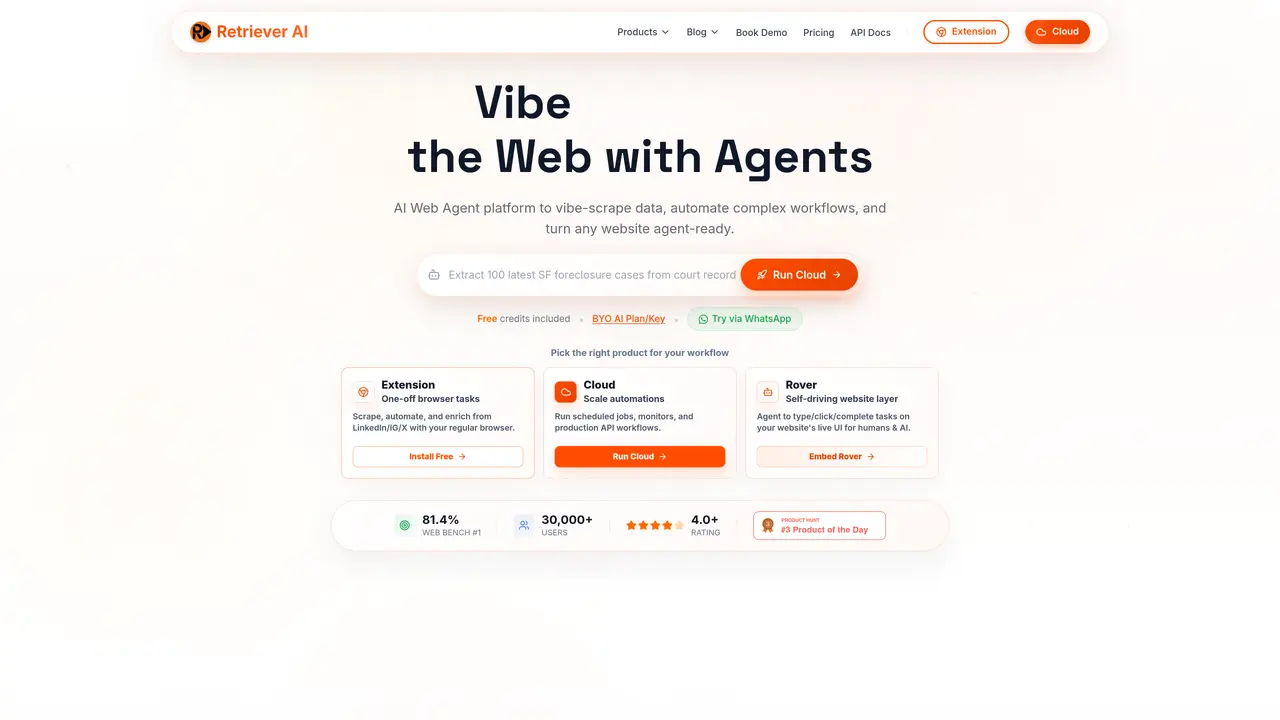
rtrvr.ai is a browser automation agent designed to handle web scraping, form filling, and multi-step workflows through natural language commands. Unlike screenshot-based tools, it reads the actual page structure, which improves speed and reliability for complex tasks. The platform supports recording and replaying workflows, enabling users to build repeatable processes without manual intervention. It operates both locally via a Chrome extension and in the cloud, with the latter incurring additional browser costs. The tool is particularly useful for professionals who need to automate repetitive web-based tasks, such as data extraction, form submissions, or competitor monitoring, without requiring deep technical expertise in automation scripts. rtrvr.ai caters to a broad audience, including data analysts, marketers, programmers, and researchers, as well as developers building web integrations. Its DOM-based approach ensures higher accuracy compared to traditional scraping methods, making it suitable for tasks that demand precision and consistency across multiple browser tabs or workflows.
rtrvr.ai is an AI-powered web automation platform that enables users to retrieve data, automate complex workflows, and turn websites into agent-ready tools using natural language prompts. It operates both as a Chrome extension for one-off tasks and in the cloud for scalable, scheduled, or API-driven automations.
The tool is designed for professionals across various fields, including data analysts, marketers, researchers, developers, and business owners who need to automate repetitive web-based tasks such as data extraction, form filling, competitor monitoring, or PDF processing without requiring deep technical scripting knowledge.
rtrvr.ai uses a DOM-based approach, reading the actual page structure rather than relying on screenshots, which improves speed, reliability, and accuracy. It supports multi-tab parallel execution, background processing, and integrates with tools like Google Sheets, MCP, and APIs for seamless workflow automation.
Yes, the Chrome extension allows users to securely reuse logged-in sessions and operates undetectably to anti-bot systems, making it suitable for tasks requiring authentication or access to restricted content.
Common use cases include vibe scraping data from over 1,000 websites, automating PDF and form filling, parallelizing job applications or data extraction tasks, continuous monitoring of competitor sites or inventory changes, and integrating web actions into broader workflows via MCP or APIs.
Users can start by installing the Chrome extension for one-off tasks or signing up for cloud-based solutions to run scheduled jobs, monitors, or API workflows. The platform offers a free tier with credits, and developers can integrate via MCP or API for custom automation needs.
rtrvr.ai · third-party estimates from Similarweb
Last 4 months · grows by one month every month
Share of visits · estimated visits
Other countries: 23.1%
Automation & Agents · Sep 2026
Traffic figures are third-party estimates, good for scale and trends; they can differ from a company's own numbers. Updated monthly.
We use essential cookies to run aitoolnavio™, and optional cookies to analyze traffic and measure our marketing. You choose what we use — optional cookies stay off unless you turn them on. See our Privacy Policy.
One short email a week: fresh tools worth trying, honest takes and the updates that actually matter. No spam, unsubscribe any time.
Generate captions, optimize content, and enhance with custom images for maximum engagement.
Build conversational forms, capture rich responses, and automate follow-ups with AI-powered surveys and workflows.
Automate code, research, and documents using agents.
AI-powered IDE for autonomous coding tasks and agentic development workflows
Source, match, and manage talent with predictive analytics for effortless recruiting.
Automate workflow, optimize operations, and detect potential issues with this efficient AI-driven solution.
Transforms thoughts into actions, enhancing productivity and efficiency.
AI Recruitment engine to hire top global talent
All-in-one team productivity platform combining chat, docs, video meetings, workflows, and AI tools in one place.
Personal assistant that coordinates tasks across apps and devices via text or call
AI automation and agent-building platform with 3,000+ app integrations
AI job search copilot that matches roles to skills, optimizes resumes for ATS, generates cover letters, and autofills applications with real-time insights.
Matched on what this tool does — grouped by the job you would be replacing.
matches Natural language commands for browser automation · DOM-based scraping for higher accuracy · Workflow recording and replay
Browse sites, pull data, and finish workflows with TinyFish AI.
StageHand lets users automate browser tasks by issuing natural-language prompts to control navigation and extract web data.
Nextbrowser is an AI-powered browser agent that automates web tasks like clicking, typing, and data extraction using plain-language instructions.
BrowserAct is an AI-powered cloud browser automation tool that extracts data and completes tasks from websites using natural language.
matches Cloud and local execution modes · Structured data extraction
Runable lets users automate computer tasks by typing plain-language commands instead of writing code.
AI agent that turns plain text commands into automated computer tasks by installing a local app.
Desktop AI agent that automates multi-step tasks across files, browsers and chat platforms
AI agent that performs tasks in connected apps and returns finished work