
OpenAI builds and deploys advanced AI models like GPT-4o for autonomous agents and workflows.

af360
FreeStarting price
0Popularity
About af360
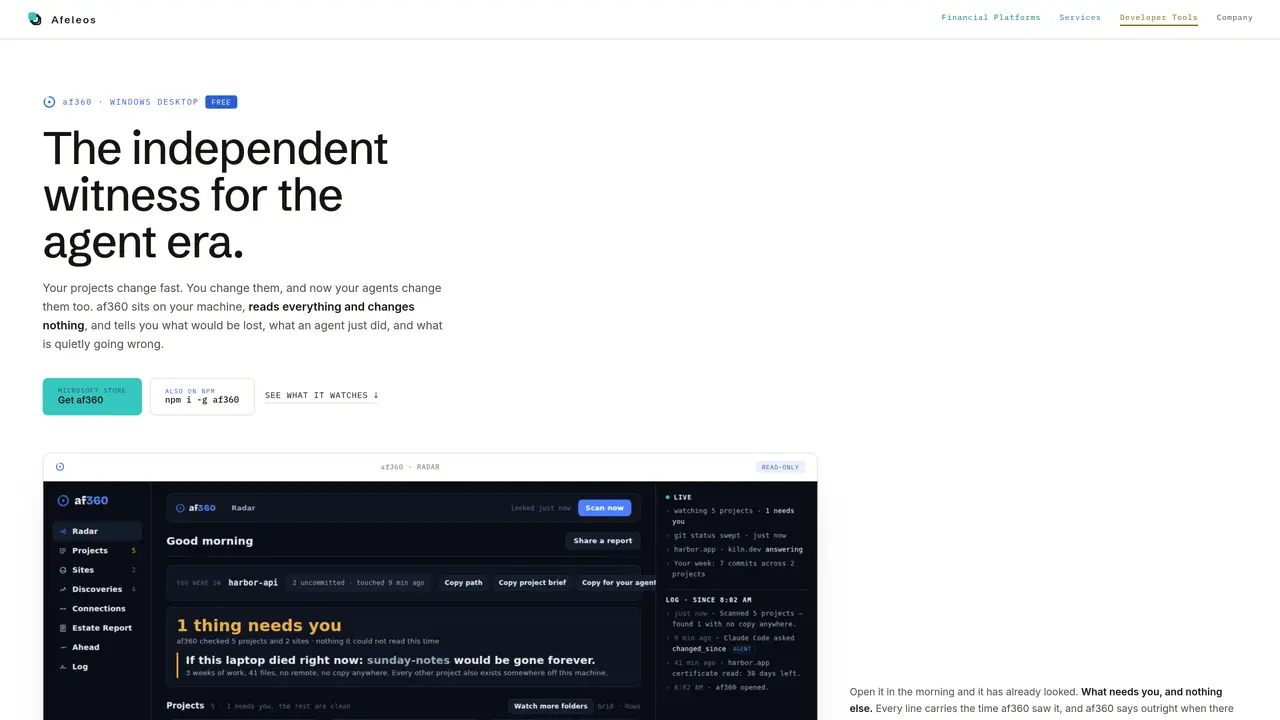
af360 is a Windows desktop application that runs locally and observes changes on a machine without altering files. It tracks projects, sites, and infrastructure details, recording timestamps and what it could or could not read. The tool provides read-only answers to agent queries through integrations with development environments like VS Code, Cursor, or Claude. It highlights potential issues such as unpushed commits, exposed keys, or expiring certificates, presenting findings as suggestions rather than fixes. af360 maintains a seven-day log of its observations and can generate an estate report summarizing the machine’s state, including language distribution, project status, and agent interactions. All data remains on the local machine unless explicitly exported.
Key features
- Monitors local projects and git states
- Watches websites for certificate and security status
- Detects exposed keys and infrastructure references
- Integrates with VS Code, Cursor, and Claude agents
- Generates estate reports and seven-day logs
- Offers day and night themes with RTL support
- Records agent queries without executing changes
- Flags expiring certificates and domain renewals
Use cases
- Tracking unpushed commits and repository status
- Monitoring website health and certificate validity
- Auditing agent activity and work handoffs
Pros
- Local-only operation with no cloud dependency
- Read-only agent integration preventing file modifications
- Tracks both projects and websites with minute-level monitoring
- Provides detailed estate reports and logs
- Supports Arabic and English interfaces
Cons
- Windows desktop application only
- No backup or recovery functionality
- Limited to read-only observations without fixes
- Requires manual setup for agent connections
Frequently asked questions about af360
What does af360 do?
af360 is a Windows desktop application that observes changes on a local machine without altering files. It tracks projects, sites, and infrastructure details, recording timestamps and what it could or could not read, providing read-only answers to agent queries.
Who is af360 designed for?
af360 is designed for developers and teams who need visibility into their local machine’s state, especially when working with AI agents. It helps identify potential issues like unpushed commits, exposed keys, or expiring certificates.
How does af360 integrate with AI agents?
af360 connects to AI agents such as Claude Code, Claude Desktop, Cursor, or VS Code. Agents can query af360 for read-only information about the machine’s state, including project status, changes, and infrastructure details.
Does af360 modify any files on my machine?
No, af360 does not alter any files. It operates in read-only mode, observing and reporting findings as suggestions without making changes to your projects or infrastructure.
Can af360 help identify security risks?
Yes, af360 highlights potential security risks such as exposed keys in git history, open dev servers, or unpushed commits. It also tracks certificate expiries and domain renewals to prevent unexpected outages.
How do I get started with af360?
Download af360 from the Microsoft Store or via npm, install it on your Windows machine, and launch the application. It will begin observing your machine immediately, and you can connect it to supported AI agents for queries.