OpenAI builds and deploys advanced AI models like GPT-4o for autonomous agents and workflows.

Cursor v2
$20Starting price
0Popularity
About Cursor v2
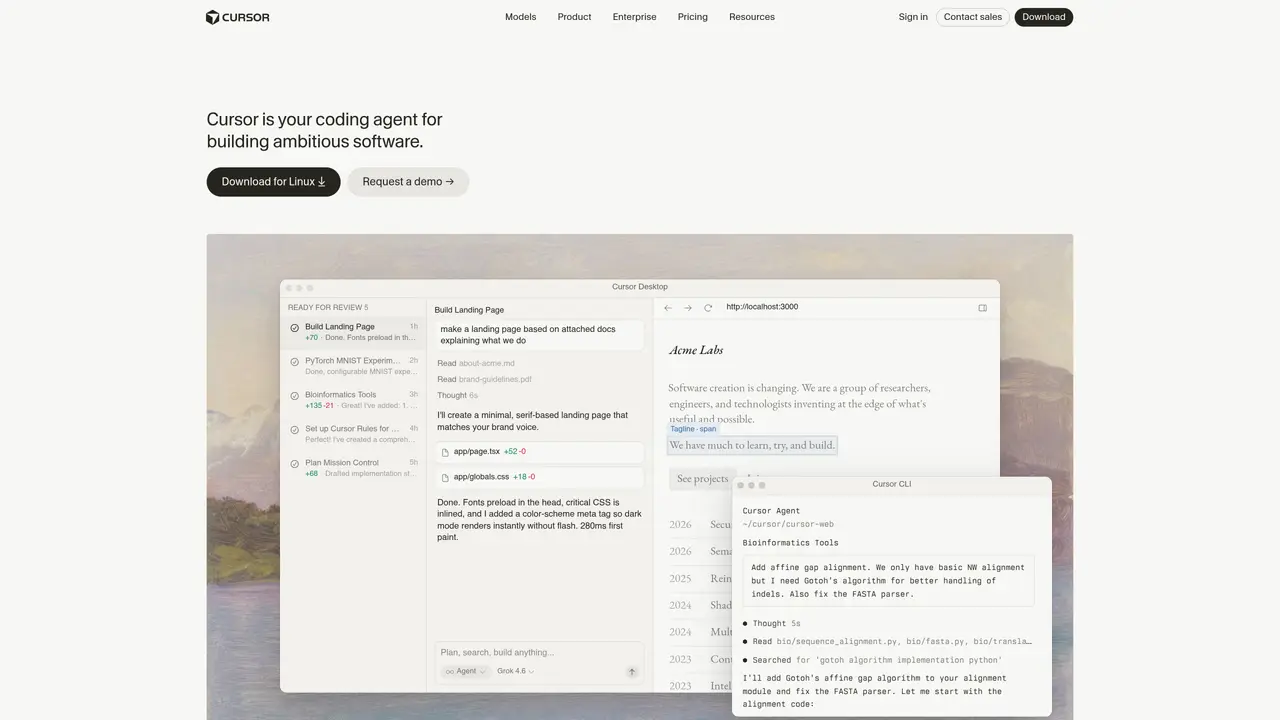
Cursor v2 is an AI-first code editor designed specifically for engineers who want to build software more efficiently. It integrates AI capabilities directly into the editor, enabling features like one-click migration from VSCode, local security options, and project-wide chat to query documentation or inspect code. Users can generate new code from scratch, modify existing code, spot and fix bugs, and debug errors without leaving the editor. The tool supports browsing project files, reviewing changes, and understanding codebases through natural language queries. Cursor v2 is trusted by tens of thousands of engineers and is praised for its ability to streamline workflows and boost productivity. It caters to developers who prefer a modern, AI-enhanced environment over traditional editors, making it ideal for both individual contributors and teams working on complex codebases.
Key features
- One-click migration from VSCode
- Project-wide chat for querying documentation and code
- Generate new code from scratch or modify existing code
- Spot and fix bugs with AI assistance
- Debug errors directly within the editor
- Local security options for sensitive projects
- Browse and review project files
- Natural language understanding of codebases
Use cases
- Migrating a VSCode project to an AI-enhanced editor with minimal setup
- Debugging and fixing errors in large codebases using AI suggestions
- Generating new features or refactoring code with AI-guided assistance
Pros
- Integrates AI capabilities directly into the code editor for streamlined workflows
- Supports autonomous agents that can build, test, and demo features end-to-end
- Offers project-wide chat for querying documentation or inspecting codebases
- Provides local security options and one-click migration from VSCode
- Enables natural language interaction with codebases for understanding and modifications
Cons
- May require familiarization with AI-driven workflows for optimal use
- Dependent on internet connectivity for cloud-based features and updates
- Potential learning curve for teams transitioning from traditional editors
Frequently asked questions about Cursor v2
What is Cursor v2?
Cursor v2 is an AI-first code editor designed to help engineers build software more efficiently by integrating AI capabilities directly into the development environment.
Who is Cursor v2 suitable for?
Cursor v2 is ideal for individual developers and teams working on complex codebases who want to leverage AI for coding, debugging, and project management.
How does Cursor v2 integrate with existing tools?
Cursor v2 supports one-click migration from VSCode and integrates with tools like Slack, GitHub, and terminal environments for seamless collaboration.
Does Cursor v2 offer local security options?
Yes, Cursor v2 provides local security options, allowing users to maintain control over their code and data while using AI features.
Can Cursor v2 automate repetitive tasks?
Yes, Cursor v2 allows users to set up always-on agents that run on schedules or triggers to build, maintain, and fix software autonomously.
How do I get started with Cursor v2?
Users can download Cursor v2 for macOS and begin exploring its features through the desktop interface or command-line tools.