AI-powered website builder that generates a professional site in under a minute and includes tools for content, SEO, and analytics.
52M visits/mo+0.7%#4 Coding & Development

VS Code extension that turns the editor into an AI-powered programming assistant for coding, debugging, and project management.
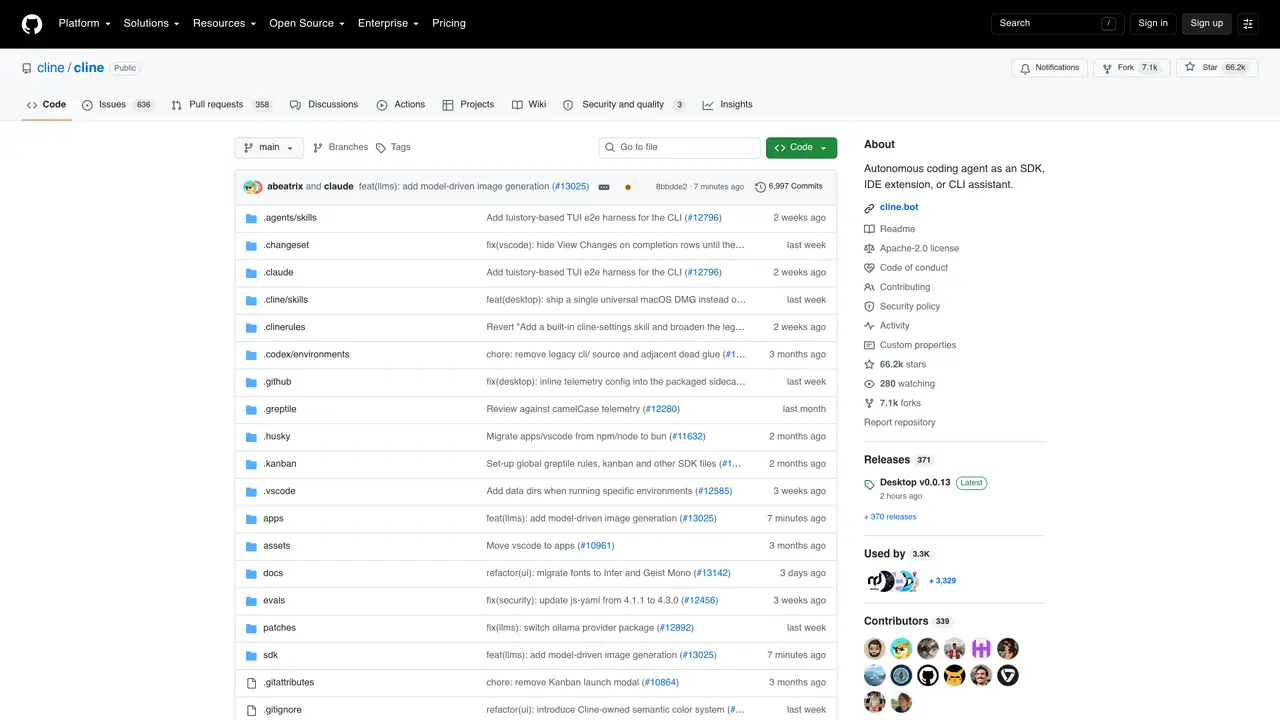
Cline AI is a VS Code extension that transforms the editor into a smart programming assistant designed for developers. It assists with coding tasks such as file creation, project management, and debugging web applications by automating repetitive tasks and offering intelligent suggestions. The tool helps developers save time and focus on innovative problem-solving by streamlining workflows and reducing manual effort. Cline AI is particularly useful for software developers, DevOps engineers, QA testers, full stack developers, and project managers who need to accelerate coding processes and improve productivity. It integrates directly into VS Code, providing real-time assistance without requiring developers to switch between tools or platforms. The extension supports a range of programming languages and is built to handle common development workflows efficiently. It also offers customizable integration options to adapt to individual or team workflows, making it a flexible solution for diverse development needs.
GitHub, Inc.
San Francisco, California, US · Founded 2008
Cline AI is an autonomous coding agent that integrates into IDEs, terminals, and workflows as an SDK, extension, or CLI tool. It reads project structures, makes coordinated code edits, executes shell commands, and manages multi-agent workflows with human-in-the-loop approval.
Cline AI suits software developers, DevOps engineers, QA testers, full-stack developers, and project managers who need to automate coding tasks, accelerate workflows, or coordinate multi-agent teams across projects.
Cline AI offers a VS Code extension, JetBrains plugin, standalone CLI, and SDK for custom integrations. It also provides a web-based Kanban interface for running multiple agents in parallel with auto-commit and dependency chains.
Cline AI supports fully headless operation for CI/CD and scripting, but its default mode in IDEs and Kanban requires human-in-the-loop approval for edits and actions to ensure safety and control.
Cline AI works across a wide range of programming languages by analyzing project structures and dependencies, enabling coordinated changes regardless of the specific language or framework used.
Install the VS Code extension from the Marketplace, the JetBrains plugin via the JetBrains Marketplace, or the CLI using npm. For custom setups, use the SDK to build integrations or run the Kanban web interface for multi-agent workflows.
We use essential cookies to run aitoolnavio™, and optional cookies to analyze traffic and measure our marketing. You choose what we use — optional cookies stay off unless you turn them on. See our Privacy Policy.
One short email a week: fresh tools worth trying, honest takes and the updates that actually matter. No spam, unsubscribe any time.
AI-powered website builder that generates a professional site in under a minute and includes tools for content, SEO, and analytics.
AI-powered coding platform that uses agents to plan, write, and test software with real-time feedback and verifiable artifacts.
Automate code, research, and documents using agents.
AI-powered code assistant that generates, reviews, optimizes, and debugs code with natural language prompts and editor integrations.
AI assistant for safe, reliable productivity with code, collaboration, and integrations.
AI-powered IDE for autonomous coding tasks and agentic development workflows
Privacy-focused AI chatbot that generates uncensored text, code, images, and translations without storing conversations or requiring an account.
A free web-based AI chatbot and agent for writing, coding, research, and content creation with multilingual support.
Write & run code in 50+ languages, auto-complete with AI, and code faster with an intuitive interface.
An IDE that automates legacy-to-modern code migration using autonomous coding agents.
AI models that return typed decisions with calibrated confidence for software automation
Practice coding challenges, improve technical skills, get detailed explanations, compare performance with peers.
Matched on what this tool does — grouped by the job you would be replacing.
matches VS Code integration for seamless workflow · Automates repetitive coding tasks · Provides intelligent code suggestions
Open-source AI coding assistant that suggests completions, reviews code, and automates repetitive tasks for developers.
Open-source VS Code extension that writes, fixes, and manages code from natural language prompts.
Open-source AI coding assistant that generates, debugs, and manages code directly in VS Code and JetBrains to save time and reduce errors.
AI coding assistant that generates and explains code from natural language descriptions to speed up development and reduce errors.
matches VS Code integration for seamless workflow · Automates repetitive coding tasks · Real-time debugging assistance
matches VS Code integration for seamless workflow · Supports file creation and project management · Real-time debugging assistance
An open-source CLI tool that integrates Google's Gemini model directly into your terminal for autonomous task execution.
Terminal-based AI agent for coding, data tasks and workflow automation
Explains and navigates large enterprise codebases with AI-powered assistance.
Identify issues, get customizable reports, and navigate code interactively to prevent costly problems.