

AI assistant for safe, reliable productivity with code, collaboration, and integrations.
140M visits/mo+24.5%#3 Chatbots & Assistants
Be the first member to say you use it
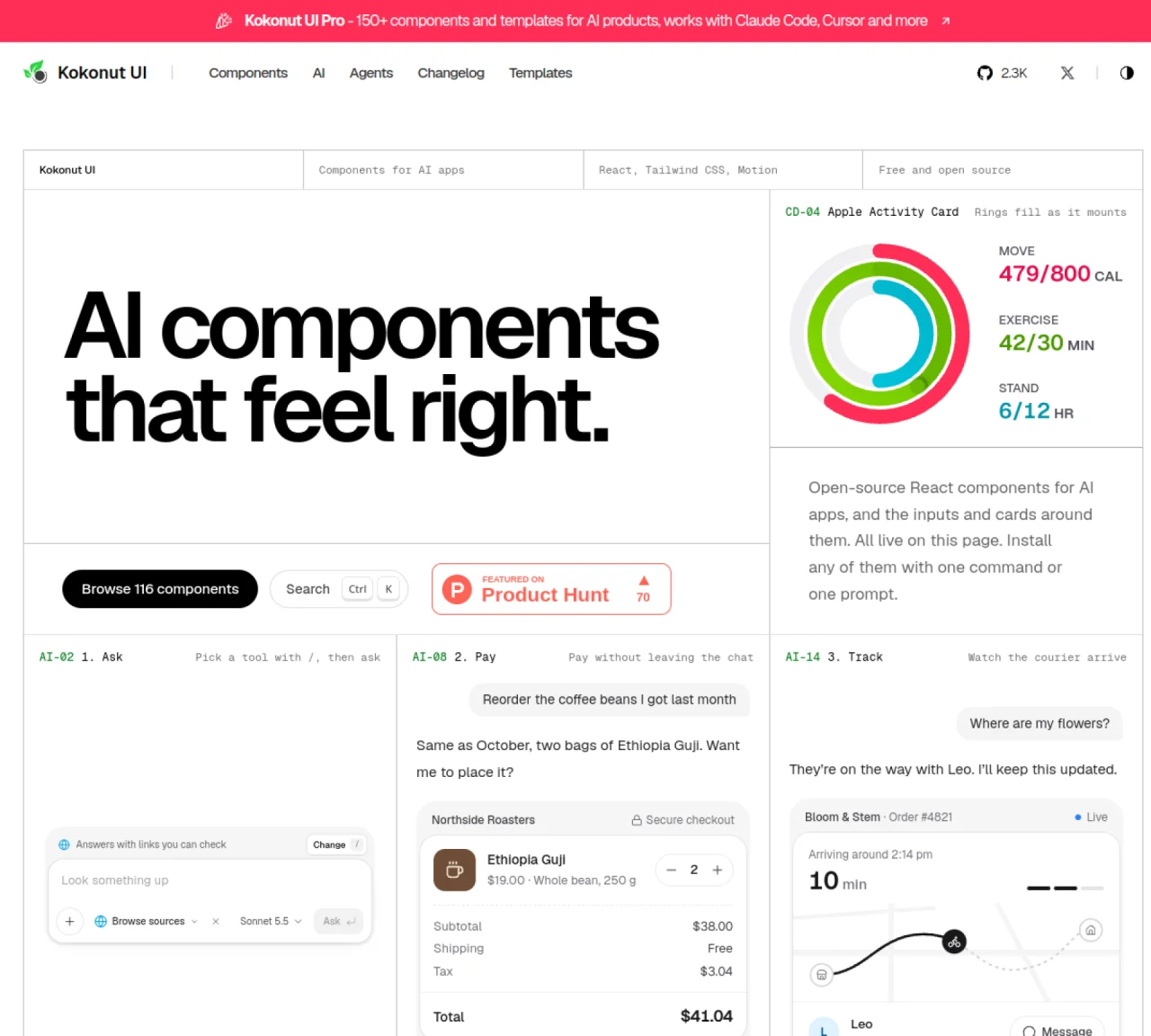
Kokonut UI provides open-source React components designed for AI applications, built with Tailwind CSS and Motion. The library includes inputs, cards, buttons, and text effects that integrate directly into AI workflows. Components are organized into categories such as AI tool calls, autocomplete, model selectors, and state loaders, with live demos available on the site. Installation is streamlined through a single command or prompt, and each component can be added individually. The library supports integration with AI development tools like Claude Code, Cursor, and VS Code via the shadcn MCP client. Components are maintained as single files that developers can own and modify, reducing dependency overhead. The project is backed by Vercel OSS and includes over 116 components with regular updates, such as new AI tool calls, checkout flows, and order status trackers.
Kokonut UI is a free and open-source library of React components designed specifically for AI applications. It provides pre-built, customizable UI elements such as inputs, cards, buttons, and text effects that integrate seamlessly into AI workflows.
Kokonut UI is for developers building AI products or integrating AI features into their applications. It is particularly useful for those working with AI agents, chat interfaces, or AI-driven workflows in tools like Claude Code, Cursor, and VS Code.
Components can be installed individually using a single command or prompt. The library supports integration with AI development tools via the shadcn MCP client, allowing for streamlined setup and usage within supported editors.
Yes, Kokonut UI provides live demos for each component on its website, allowing users to see how the components function in real-time before integrating them into their projects.
The library includes AI-specific components like tool calls, autocomplete, model selectors, and state loaders, as well as general UI components such as inputs, cards, buttons, and text effects. It also features backgrounds, navigation, and media components.
Yes, Kokonut UI is backed by Vercel OSS, which supports its development and maintenance as an open-source project.
kokonutui.com · third-party estimates from Similarweb
Last 3 months · grows by one month every month
Share of visits by channel
No measurable traffic from Paid Referrals.
Share of visits · estimated visits
Other countries: 25.7%
How people reach this site from other AI tools
83 a month · 0.2% of all visits
Coding & Development · Oct 2026
Traffic figures are third-party estimates, good for scale and trends; they can differ from a company's own numbers. Updated monthly.
We use essential cookies to run aitoolnavio™, and optional cookies to analyze traffic and measure our marketing. You choose what we use — optional cookies stay off unless you turn them on. See our Privacy Policy.
One short email a week: fresh tools worth trying, honest takes and the updates that actually matter. No spam, unsubscribe any time.
AI assistant for safe, reliable productivity with code, collaboration, and integrations.
AI-powered website builder that generates a professional site in under a minute and includes tools for content, SEO, and analytics.
A free web-based AI chatbot and agent for writing, coding, research, and content creation with multilingual support.
Privacy-focused AI chatbot that generates uncensored text, code, images, and translations without storing conversations or requiring an account.
AI-powered IDE for autonomous coding tasks and agentic development workflows
Agentic development platform for building software with AI agents, offering CLI, IDE, and SDK interfaces for structured, auditable workflows.
Automate code, research, and documents using agents.
Open-source AI coding agent that runs locally to generate, debug, and refactor code across desktop, terminal, mobile, and IDEs.
Write & run code in 50+ languages, auto-complete with AI, and code faster with an intuitive interface.
An IDE that automates legacy-to-modern code migration using autonomous coding agents.
Enhance coding efficiency with AI-driven insights.
Practice coding challenges, improve technical skills, get detailed explanations, compare performance with peers.
Matched on what this tool does — grouped by the job you would be replacing.
matches AI tool calls and approvals · Autocomplete and model selectors · Customizable inputs and buttons
Instantly generate UI components like buttons, navbars, and forms with AI from simple prompts.
Turns text prompts into ready-to-use React UI code with Shadcn UI and Tailwind CSS components.
AI tool that generates UI code from text prompts or design files and builds React components.
Hand-curated component library with AI prompts and React code
matches AI checkout and order status tracking
Generate and export production-ready landing page code from simple prompts using AI.
Subframe is an AI-powered design tool for building software in the AI era.