

Generate full songs with vocals, lyrics, and instrumentals from text prompts in minutes.
75M visits/mo+3.8%#1 Audio & Voice
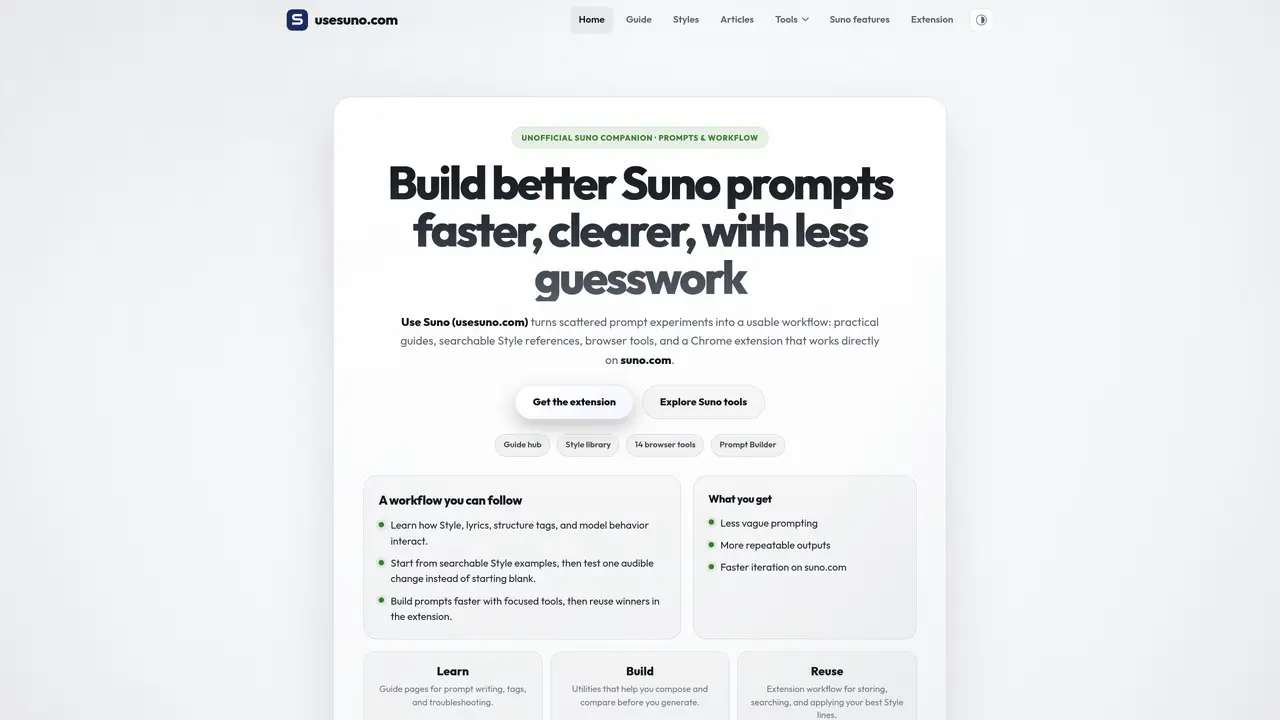
Use Suno provides a suite of browser-based utilities, guides, and tools designed to enhance the workflow for users of the Suno AI music generation platform. The platform offers practical resources for building, testing, and refining prompts, including a searchable library of style examples and fourteen in-browser tools that operate without requiring an account. These tools cover a range of functions such as prompt composition, lyrics handling, style tag management, and media downloading, while the guides explain how to structure prompts, tag lyrics, estimate duration, and troubleshoot common issues. A Chrome extension integrates directly into the Suno generation interface, enabling users to save, search, and apply style prompts without leaving the workflow. The platform is structured to support both beginners learning controlled prompting and experienced users seeking faster iteration through structured tools and reusable workflows. It emphasizes turning scattered prompt experiments into a usable, repeatable process by providing focused tools, a style library, and step-by-step guides for achieving deliberate and high-quality musical outputs.
Use Suno provides browser-based utilities, guides, and tools designed to help users of the Suno AI music generation platform. It offers practical workflows for building, testing, and refining prompts, including a searchable library of style examples and fourteen in-browser tools that operate without requiring an account.
Use Suno is designed for both beginners learning controlled prompting and experienced users seeking faster iteration through structured tools and reusable workflows. It caters to those new to Suno as well as power users looking to systemize their daily workflows.
The tools process user input locally for text and prompt-related utilities, while link-based tools fetch public Suno pages or assets over the network. The Chrome extension integrates directly into the Suno generation interface, allowing users to save, search, and apply style prompts without leaving the workflow.
Use Suno offers fourteen browser tools covering prompt composition, lyrics handling, style tag management, and media downloading. These include the Prompt Builder, lyrics diff, downloader, profile downloader, tag normalizer, and song inspector, among others.
No account is required to use the browser-based tools on Use Suno. The tools operate without requiring users to sign up, though the Chrome extension may require installation.
Users can start by exploring the guide hub to learn controlled prompting, browsing the style library for starting points, and using the tools to build and refine prompts. The Chrome extension can be installed to streamline the workflow directly within the Suno generation interface.
usesuno.com · third-party estimates from Similarweb
Last 4 months · grows by one month every month
Share of visits · estimated visits
Other countries: 47%
How people reach this site from other AI tools
742 a month · 0.1% of all visits
Audio & Voice · Sep 2026
Traffic figures are third-party estimates, good for scale and trends; they can differ from a company's own numbers. Updated monthly.
We use essential cookies to run aitoolnavio™, and optional cookies to analyze traffic and measure our marketing. You choose what we use — optional cookies stay off unless you turn them on. See our Privacy Policy.
One short email a week: fresh tools worth trying, honest takes and the updates that actually matter. No spam, unsubscribe any time.
Generate full songs with vocals, lyrics, and instrumentals from text prompts in minutes.
Explore and test Google’s experimental AI tools and prototypes before they become products.
Creates licensed videos, images, music.
Create instrumental versions, enhance clarity, and boost music quality effortlessly.
Generate original songs, lyrics, and studio-quality soundtracks from text prompts in minutes using AI.
Multimodal AI models for text, video, speech, music, and coding
Create studio-ready vocals, choirs, and instruments from MIDI.
An AI music platform that generates royalty-free songs, instrumentals, and lyrics from text prompts, with stem splitting, vocal removal, and mastering tools.
Turn music & ideas into viral videos in one click.
All-in-one AI platform for writing, image, music, and analysis.
Convert text and lyrics into unique songs.
Generate high-quality music, instrumentals, beats, and soundscapes from text prompts.
Matched on what this tool does — grouped by the job you would be replacing.
matches Prompt Builder with genre, instruments, mood, vocal, and production pillars · Style string cleaner for deduplication and formatting · Exclude styles generator for unwanted sound selection
Generate full songs with vocals, lyrics, and instrumentals from text prompts in minutes.
Generate songs, instrumentals and sound effects
Web-based AI music generator that creates Suno-style songs from text or lyrics
matches AI prompt generator for Suno, Udio and Stable Audio · Text-to-music generation · Lyrics-to-song conversion
AI music generator that turns text or lyrics into full songs and instrumentals with different styles and copyright-free downloads.
Web-based suite for analyzing, generating and refining AI music prompts and tracks
Browser-based AI music generator with lyrics, stems and post-production tools
AI tool that generates full songs from text prompts or lyrics