
OpenAI builds and deploys advanced AI models like GPT-4o for autonomous agents and workflows.

Model Uplink
$4.99/moStarting price
0Popularity
About Model Uplink
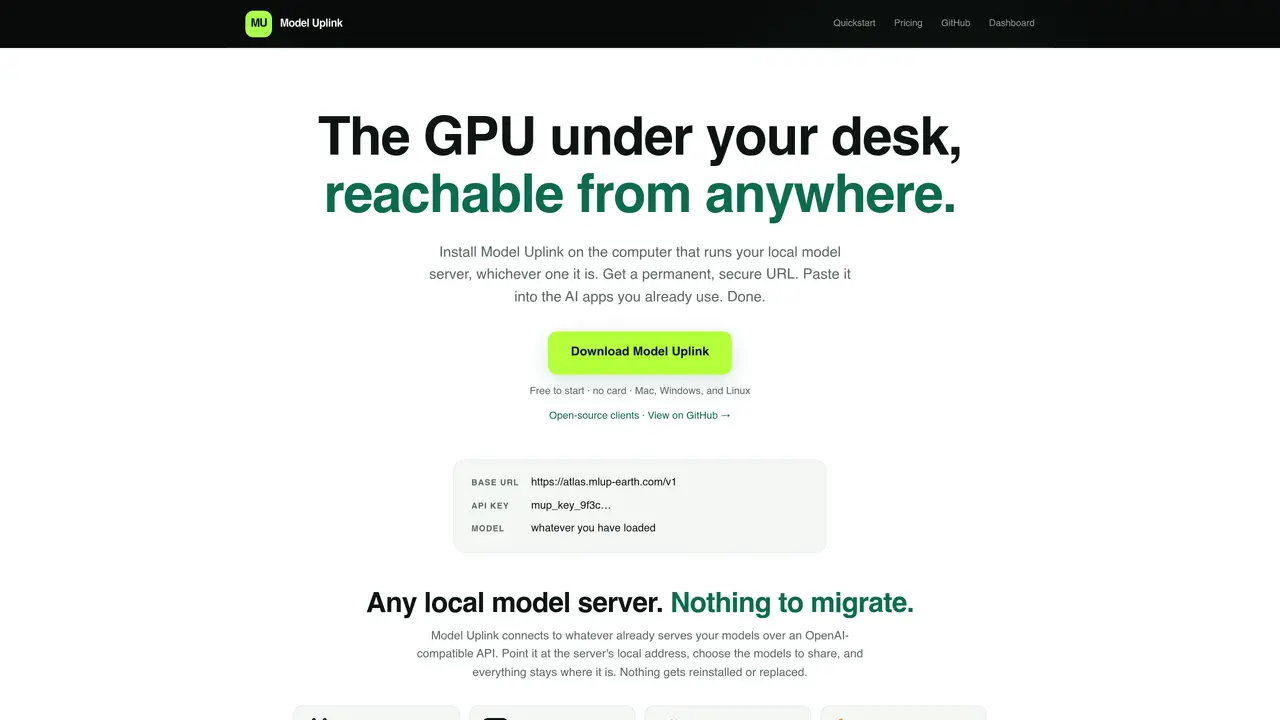
Model Uplink is a desktop application that exposes a local model server running on a user’s machine as a permanent, secure URL accessible over the internet. It connects to any OpenAI-compatible local model server—such as Ollama, LM Studio, Jan, or llama.cpp—and shares selected models without requiring migration or reinstallation. The tool handles authentication, encryption, and routing so that AI applications like Cursor, Open WebUI, or custom code can call the local model as if it were a cloud service. Users install the app on Mac, Windows, or Linux, sign in via email verification, and paste the generated URL and API key into their preferred AI tools. The hosted relay forwards encrypted traffic without decrypting prompts or responses, ensuring privacy. Model Uplink also offers optional setup assistance for users without a local server, guiding them to install Ollama and select a model that matches their hardware. The service operates on a usage-based pricing model with a free tier and paid plans that include permanent URLs, higher transfer limits, and multiple API keys.
Key features
- OpenAI-compatible API endpoint generation
- Email-based authentication without password creation
- End-to-end encryption for prompts and responses
- Support for Ollama, LM Studio, Jan, llama.cpp, and other local servers
- Permanent custom URLs for consistent access
- Multiple API keys per endpoint
- Optional local server setup assistance
- Cross-platform desktop clients for Mac, Windows, and Linux
Use cases
- Expose a local LLM to AI coding assistants like Cursor or Continue
- Enable remote access to a home GPU machine for team collaboration
- Integrate a local model into workflow automation tools such as n8n or Dify
Pros
- Connects to any OpenAI-compatible local model server without migration
- Encrypts prompts end-to-end, preventing relay visibility into traffic
- Permanent, customizable URLs for consistent access
- Supports multiple platforms: Mac, Windows, and Linux
- Free tier available with no credit card required
Cons
- Requires the local machine to remain powered on and online
- Free tier has limited transfer allowance and request rate
- Team features such as per-user usage tracking are not yet available
- Hosted relay service is proprietary; only clients are open source
Frequently asked questions about Model Uplink
What is Model Uplink and what does it do?
Model Uplink is a desktop application that turns a local model server into a permanent, secure URL accessible over the internet. It connects to any OpenAI-compatible local model server and shares selected models without requiring migration or reinstallation.
Who is Model Uplink for?
Model Uplink is designed for users who run local AI models on their own hardware and want to access them remotely from anywhere. It suits developers, researchers, and teams using tools like Cursor, Open WebUI, or custom code.
How does Model Uplink handle privacy and security?
Model Uplink encrypts prompts and responses end-to-end. The hosted relay forwards encrypted traffic without decrypting it, ensuring that only the local agent on your machine can read the data. The service only sees endpoint details, timing, and byte counts.
What local model servers are compatible with Model Uplink?
Model Uplink works with any OpenAI-compatible local model server, including Ollama, LM Studio, Jan, llama.cpp, vLLM, llama-swap, LocalAI, and others that expose an OpenAI-compatible API.
Can I use Model Uplink if I don’t have a local model server?
Yes. Model Uplink can assist in setting up Ollama and suggest a model that matches your hardware specifications, allowing you to start using the service without prior setup.
What pricing model does Model Uplink use?
Model Uplink operates on a usage-based pricing model with a free tier and paid plans. Paid plans include permanent URLs, higher transfer limits, and multiple API keys, with no per-token charges.