AI platform for upscaling images, enhancing photos, and generating high-quality creative assets with contextual detail.

ImageHub
114KMonthly visits
34Popularity
About ImageHub
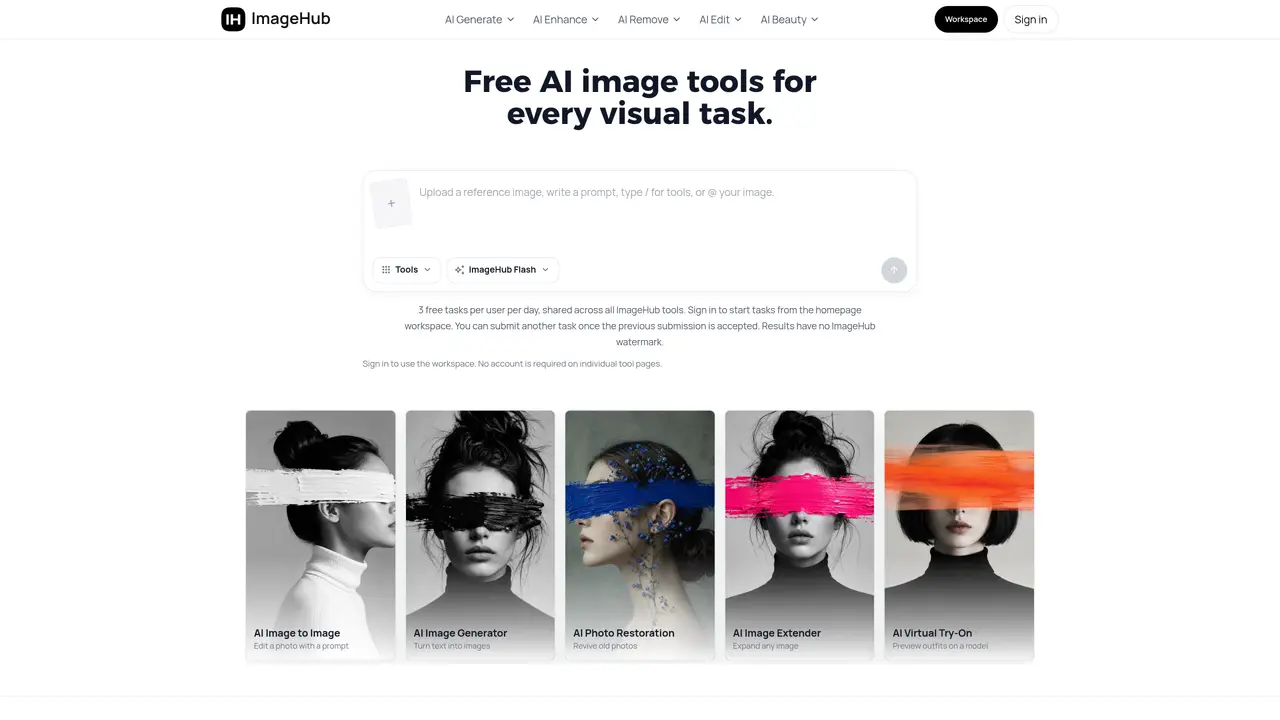
ImageHub provides a collection of browser-based AI tools for creating, editing, and enhancing images. It supports text-to-image generation, image-to-image transformation, and specialized functions such as background generation, anime conversion, headshot creation, and emoji generation. The platform also offers background removal, object removal, and watermark removal, along with image upscaling, denoising, and restoration capabilities. Additional tools include background changing, shadow generation, face and character swapping, virtual try-on for fashion, and body editing. Users can adjust image resolution, clarity, and detail, or repair old or damaged photos. The service operates entirely in the browser without requiring software installation.
Key features
- Text-to-image generation
- Image-to-image transformation
- Background removal and replacement
- Image upscaling and enhancement
- Face and character swapping
- Virtual try-on for fashion items
- Photo restoration and noise reduction
- Emoji and anime style generation
Use cases
- Generating product images for e-commerce
- Creating custom emoji assets
- Restoring old or damaged photographs
Pros
- Browser-based with no software installation required
- Covers generation, editing, enhancement, and restoration tasks
- Includes specialized tools for e-commerce, fashion, and portrait use
- Supports both text and image inputs for transformations
- Free tier available for basic use
Cons
- No desktop application available
- Limited to browser-based usage
- No API access mentioned
Frequently asked questions about ImageHub
What is ImageHub and what does it do?
ImageHub is a browser-based platform offering a suite of AI-powered tools for generating, editing, and enhancing images. It supports text-to-image generation, image-to-image transformation, background generation, anime conversion, headshot creation, and emoji generation, among other features.
Who is ImageHub designed for?
ImageHub is designed for a wide range of users, including content creators, marketers, photographers, designers, and individuals looking to enhance or transform images without requiring software installation.
Does ImageHub require software installation?
No, ImageHub operates entirely in the browser, eliminating the need for software installation or downloads.
What types of image editing can I perform with ImageHub?
ImageHub supports background removal, object removal, watermark removal, image upscaling, denoising, restoration, background changing, shadow generation, face and character swapping, virtual try-on for fashion, and body editing.
Can ImageHub generate images from text descriptions?
Yes, ImageHub includes a text-to-image generator that creates images based on text descriptions provided by the user.
How do I get started with ImageHub?
Users can start by visiting the ImageHub website, signing up for an account, and selecting a tool from the available options to begin generating or editing images.
ImageHub Website Engagement
Last Update: 20 hours ago
Total Monthly Visits
0
Bounce Rate
0%
Visit Duration (avg)
0.00s
Pages Per Visit
0
Country Rank
0
United States
Global Rank
0
Category Rank
#0
Photography
Monthly Traffic
Traffic Sources
Traffic Share By Country
- United States25.4%
- United Kingdom8.1%
- Germany5%
- Russia4.6%
- India4.2%