AI chatbot for conversation, work, research, coding, and content creation.

AI Watercolor Generator
$8.25/moStarting price
0Popularity
About AI Watercolor Generator
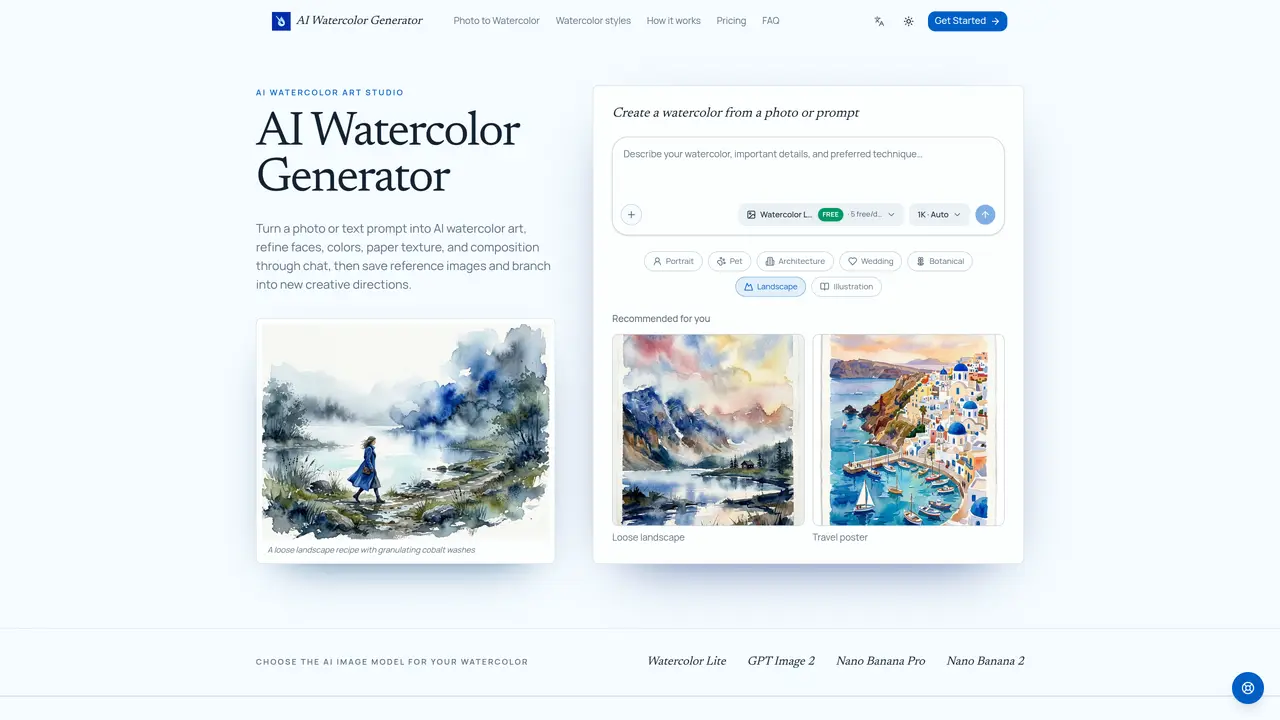
AI Watercolor Generator transforms photographs or written descriptions into watercolor-style artwork. Users can refine faces, colors, paper texture, and composition through conversational edits. The tool supports both image-to-image and text-to-image generation with multiple AI models. Outputs can be adjusted in resolution (1K, 2K, or 4K) and aspect ratio before saving. Generated images remain editable in subsequent chats, allowing for iterative improvements without starting from scratch. A library of reusable assets stores portraits, pets, buildings, and other reference images for future projects. The platform also enables branching from existing conversations to explore alternative styles or compositions while preserving prior versions.
Key features
- Photo-to-watercolor conversion
- Text-to-watercolor generation
- Resolution options: 1K, 2K, 4K
- Multiple AI image models
- Targeted area editing
- Reusable asset library
- Conversation-based refinements
- Commercial license included
Use cases
- Creating family or pet portraits from photos
- Generating botanical art or wedding stationery
- Transforming architectural photos into paintings
Pros
- Supports both photo uploads and text prompts
- Allows iterative editing through chat-based revisions
- Includes reusable asset library for saved references
- Offers multiple AI image models for different styles
- Preserves recognizable details in portraits and architecture
Cons
- Free tier limited to 5 daily images at 1K resolution
- Paid plans required for higher resolutions or advanced models
- No mobile application available
Frequently asked questions about AI Watercolor Generator
What is an AI watercolor generator?
An AI watercolor generator is a creative tool that transforms written ideas or uploaded images into watercolor-style artwork. It allows users to refine faces, colors, paper texture, and composition through conversational edits, enabling iterative improvements without starting from scratch.
Can I turn a photo into a watercolor painting?
Yes. Users can upload a photo such as a portrait, pet, house, wedding venue, or other image and describe the desired watercolor treatment. The tool preserves recognizable details like faces or architectural features during the conversion process.
Do I have to use a watercolor recipe?
No. Watercolor recipes are optional suggestions that provide editable guidance for the prompt. Users can either select a recipe or write their own instructions from scratch to customize the output.
How do I preserve faces or architectural details?
Users can specify which elements must remain recognizable in the initial prompt or mark the relevant area of a generated image and request targeted revisions in the conversation. This ensures key details are preserved during edits.
Which AI image model will the studio use?
The studio allows users to choose from multiple AI image models, including Watercolor Lite (free daily option), GPT Image 2, Nano Banana Pro, and Nano Banana 2. Each model offers different quality or capability levels for the output.
Can I edit the watercolor after it is generated?
Yes. Users can continue the chat to request changes such as softer edges, stronger grays, or other adjustments. Every revision builds on the previous watercolor image and direction, enabling iterative improvements.