Generate content, correct spelling, suggest synonyms to enhance writing.

bubbling
0Popularity
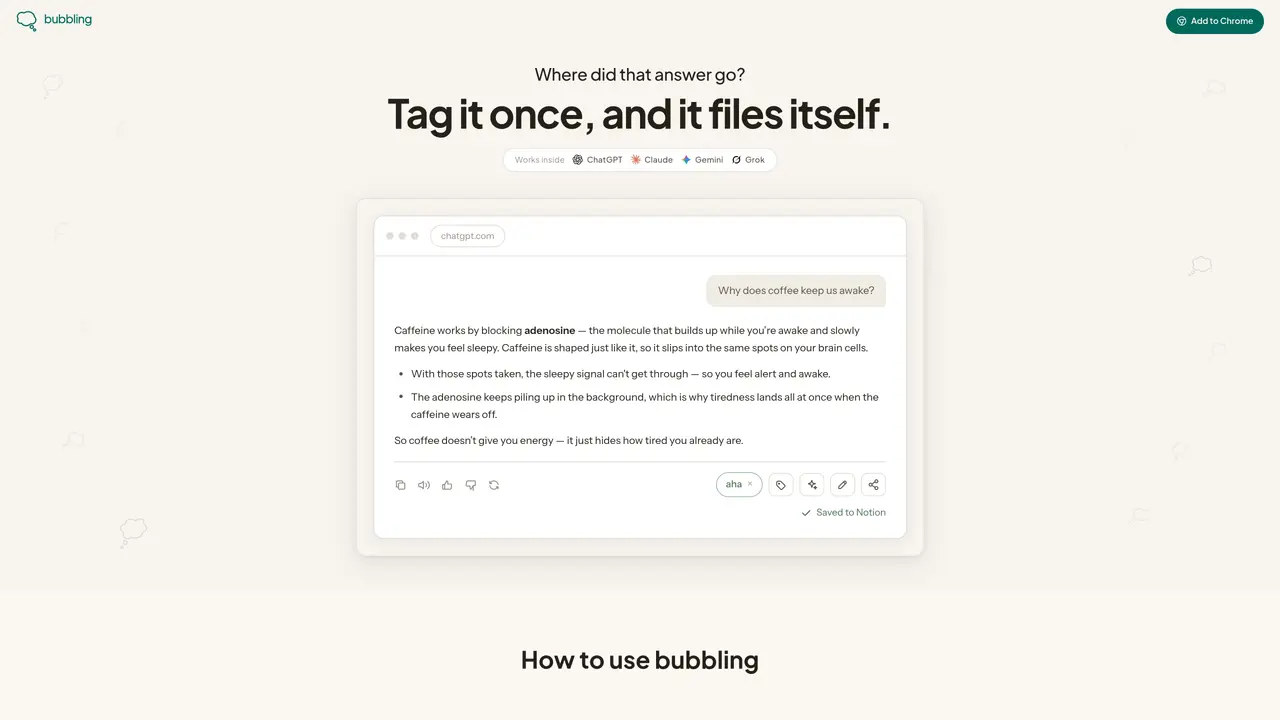
About bubbling
bubbling is a browser extension that integrates with AI chat platforms such as ChatGPT, Claude, Gemini, and Grok. It allows users to tag and save specific answers directly from chat sessions into a connected Notion workspace. The tool operates via a side panel that appears while browsing, enabling users to mark relevant information with custom tags or predefined suggestions. Once tagged, the selected content is automatically filed into Notion under the corresponding topic, maintaining organization by tag or date. Users can also review, summarize, or expand on saved answers within the panel, with optional AI assistance for generating questions or refining responses. The extension supports sharing selected messages via a link, allowing users to curate and distribute specific Q&A pairs without exposing unrelated content.
Key features
- Tag answers with custom or AI-suggested labels
- Sync tagged content to Notion automatically
- Review and edit saved answers in-panel
- Generate AI-assisted questions for deeper understanding
- Share selected messages via a private link
- Filter saved answers by tag or date
- Write and summarize answers directly in the panel
- Operates as a browser extension with side-panel access
Use cases
- Saving research notes from AI chat sessions to Notion
- Organizing Q&A pairs by topic for study or reference
- Curating and sharing specific answers with others
Pros
- Integrates with multiple AI chat platforms
- Automatically syncs tagged content to Notion
- Supports custom and AI-generated tags
- Enables in-panel review and editing of saved answers
- Allows selective sharing of messages via link
Cons
- Requires Notion integration for full functionality
- Limited to supported AI chat platforms
- No mobile or cross-platform support mentioned
Frequently asked questions about bubbling
What is bubbling and how does it work?
bubbling is a browser extension that integrates with AI chat platforms like ChatGPT, Claude, Gemini, and Grok. It allows users to tag and save specific answers directly from chat sessions into a connected Notion workspace via a side panel.
Which AI platforms are supported by bubbling?
bubbling supports tagging and saving to Notion on ChatGPT, Claude, Gemini, and Grok.
How do I save answers from AI chats to Notion using bubbling?
After reading an answer in an AI chat, users can tag it with a custom or suggested tag. The tagged content is then automatically filed into Notion under the corresponding topic, organized by tag or date.
Can I edit or summarize saved answers in bubbling?
Yes, users can review, summarize, or expand on saved answers within the bubbling side panel. The tool also offers AI assistance for generating questions or refining responses.
Is bubbling free to use?
Yes, bubbling is currently free to use.
Can I share specific Q&A pairs from AI chats using bubbling?
Yes, users can share selected messages via a link, curating and distributing specific Q&A pairs without exposing unrelated content.