Generate full songs with vocals, lyrics, and instrumentals from text prompts in minutes.
75M visits/mo+3.8%#1 Audio & Voice

Browser-based AI vocal remover and stem splitter for karaoke, music production, and content creation.
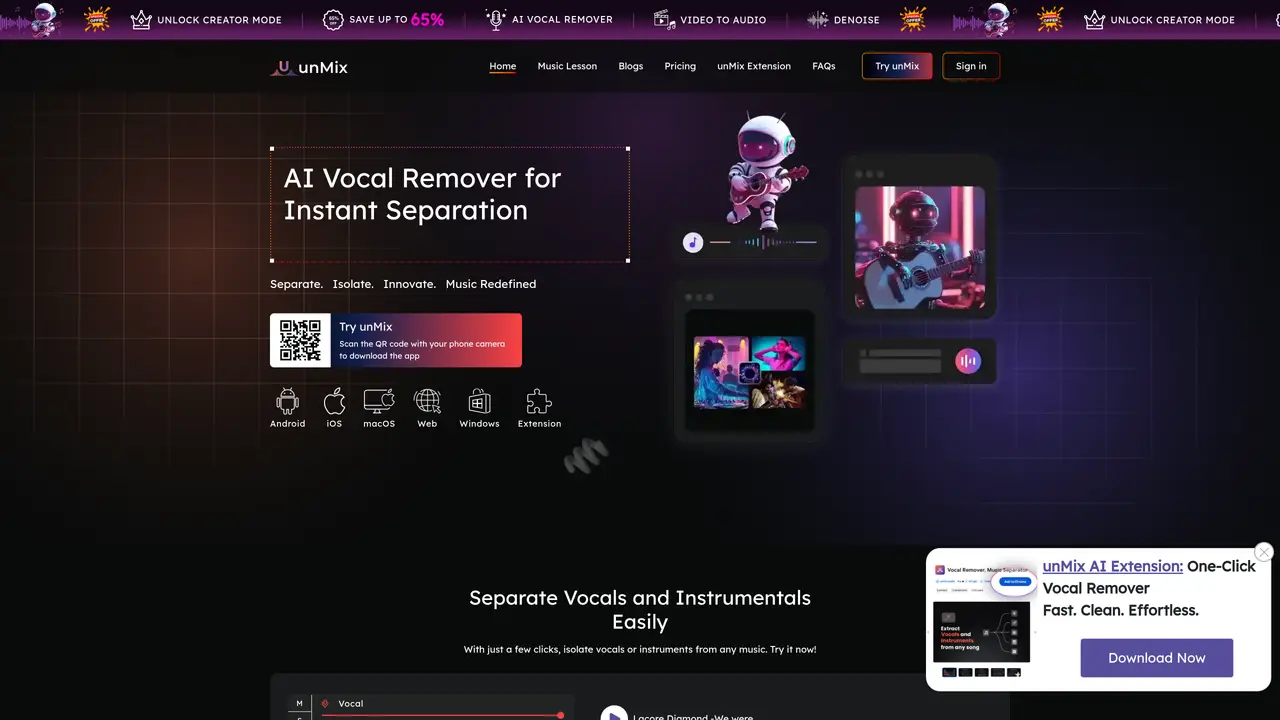
unMix Vocal Remover is an AI-powered tool that separates vocals from instrumental tracks and extracts individual stems such as drums, bass, piano, and guitar. Designed for karaoke enthusiasts, musicians, DJs, and content creators, it enables users to create backing tracks, acapellas, and isolated instrumentals without installing complex software. The tool operates entirely in the browser, delivering results in under 10 seconds, and supports importing audio or video files, YouTube links, and cloud storage services like Google Drive, Dropbox, and iCloud. It is accessible across multiple platforms, including web browsers, Android, iOS, Windows (via Microsoft Store), and as a Chrome extension, making it convenient for users on different devices. The freemium model allows basic use with optional paid upgrades for advanced features. unMix is particularly useful for tasks like creating karaoke tracks, remixing songs, or isolating specific parts of a track for further editing or production.
unMix is an AI-powered tool that separates vocals from instrumental tracks and extracts individual stems such as drums, bass, piano, and guitar. It allows users to create backing tracks, acapellas, and isolated instrumentals directly in the browser.
The tool is designed for karaoke enthusiasts, musicians, DJs, podcasters, and content creators who need to isolate vocals or instruments for remixing, karaoke, or further editing.
Users upload an audio or video file, and the AI processes it to separate vocals and instruments. The separated tracks can then be downloaded or shared in preferred formats.
unMix supports importing audio or video files, YouTube links, and cloud storage services like Google Drive, Dropbox, and iCloud.
Yes, unMix is accessible on Android and iOS devices, as well as through a web browser, Windows (Microsoft Store), macOS, and as a Chrome extension.
unMix operates on a freemium model, allowing basic use with optional paid upgrades for advanced features such as unlimited separations and higher quality output.
We use essential cookies to run aitoolnavio™, and optional cookies to analyze traffic and measure our marketing. You choose what we use — optional cookies stay off unless you turn them on. See our Privacy Policy.
One short email a week: fresh tools worth trying, honest takes and the updates that actually matter. No spam, unsubscribe any time.
Generate full songs with vocals, lyrics, and instrumentals from text prompts in minutes.
Create instrumental versions, enhance clarity, and boost music quality effortlessly.
Generate original songs, lyrics, and studio-quality soundtracks from text prompts in minutes using AI.
Create funny videos with unique voices, modify pitch and speed for custom sound, and apply sound effects.
Remove vocals, extract audio stems, and refine audio for optimal sound quality.
Convert audio and video into text, sync transcripts with media, and edit easily.
Generates AI videos, images and audio from text prompts, photos or audio
Create podcasts, audiobooks, and voiceovers, customize voice style, and generate natural speech from text.
Create studio-ready vocals, choirs, and instruments from MIDI.
An AI music platform that generates royalty-free songs, instrumentals, and lyrics from text prompts, with stem splitting, vocal removal, and mastering tools.
Use this online audio cleaner to remove background noise from recordings and enhance sound quality.
Enhance audio quality, remove background noises, create professional recordings with any format.
Matched on what this tool does — grouped by the job you would be replacing.
matches Vocal and instrumental separation · Multi-stem extraction (drums, bass, piano, guitar, etc.) · Browser-based workflow with sub-10-second processing
AI vocal remover and stem splitter for separating vocals and instruments from songs.
Easily remove vocals, enhance your audio, and create karaoke tracks online.
AI-powered online audio editor that separates vocals and instrumentals from songs for karaoke, remixing, and music creation without downloads.
Separates vocals, drums, bass, guitar and piano from audio files online