Generate full songs with vocals, lyrics, and instrumentals from text prompts in minutes.
75M visits/mo+3.8%#1 Audio & Voice

Easily create instrumental and karaoke versions of songs, and generate backing tracks for live performances.
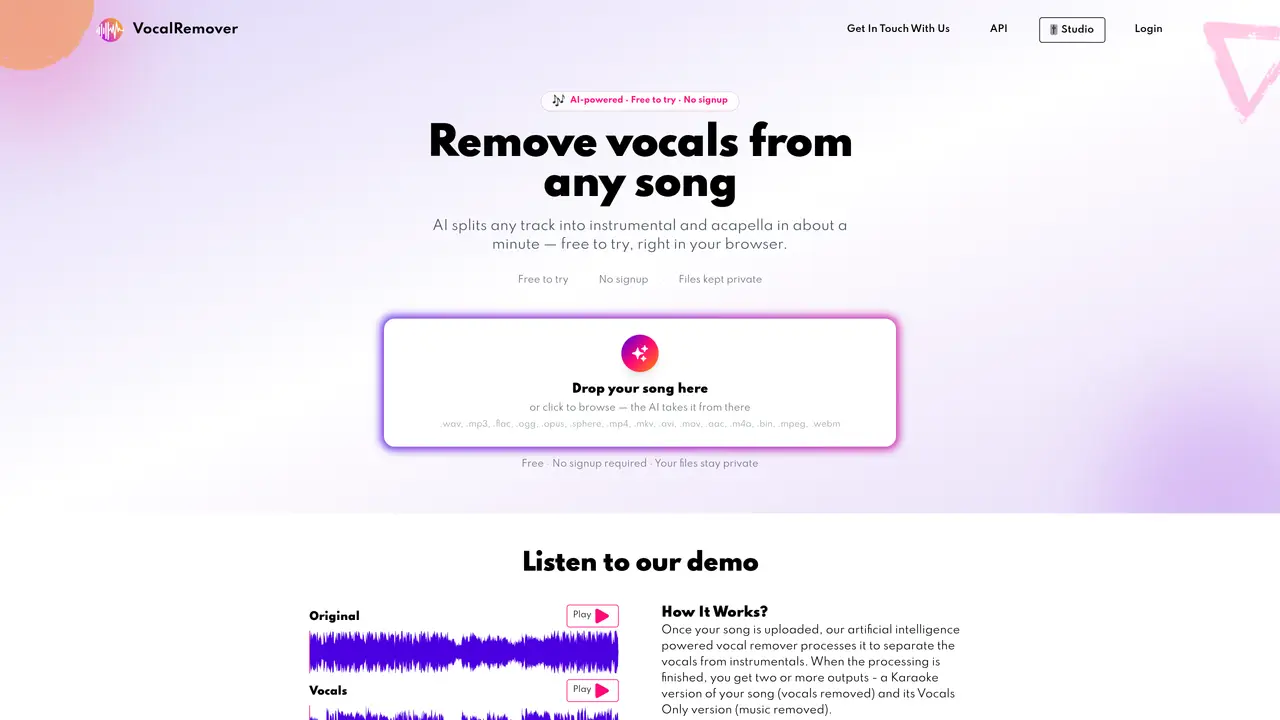
Vocal Remover is the perfect tool for anyone who needs to remove the vocal track from music. Powered by AI, this innovative tool quickly and easily separates vocals from instrumentals, allowing you to create backing tracks or karaoke versions of your favorite songs. In just one minute, you can have a vocal-free version of your favorite music to use for any purpose. With Vocal Remover, you have the freedom to make music your own. Whether you’re a musician looking for a vocal-free version of a song for practice or a karaoke enthusiast looking for the perfect track to sing to, Vocal Remover is the tool you need. Get started today and make music your own.
Each package includes a limit on the total minutes of audio or video that can be converted. Files are rounded to the nearest whole minute, and the total combined length must not exceed the purchased limit.
Upload the entire video file through the browser. The service supports most video formats and handles files up to 10GB. After processing, you can download the audio with vocals removed or instrumentals removed.
Full file conversions are stored until the subscription is active or the customer deletes them. Sample files are stored for 3 days, while one-time and top-up user files are stored for 30 days.
Subscriptions can be canceled at any time through the self-service customer portal. Users can log into their account, navigate to billing or subscription settings, and manage or cancel their subscription.
The tool supports audio formats such as WAV, MP3, FLAC, OGG, OPUS, SPHERE, AAC, M4A, BIN, MPEG, and WEBM, as well as video formats like MP4, MKV, AVI, MOV, and more.
No signup is required to use the basic features, and the service is free to try directly in the browser. However, an account may be needed for subscription management or accessing additional features.
vocalremover.com · third-party estimates from Similarweb
Last 4 months · grows by one month every month
Share of visits · estimated visits
Other countries: 73.5%
How people reach this site from other AI tools
1.5K a month · 0.6% of all visits
Audio & Voice · Sep 2026
Traffic figures are third-party estimates, good for scale and trends; they can differ from a company's own numbers. Updated monthly.
We use essential cookies to run aitoolnavio™, and optional cookies to analyze traffic and measure our marketing. You choose what we use — optional cookies stay off unless you turn them on. See our Privacy Policy.
One short email a week: fresh tools worth trying, honest takes and the updates that actually matter. No spam, unsubscribe any time.
Generate full songs with vocals, lyrics, and instrumentals from text prompts in minutes.
Create instrumental versions, enhance clarity, and boost music quality effortlessly.
Generate original songs, lyrics, and studio-quality soundtracks from text prompts in minutes using AI.
Create funny videos with unique voices, modify pitch and speed for custom sound, and apply sound effects.
Remove vocals, extract audio stems, and refine audio for optimal sound quality.
Convert audio and video into text, sync transcripts with media, and edit easily.
Generates AI videos, images and audio from text prompts, photos or audio
Create podcasts, audiobooks, and voiceovers, customize voice style, and generate natural speech from text.
Create studio-ready vocals, choirs, and instruments from MIDI.
An AI music platform that generates royalty-free songs, instrumentals, and lyrics from text prompts, with stem splitting, vocal removal, and mastering tools.
Use this online audio cleaner to remove background noise from recordings and enhance sound quality.
Enhance audio quality, remove background noises, create professional recordings with any format.
Matched on what this tool does — grouped by the job you would be replacing.
matches Remove vocals from music · Create instrumental versions of songs · Generate backing tracks for live performances
Create instrumental versions, enhance clarity, and boost music quality effortlessly.
AI vocal remover and stem splitter for separating vocals and instruments from songs.
Free AI-powered tool to separate vocals and instrument stems from songs
AI-powered online audio editor that separates vocals and instrumentals from songs for karaoke, remixing, and music creation without downloads.
matches Generate backing tracks for live performances
An AI music generator that turns text prompts into original songs with vocals, lyrics, and instrumentals, plus remixing and mastering tools.
AI music generator that turns text prompts or lyrics into songs or instrumentals
Converts written text into produced songs with vocals and instruments
AI tool that generates full songs from text prompts or lyrics