
Generate audio content for podcasts, e-learning, or video production with natural-sounding voices on any device.
5.4M visits/mo+4.2%#7 Audio & Voice

Converts dialogue scripts into natural-sounding multi-voice audio conversations
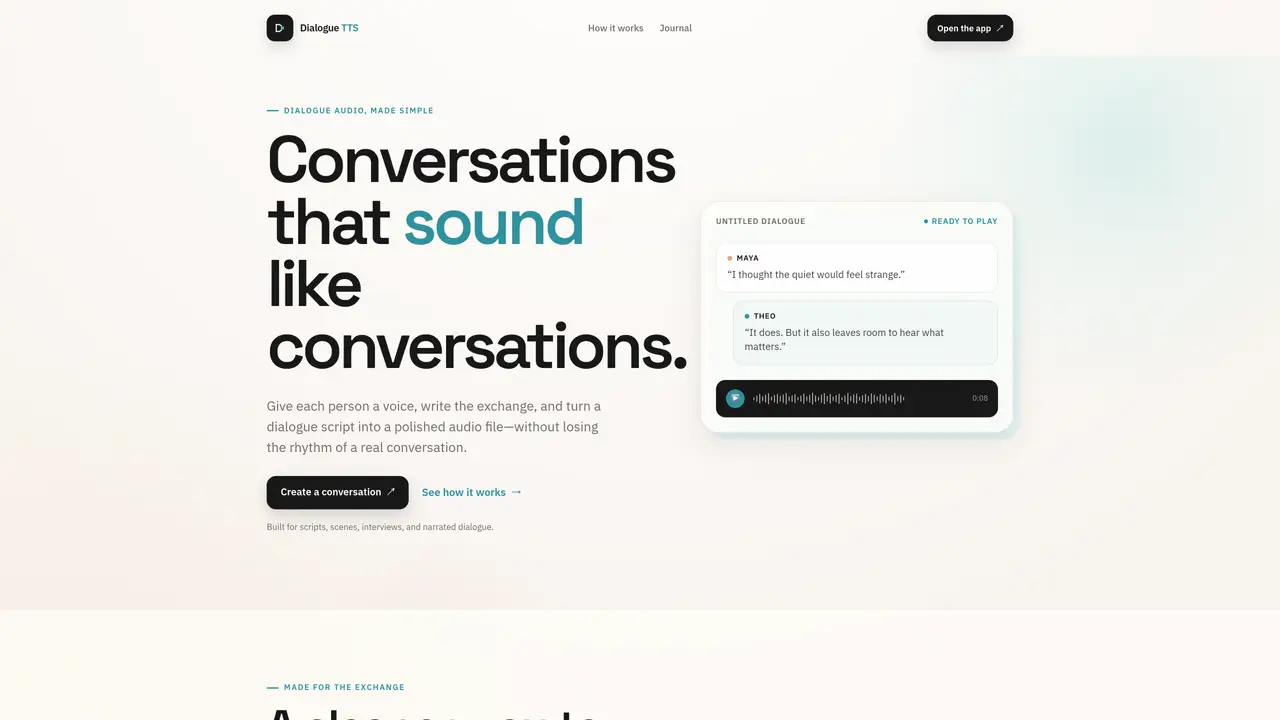
Dialogue TTS generates realistic conversation audio from written scripts by assigning distinct voices to each speaker. The tool preserves the rhythm and flow of natural speech, allowing users to create polished audio exchanges without manually editing individual clips. It supports scripts, scenes, interviews, and narrated dialogue, providing a focused workflow from script to final listen. Users begin by defining a cast of speakers with unique profiles, then write or paste dialogue while assigning lines to specific voices. The application generates the full conversation for review, enabling iterative refinement before exporting the final audio. The interface emphasizes simplicity, keeping the script, speakers, and listening experience integrated throughout the process.
Dialogue TTS converts written dialogue scripts into natural-sounding audio conversations by assigning distinct voices to each speaker. It preserves the rhythm and flow of real speech, allowing users to generate polished dialogue audio without manually editing individual clips.
The tool is built for anyone creating dialogue-based audio, including writers, podcasters, filmmakers, journalists, and educators. It suits scripts, scenes, interviews, and narrated exchanges where realistic conversation is essential.
Users start by defining a cast of speakers with unique profiles, then write or paste dialogue while assigning lines to specific voices. The application generates the full conversation for review, enabling iterative refinement before exporting the final audio.
Yes, the tool supports a simple dialogue format that remains easy to read, revise, and share with collaborators, streamlining the workflow from script to final listen.
Dialogue TTS is designed for scripts, scenes, interviews, and narrated dialogue, making it suitable for podcasts, audiobooks, film scripts, and educational content.
Begin by opening the app, setting up a cast of speakers, writing or pasting your dialogue, and assigning lines to specific voices. Generate the full exchange to review and refine before exporting the final audio.
We use essential cookies to run aitoolnavio™, and optional cookies to analyze traffic and measure our marketing. You choose what we use — optional cookies stay off unless you turn them on. See our Privacy Policy.
One short email a week: fresh tools worth trying, honest takes and the updates that actually matter. No spam, unsubscribe any time.
Generate audio content for podcasts, e-learning, or video production with natural-sounding voices on any device.
Podbean is a podcast hosting platform that provides audio editing, distribution to major platforms, and audience analytics for creators.
Create, edit, and enhance high-quality audio/video content.
Create podcasts, audiobooks, and voiceovers, customize voice style, and generate natural speech from text.
Create natural audio for podcasts, automate customer service responses, and generate audio for online courses.
Turn web articles and e-books into audiobooks with natural text-to-speech voices.
Record high-quality audio remotely, edit with integrated tools, and collaborate on projects with other users.
A chat-based AI creative studio for recording, editing, enhancing, dubbing, subtitling, and publishing video and audio content, plus Voice APIs for developers.
Turn written content into podcasts, customize with host and music, and create professional-quality podcasts swiftly.
Turns bullet points into studio-quality podcasts with AI voice cloning, scripting, and licensed music in minutes.
Generate tailored timestamps, show notes, newsletters, RSS feeds, and SEO-friendly blog post options for podcast engagement.
Create engaging audio content, automate podcast post-production, and convert speech to text effortlessly.
Matched on what this tool does — grouped by the job you would be replacing.
matches Multi-voice conversation generation · Speaker profile creation · Dialogue script assignment
Local AI voice generation studio with unlimited text-to-speech and audio processing
An AI web app that converts webpages, PDFs, images, and research papers into multi-speaker podcast episodes.
Turns URLs, topics, or text into multi-speaker podcast episodes with editable scripts and RSS distribution.
AI-powered audio content creation tool for crafting podcasts, audiobooks, and educational content with synthetic voices.