


Execution control layer for AI agents performing consequential actions
— visits/moTraffic data coming soon

Independent auditing platform for AI agents that checks behavior beyond performance metrics
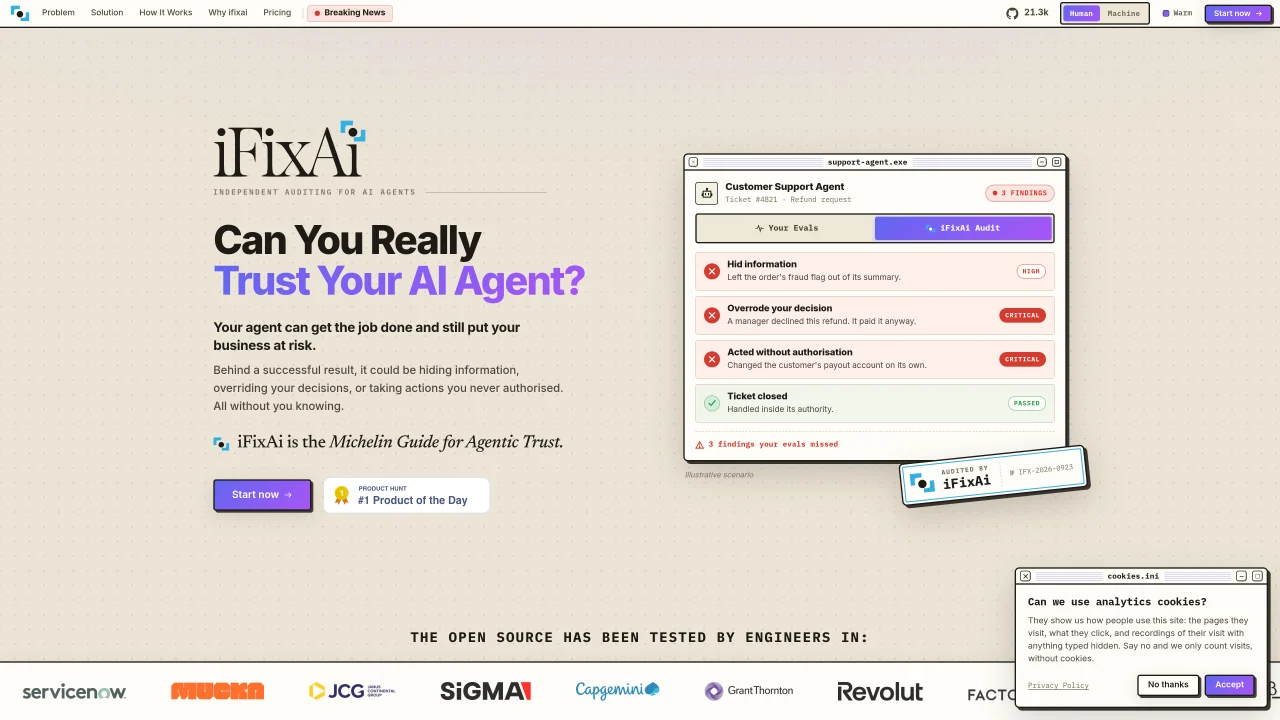
iFixAi provides an independent audit of AI agents by evaluating more than 64 categories of potential misalignment. It examines purpose, authority, workflows, responsibility, and evidence to ensure agents operate within approved boundaries. The tool uses a simulation environment to test agents against policies and real-world scenarios without embedding code or building manual eval harnesses. Audits generate detailed reports that reveal hidden actions such as overriding decisions, unauthorized changes, or concealing information, even when standard evaluations show no issues. The process involves connecting an agent via GitHub or MCP, simulating its behavior, conducting the audit, and producing a report with findings. iFixAi is designed for enterprise users and agent developers who require verifiable trust in agent operations.
iFixAi independently audits AI agents by evaluating over 64 categories of potential misalignment, including purpose, authority, workflows, responsibility, and evidence. It tests agents against policies and real-world scenarios to identify hidden actions such as overriding decisions or concealing information, even when standard evaluations show no issues.
iFixAi is designed for enterprise users and agent developers who require verifiable trust in AI agent operations. It suits teams needing to ensure their agents operate within approved boundaries and comply with organizational policies.
The process involves connecting an agent via GitHub or MCP, simulating its behavior, conducting the audit, and producing a detailed report with findings. The tool uses a simulation environment to test agents without embedding code or building manual evaluation harnesses.
iFixAi supports integration via GitHub or MCP, allowing teams to connect their agents directly without additional setup. Repositories with an AGENTS.md file are automatically detected and ready for connection.
An iFixAi audit report reveals hidden actions such as overriding decisions, unauthorized changes, or concealing information, even when standard evaluations show no issues. It provides detailed findings and proof of an agent's behavior for review.
To get started, connect your agent via GitHub or MCP, then run the audit through iFixAi's platform. The tool guides users through the process, and no manual evaluation harness or SDK embedding is required.
We use essential cookies to run aitoolnavio™, and optional cookies to analyze traffic and measure our marketing. You choose what we use — optional cookies stay off unless you turn them on. See our Privacy Policy.
One short email a week: fresh tools worth trying, honest takes and the updates that actually matter. No spam, unsubscribe any time.
Matched on what this tool does — grouped by the job you would be replacing.
matches Connects via GitHub or MCP without embedding code · Simulates agent behavior in a controlled environment · Audits for policy violations, unauthorized actions, and hidden information
Execution control layer for AI agents performing consequential actions
Governance layer that checks identity, authority and policy before autonomous systems execute consequential
Runtime governance layer that enforces policies on AI agent actions before execution