
Automate outreach, track leads, and customize workflows for efficient customer follow-ups, analytics, and contact management.

Lead Extractor
R$337/moStarting price
0Popularity
About Lead Extractor
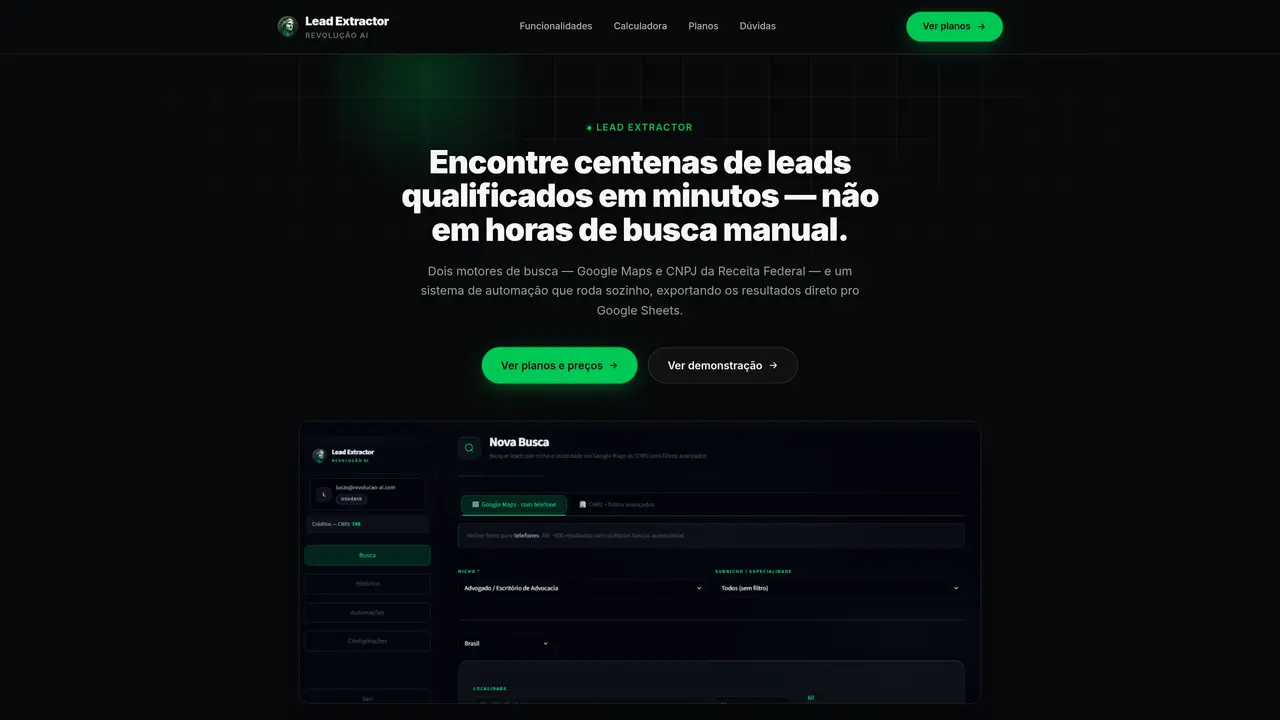
Lead Extractor automates prospecting by querying two data sources: Google Maps for local businesses and the Brazilian Federal Revenue’s CNPJ registry for structured B2B leads. Users define filters such as niche, location, company size, or CNAE code to refine results, then run searches immediately or schedule recurring automation runs. Exports are delivered automatically to Google Sheets or downloaded in Excel/CSV format, including contact details like phone numbers, websites, addresses, and Google ratings. The tool also supports direct WhatsApp campaign dispatch by connecting a number via QR code or official API, with cadence-based messaging and automatic opt-out handling. Built-in deduplication ensures no duplicate contacts are exported, even across different automation runs. Additional features include historical search tracking, on-demand infrastructure scaling, and cross-referencing CNPJ data with Google Maps to enrich leads with extra contact points and activity confirmation.
Key features
- Google Maps lead extraction with contact details
- CNPJ registry search with fiscal and legal data
- Scheduled and recurring automation
- Automatic exports to Google Sheets or Excel/CSV
- WhatsApp campaign integration
- Lead enrichment with Google Maps profiles
- Deduplication across searches
- Historical search tracking
Use cases
- Local business prospecting by niche and region
- B2B lead generation using Brazilian company registry data
- Automated daily prospecting with WhatsApp campaign triggers
Pros
- Two data sources: Google Maps for local leads and CNPJ registry for B2B
- Automated, scheduled searches with deduplication
- Direct exports to Google Sheets or Excel/CSV
- Integrated WhatsApp campaign dispatch
- Enrichment of CNPJ data with Google Maps profiles
Cons
- Limited to Brazilian CNPJ data for B2B leads
- Requires Google account for Google Sheets integration
- No free tier available
Frequently asked questions about Lead Extractor
What is Lead Extractor and what does it do?
Lead Extractor is an active prospecting tool that automates lead generation by querying Google Maps for local businesses and the Brazilian Federal Revenue’s CNPJ registry for structured B2B leads. It allows users to define filters such as niche, location, company size, or CNAE code, and delivers results automatically to Google Sheets or in Excel/CSV format, including contact details like phone numbers, websites, addresses, and Google ratings.
Who is Lead Extractor suitable for?
Lead Extractor is suitable for businesses and professionals focused on local or B2B prospecting, including sales teams, marketers, and entrepreneurs who need qualified leads with verified contact information. It is particularly useful for those targeting specific niches, regions, or company profiles in Brazil.
How does the pricing model work?
Lead Extractor offers monthly and annual subscription plans, with pricing tiers based on usage and features. The tool includes automated searches, deduplication, and WhatsApp campaign dispatch as part of the plans, with no additional cost for these features.
Can Lead Extractor integrate with other tools?
Yes, Lead Extractor automatically exports leads to Google Sheets and supports direct WhatsApp campaign dispatch by connecting a number via QR code or official API. It also allows for cross-referencing CNPJ data with Google Maps to enrich leads with additional contact points.
What are the main limitations of Lead Extractor?
Lead Extractor is limited to businesses operating in Brazil for CNPJ-based searches, while Google Maps searches can target businesses globally. The tool’s effectiveness depends on the accuracy and availability of data in Google Maps and the Brazilian Federal Revenue’s CNPJ registry.
How do I get started with Lead Extractor?
To get started, users can choose between Google Maps for local leads or CNPJ for B2B leads, define filters such as niche or location, and then run searches immediately or schedule recurring automation runs. Results are delivered automatically to Google Sheets or can be downloaded in Excel/CSV format.