YouTube and Instagram growth toolkit with AI-powered optimization and analytics
6.9M visits/mo+2%#15 Business & Marketing

AI brief generator that converts client conversations into structured marketing briefs
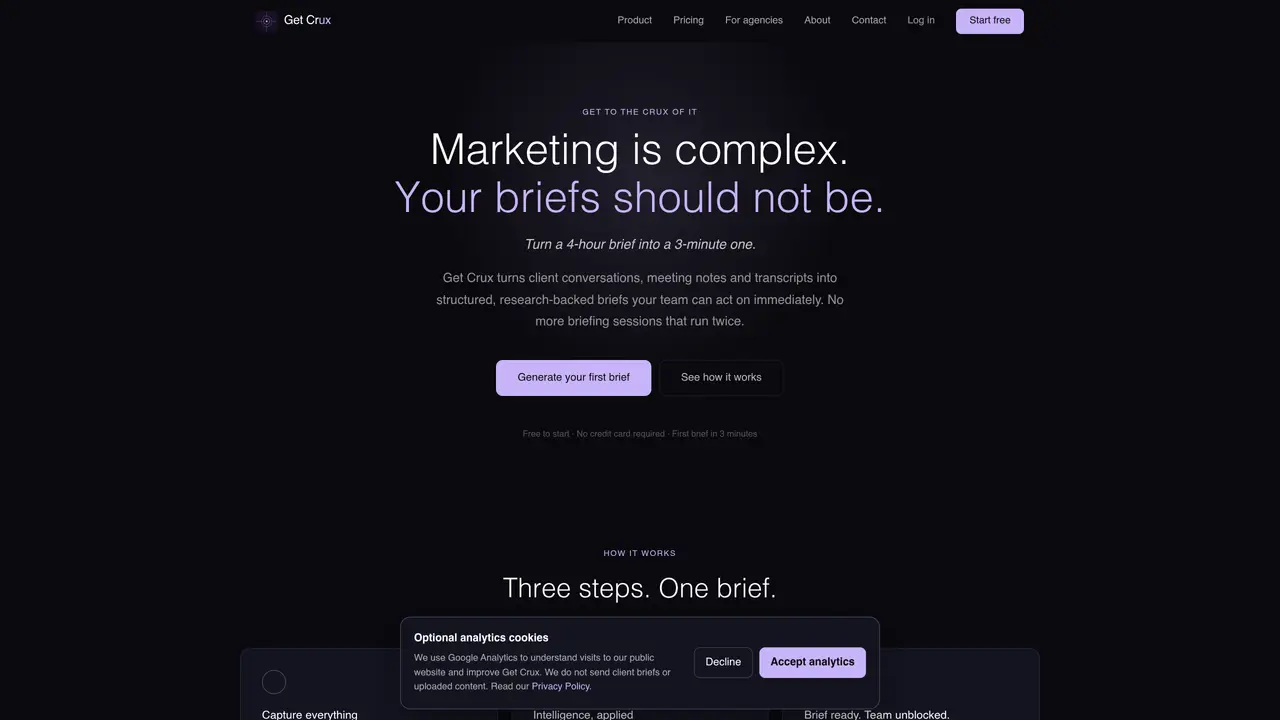
Get Crux automates the creation of structured marketing briefs from client conversations, meeting notes, transcripts, documents or email threads. The tool processes source material to identify strategic direction and compiles it into a complete brief that teams can edit inline before exporting or sharing directly. Live research can be toggled to check client background and competitive positioning during generation, with findings marked for review. Briefs are delivered in a structured format with sections for objectives, audience, tone, deliverables and open questions. Exports are available as PDF, Word or direct Notion integration, and the platform supports multiple brief types including creative, website, campaign, social media, content and brand briefs. Designed for agencies that brief at scale, it assigns team roles and allows role-based access for Admin or Member permissions. The tool is currently in early access with staged onboarding and planned integrations for CRM, project management and communication platforms.
Get Crux supports transcripts, Notion pages, Word documents, PDFs, and text pastes as source material for brief generation.
When enabled, Get Crux performs live research by checking current web sources for client background and competitor positioning, integrating findings directly into the brief.
Yes, Get Crux allows the creation of custom templates, with unlimited options available on higher-tier plans.
All plans include encryption in transit and at rest, WCAG-accessible exports, and Australian data residency for security and compliance.
Yes, the platform allows cancellation at any time, with payments processed securely.
Get Crux integrates with Notion for direct brief pushing and supports exports to PDF and Word formats, with additional integrations planned for CRM, project management, and communication platforms.
We use essential cookies to run aitoolnavio™, and optional cookies to analyze traffic and measure our marketing. You choose what we use — optional cookies stay off unless you turn them on. See our Privacy Policy.
One short email a week: fresh tools worth trying, honest takes and the updates that actually matter. No spam, unsubscribe any time.
YouTube and Instagram growth toolkit with AI-powered optimization and analytics
All-in-one marketing platform for email, SMS, WhatsApp and CRM automation
Automate tailored conversations, analyze customer behavior, and automate lead gen, customer service, and sales.
Monitor brand performance, create content for social media, and gain insights with deep analytics.
AI-powered platform to automate email and SMS marketing campaigns with tailored messaging for higher conversions.
Turn simple prompts into flyers, social posts, emails, event pages, and tickets using AI-powered design and marketing tools.
Monitor, schedule, and analyze customer conversations, user activity, and content performance for optimized strategies.
Automates data enrichment and personalized outreach for efficient lead generation.
Automate personalized messages, create stunning emails, and segment contacts for highly targeted campaigns.
AI-powered platform for targeted online ad management, performance analysis, and strategy optimization with human oversight.
AI ad creative and launch platform that generates UGC-style video and image ads, clones competitor concepts, and automates Meta campaign setup with performance tracking.
Create personalized videos, track engagement, optimize campaigns.
Matched on what this tool does — grouped by the job you would be replacing.
Paid placement · similar tools from listings that support aitoolnavio™
Instant lead response for home-service pros: your phone rings on every new lead, plus 14 days of follow-up
matches AI-generated structured briefs from client conversations · Inline editing of brief sections · Open questions section for review
matches Multiple export formats: PDF, Word, Notion · AI-generated structured briefs from client conversations
Generate content, correct spelling, suggest synonyms to enhance writing.
Online AI tool that converts notes or topics into structured PDF-ready reports
Generate engaging presentations, visuals for marketing campaigns, and educational content quickly.
AI documentation assistant for allied health clinicians that generates SOAP notes and clinical reports from client information with templates and transcription.
Efficiently query, create and manage datasets, and get relevant answers based on entered data.