
OpenAI builds and deploys advanced AI models like GPT-4o for autonomous agents and workflows.

Buddy Agents
$29/moStarting price
0Popularity
About Buddy Agents
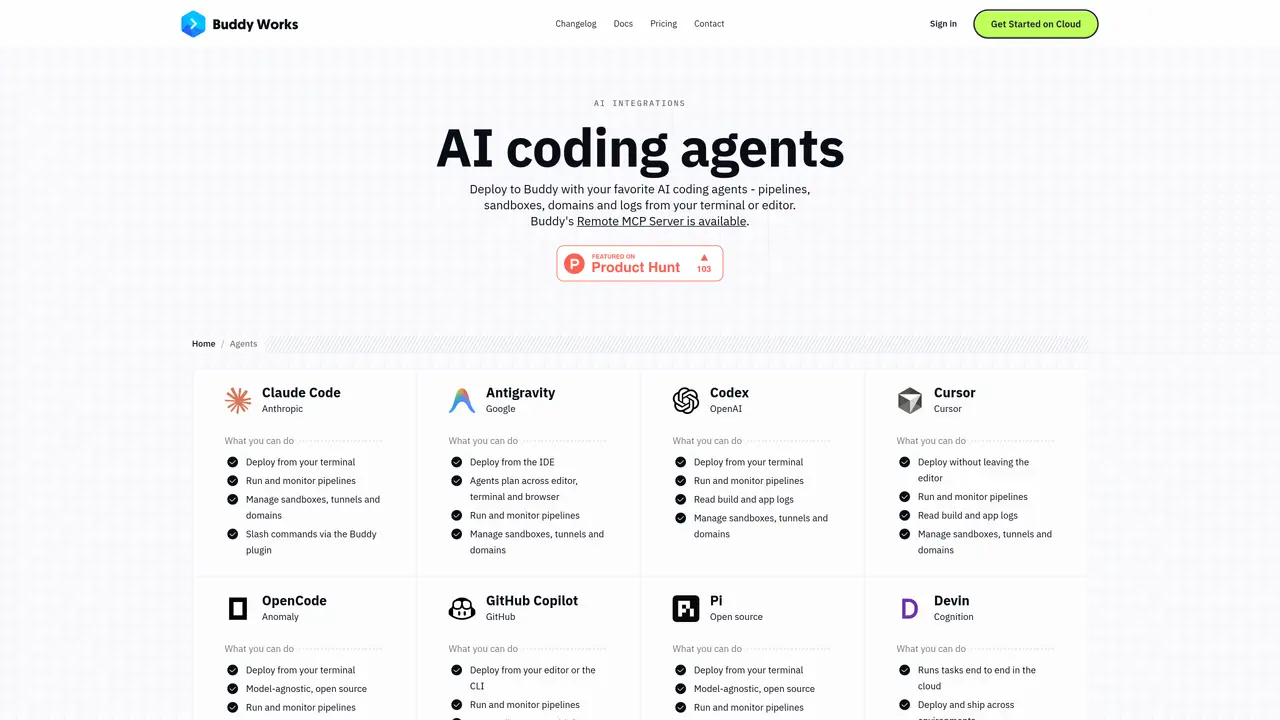
Buddy Agents integrates AI coding assistants with a CI/CD platform to automate software delivery workflows. The service provides a remote Model Context Protocol server that exposes over 90 tools for triggering pipelines, managing deployments, spinning up sandboxes, routing domains and retrieving logs. Agents can connect via an MCP-compatible endpoint or through a Buddy CLI skill that teaches the agent to use the Buddy command-line interface. Authentication is handled through OAuth for interactive setups or personal access tokens for headless environments, with granular tool-level permissions available via query parameters. Pipelines, sandboxes and domains can be managed from the terminal, IDE or browser, with real-time monitoring of build outputs and application logs. The platform supports both cloud-based agents and self-hosted agents running inside isolated Buddy sandboxes. Typical use includes deploying code changes, running end-to-end tasks in the cloud, and automating repetitive development workflows across environments.
Key features
- MCP-compatible remote server for direct API access
- Buddy CLI skill for terminal-based agent control
- Pipeline triggering and monitoring
- Sandbox and domain management
- Build and application log retrieval
- OAuth and token-based authentication
- Region-specific MCP endpoints
- Granular tool-level permission controls
Use cases
- Deploy code changes from AI agents to staging environments
- Run end-to-end tasks in isolated cloud sandboxes
- Automate repetitive development workflows across environments
Pros
- Supports multiple AI coding agents via MCP and CLI integration
- Provides over 90 tools for pipeline, sandbox and deployment management
- Offers region-specific MCP endpoints for US, Europe and Asia
- Allows granular permission control through tool filtering
- Supports both interactive OAuth and token-based authentication
Cons
- Requires configuration of MCP server or Buddy CLI for agent integration
- No explicit free tier for agent features beyond general pipeline minutes
- Agent permissions must be explicitly scoped to limit access
Frequently asked questions about Buddy Agents
How does an AI agent connect to Buddy?
AI agents can connect to Buddy in two ways: via a Buddy CLI skill that teaches the agent to use the Buddy command-line interface, or through a remote Model Context Protocol (MCP) server that provides direct API access to Buddy's tools and resources.
What is the Buddy MCP server?
The Buddy MCP server is an implementation of the Model Context Protocol hosted by Buddy, enabling AI agents to perform actions such as triggering pipelines, managing deployments, spinning up sandboxes, and retrieving logs directly within a workspace.
Which MCP server URL should I use?
The appropriate MCP server URL depends on your workspace region: use https://mcp.buddy.works/mcp for US, https://mcp.eu.buddy.works/mcp for Europe, and https://mcp.asia.buddy.works/mcp for Asia.
How does authentication work with Buddy Agents?
For interactive setups, OAuth is recommended, allowing the agent to open a browser for login and approval. For headless environments, a personal access token can be used as a Bearer header for authentication.
Can I limit what the agent is allowed to do in Buddy?
Yes, the remote MCP server exposes over 90 tools, and access can be restricted using the ?tools= query parameter to specify a comma-separated list of allowed tools, enabling granular permissions.
Do I need the Buddy CLI to use Buddy Agents?
The Buddy CLI is required for the skill-based setup, where agents learn to use the CLI commands. However, pure MCP setups can function without the CLI by connecting directly to the remote MCP server.