AI-powered tool for creating professional product descriptions, designing 3D avatars, and generating engaging product videos.
4.6M visits/mo+179.4%#23 Image & Design

Use artificial intelligence to generate tattoo patterns, upload an avatar and create an exclusive tattoo, select a specific location to generate a tattoo, and try on virtual tattoos.
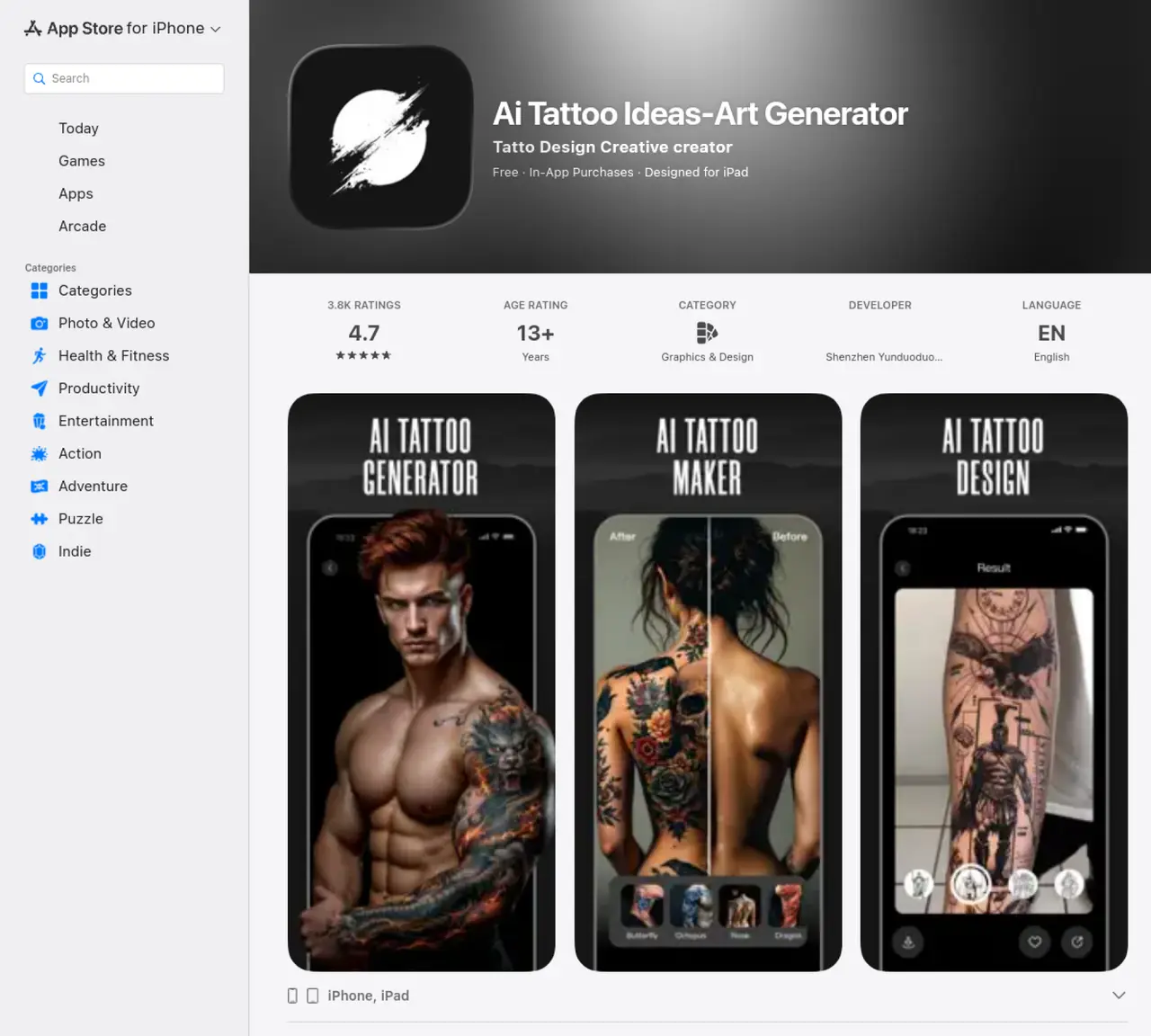
The AI Tattoo Generator App is an artificial intelligence-powered tool designed to create personalized tattoo designs for users. It enables individuals to upload photos of themselves, their pets, or avatars to generate unique tattoo concepts tailored to their appearance. The app includes a virtual try-on feature that allows users to visualize how a tattoo would look on specific body parts before making a decision. Users can also select precise locations on the body where they envision the tattoo, ensuring a realistic preview. The tool offers a variety of style templates, including traditional, minimalist, and intricate designs, to cater to diverse aesthetic preferences. Additionally, it supports text-to-tattoo conversion, enabling users to transform written ideas or phrases into stylized tattoo artwork. The app is intended for anyone seeking creative tattoo inspiration or a way to experiment with designs before committing to ink. It simplifies the tattoo design process by combining AI generation with interactive customization options.
Apple Inc.
Cupertino, United States · Founded 1976
The AI Tattoo Generator App uses artificial intelligence to create personalized tattoo designs based on user input, including avatars, photos, or text prompts. It offers style templates, body part selection, and a virtual try-on feature to visualize tattoos on specific areas.
The app is designed for individuals seeking tattoo inspiration, artists looking for design ideas, or anyone interested in experimenting with AI-generated tattoo concepts. It caters to both casual users and those exploring creative possibilities.
Users can upload photos of themselves or select body parts like arms or thighs, then apply generated tattoo designs to visualize how they would look in those areas. This helps in making informed decisions before committing to a tattoo.
Yes, the app allows users to convert text prompts into tattoo designs using various style templates, enabling customization based on preferences.
Some users report that the app may not fully match detailed prompts, producing simpler designs than envisioned. Additionally, there are concerns about outdated versions failing after September 20, 2025, requiring updates.
Download the app from the App Store, open it, and follow the on-screen instructions to upload images, select body parts, or input text prompts. Ensure you update the app to avoid compatibility issues after September 20, 2025.
We use essential cookies to run aitoolnavio™, and optional cookies to analyze traffic and measure our marketing. You choose what we use — optional cookies stay off unless you turn them on. See our Privacy Policy.
One short email a week: fresh tools worth trying, honest takes and the updates that actually matter. No spam, unsubscribe any time.
AI-powered tool for creating professional product descriptions, designing 3D avatars, and generating engaging product videos.
Upload a photo to receive AI-generated celebrity look-alike suggestions based on facial recognition.
All-in-one AI platform for face swapping, image generation, upscaling, and art creation with free access and batch processing.
Generate unique avatars and craft effective, engaging copy effortlessly.
VTuber software suite to create and animate custom VTuber avatars with VTuber Maker.
AI-enhanced photo editing with background removal and enhancements.
Create face swap memes, generate AI-powered GIFs, make movie role-refacing videos.
Create precise images, videos, and talking photo avatars with Dzine AI.
Generate realistic avatars, online store models, and unique faces for web design projects.
Create unique art, transform yourself in GIFs and videos, and share with friends using fun memes and artwork.
AI-powered selfie editor and profile picture generator for enhancing photos and videos with filters and touch-ups.
Free Japanese kaomoji library with 10,000+ text emoticons, an AI generator, and one-click copy for any platform.
Matched on what this tool does — grouped by the job you would be replacing.
matches Generates unique tattoo designs using artificial intelligence · Allows users to upload avatars or photos of themselves or their pets · Provides virtual try-on feature to help users make a decision
Generate personalized tattoo designs, experiment with design ideas, and create intricate designs using AI-powered technology.
AI tool that generates unique tattoo designs from text prompts and sample images for enthusiasts and artists.
AI-powered tattoo design and planning tools for concept generation and placement preview
Creates original tattoo designs from text prompts in multiple styles