
AI-powered tool for creating professional product descriptions, designing 3D avatars, and generating engaging product videos.
4.6M visits/mo+179.4%#23 Image & Design

Generate realistic photos for online profiles, securely share personal images, and use for online applications requiring a photo.
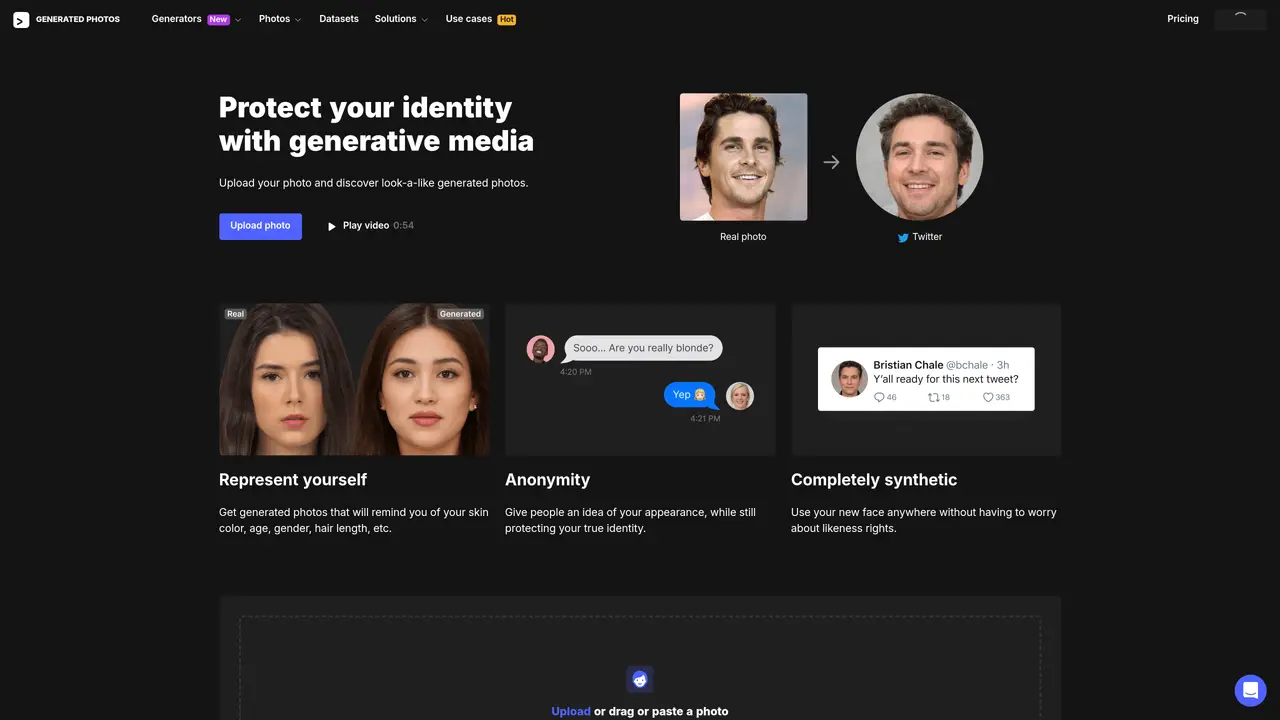
Anonymizer is an AI-powered tool that allows users to protect their identity online by generating look-alike photos. With Anonymizer, you can upload your own photo and choose from AI-generated faces that look like you. This is a great way to keep your identity safe while still giving people an idea of your appearance. Anonymizer is trained on studio photos by Icons8 and uses the latest StyleGAN (Dec 2018) technology developed by Karras et al. With Anonymizer, you can be sure that your identity is secure and that you have an accurate representation of your appearance. Give Anonymizer a try today and protect your identity online.
Yes, the Anonymizer can be used for free for personal purposes. Commercial usage requires purchasable licenses, and users must contact the provider for licensing terms.
No, Anonymizer does not store personal data or photos. Images are processed in RAM and stored locally on the user's device, with no retention for analysis or re-learning.
Upload a clear photo of your face looking straight forward. Avoid images with multiple faces or excessive background clutter for optimal look-alike generation.
Generated images can be used anywhere online, provided they are not used to impersonate others or engage in illegal activities.
Yes, Anonymizer is trained on studio photos by Icons8 and utilizes StyleGAN technology for generating look-alike faces.
Personal use is permitted, but commercial use requires a license. Users must contact the provider to obtain commercial licensing terms.
We use essential cookies to run aitoolnavio™, and optional cookies to analyze traffic and measure our marketing. You choose what we use — optional cookies stay off unless you turn them on. See our Privacy Policy.
One short email a week: fresh tools worth trying, honest takes and the updates that actually matter. No spam, unsubscribe any time.
AI-powered tool for creating professional product descriptions, designing 3D avatars, and generating engaging product videos.
Upload a photo to receive AI-generated celebrity look-alike suggestions based on facial recognition.
All-in-one AI platform for face swapping, image generation, upscaling, and art creation with free access and batch processing.
Generate unique avatars and craft effective, engaging copy effortlessly.
VTuber software suite to create and animate custom VTuber avatars with VTuber Maker.
AI-enhanced photo editing with background removal and enhancements.
Create face swap memes, generate AI-powered GIFs, make movie role-refacing videos.
Create precise images, videos, and talking photo avatars with Dzine AI.
Generate realistic avatars, online store models, and unique faces for web design projects.
Create unique art, transform yourself in GIFs and videos, and share with friends using fun memes and artwork.
AI-powered selfie editor and profile picture generator for enhancing photos and videos with filters and touch-ups.
Free Japanese kaomoji library with 10,000+ text emoticons, an AI generator, and one-click copy for any platform.
Matched on what this tool does — grouped by the job you would be replacing.
matches Generate realistic photos for online profiles
Generate realistic avatars, online store models, and unique faces for web design projects.
Generate custom, realistic 3D avatars for gaming, virtual meetings, online profiles, and video production projects.
Create realistic images with AI algorithms, access royalty-free library.
A Professional AI headshot generator starter kit powered by Next.js, Leap AI, and Vercel.
matches Securely share personal images with friends and family
matches Use for online applications requiring a photo
An AI face filter for content creators that replaces real faces with AI-generated pseudofaces in videos and photos to protect identity while staying on camera.
Generate realistic future self-portraits, experiment with hairstyles and makeup trends, and enjoy a safe environment.
Upload a photo to receive AI-generated celebrity look-alike suggestions based on facial recognition.
AI baby generator that predicts what your future child will look like.
Create captivating, customizable images of future babies with OurBabyAI.
AI tool that generates realistic images of a future baby’s face from photos of the parents.