AI-powered tool for creating professional product descriptions, designing 3D avatars, and generating engaging product videos.
4.6M visits/mo+179.4%#23 Image & Design

Turns a photo into a set of 16 expressive stickers for chats and communities
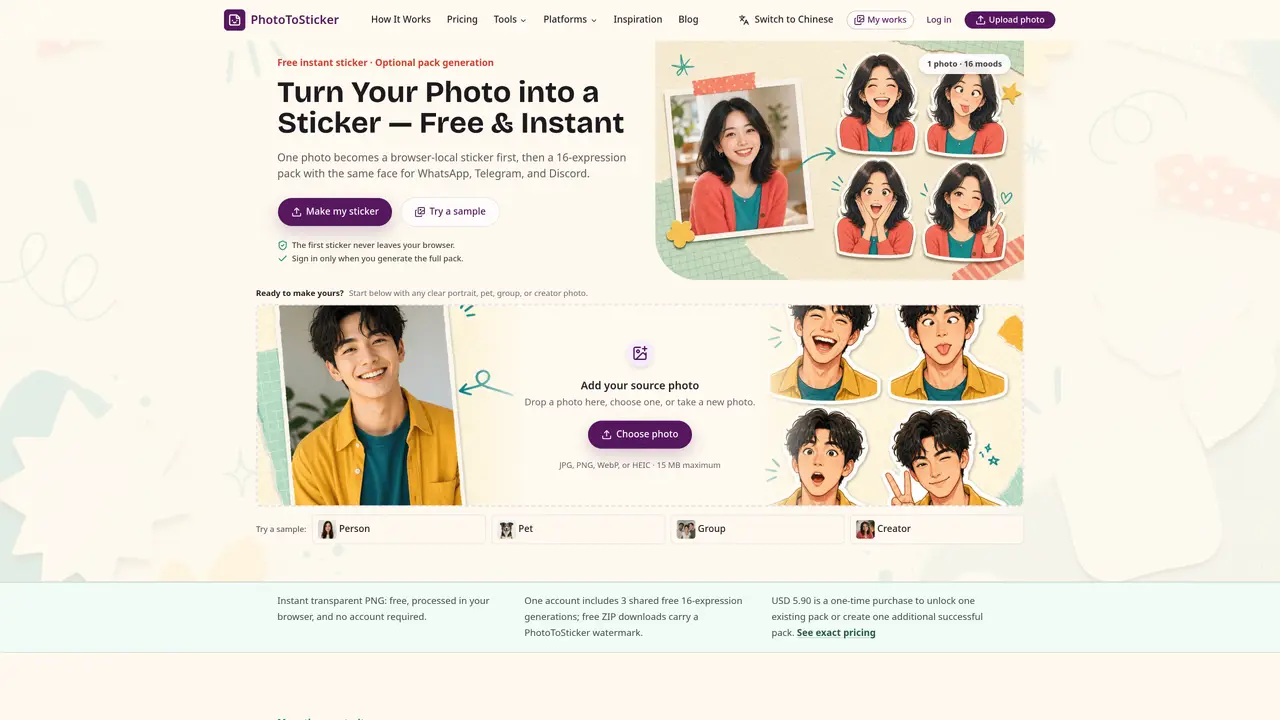
Photo to Sticker converts a single portrait, pet, group, or creator photo into a 16-expression sticker pack ready for WhatsApp, Telegram, and Discord. The process begins with an instant browser-local sticker preview that never leaves the user’s device. Once a user signs in, the full pack is generated using an image model that creates a consistent character across sixteen moods. The resulting stickers feature clean outlines, white borders, and platform-specific dimensions. Users can export the pack as platform-ready files with an included import guide. The tool also supports printable stickers and related formats through companion tools like Avatar Maker and Emoji Maker. The workflow is designed for quick, recognizable reactions in chats, communities, and streams, while also allowing physical use through notebooks or laptop decorations. Privacy is emphasized, with local processing and explicit user action required before any image upload or generation.
No. The instant transparent PNG sticker is processed locally in the browser and never leaves your device.
The full 16-expression pack is generated only after you sign in and explicitly choose to start the generation process.
The tool accepts JPG, PNG, WebP, and HEIC images up to 15 MB. HEIC files that the browser cannot decode will prompt you to select another format.
No. You download a ZIP file containing correctly sized stickers and an import guide, which you then manually add to your chosen platform.
Instant stickers are free and unlimited. A Google account includes three free 16-expression generations, and free ZIP downloads include a PhotoToSticker watermark.
Choose a sharp, well-lit image with one clear subject and enough space around the face or object to ensure clean cutouts and consistent expressions.
We use essential cookies to run aitoolnavio™, and optional cookies to analyze traffic and measure our marketing. You choose what we use — optional cookies stay off unless you turn them on. See our Privacy Policy.
One short email a week: fresh tools worth trying, honest takes and the updates that actually matter. No spam, unsubscribe any time.
AI-powered tool for creating professional product descriptions, designing 3D avatars, and generating engaging product videos.
Upload a photo to receive AI-generated celebrity look-alike suggestions based on facial recognition.
All-in-one AI platform for face swapping, image generation, upscaling, and art creation with free access and batch processing.
Generate unique avatars and craft effective, engaging copy effortlessly.
VTuber software suite to create and animate custom VTuber avatars with VTuber Maker.
AI-enhanced photo editing with background removal and enhancements.
Create face swap memes, generate AI-powered GIFs, make movie role-refacing videos.
Create precise images, videos, and talking photo avatars with Dzine AI.
Generate realistic avatars, online store models, and unique faces for web design projects.
Create unique art, transform yourself in GIFs and videos, and share with friends using fun memes and artwork.
AI-powered selfie editor and profile picture generator for enhancing photos and videos with filters and touch-ups.
Free Japanese kaomoji library with 10,000+ text emoticons, an AI generator, and one-click copy for any platform.
Matched on what this tool does — grouped by the job you would be replacing.
matches Instant browser-local sticker preview · 16-expression reaction grid per pack · Platform-specific sticker sizes
Generates custom cat stickers from a single photo
Browser-based photo meme maker with editable captions and stickers