AI platform for upscaling images, enhancing photos, and generating high-quality creative assets with contextual detail.

Unpixelate
$6.99/moStarting price
0Popularity
About Unpixelate
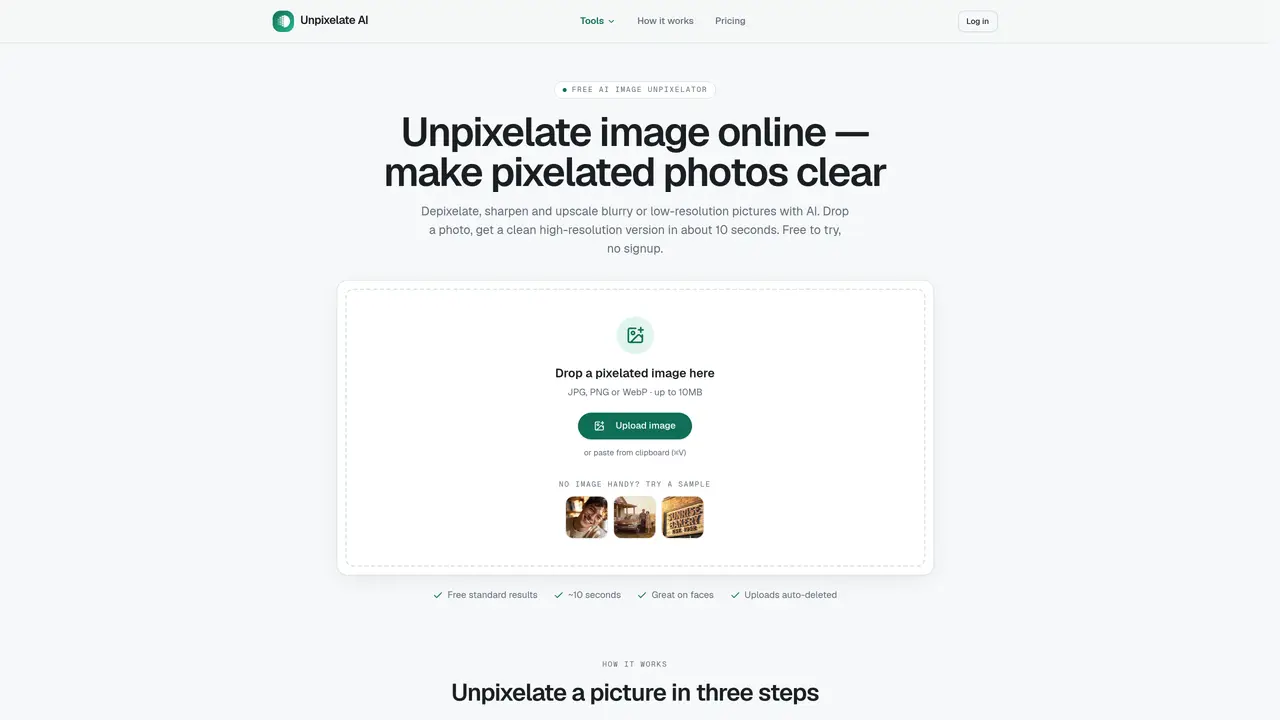
Unpixelate is an in-browser service that uses generative AI to repair pixelated or blurry images. Users upload JPG, PNG or WebP files up to 10 MB and receive a high-resolution version in about 10 seconds. The tool offers two quality tiers: Standard, which is free and fast, and HD, which uses a stronger model optimized for faces and fine textures. No prompts or settings are required; users simply drag an image, select a tier, and download the result without watermarks. Uploads are processed in memory and auto-deleted, and images are not used for training. The service targets common cases like low-resolution profile photos, old scanned prints, zoomed-in screenshots, compressed downloads and AI-generated images that need upscaling for print or display. Under the hood, it employs a diffusion network that redraws plausible high-resolution detail based on learned patterns from millions of photographs, rather than interpolating existing pixels.
Key features
- Depixelate and sharpen images
- Upscale images to higher resolutions
- Remove glare from photos
- Restore old or faded prints
- HD model optimized for faces and fine textures
- Standard tier for free daily use
- Private generation with no training data retention
- Commercial license included for paid tiers
Use cases
- Repairing low-resolution profile photos for printing
- Restoring detail in old scanned family photos
- Making blurry screenshots or chat images readable
Pros
- Free standard quality tier with no signup required
- Dedicated face enhancement in both tiers
- Supports JPG, PNG and WebP up to 10 MB
- Uploads processed in memory and auto-deleted
- No watermarks on downloaded results
Cons
- HD tier requires credits purchased separately
- Text heavily pixelated beyond recovery cannot be restored
- No API or bulk processing available on the public site
- Limited to in-browser use; no desktop application
Frequently asked questions about Unpixelate
What does Unpixelate do?
Unpixelate is an online AI tool that repairs pixelated or blurry images by generating high-resolution versions from low-quality inputs. It supports JPG, PNG, and WebP files up to 10 MB and delivers results in about 10 seconds without requiring prompts or settings.
Who is Unpixelate designed for?
The tool is designed for users who need to restore low-resolution images such as profile photos, old scanned prints, zoomed-in screenshots, compressed downloads, or AI-generated images. It is particularly effective for enhancing faces and fine textures.
Does Unpixelate offer a free tier?
Yes, Unpixelate provides a free Standard tier that is fast and accessible without signup. The HD tier, which uses a stronger model for faces and fine textures, is available for users who need higher-quality results.
How does Unpixelate handle privacy and data security?
Uploads are processed in memory and automatically deleted after processing. Images are not stored or used for training, ensuring user privacy and data security.
What file formats and sizes does Unpixelate support?
Unpixelate supports JPG, PNG, and WebP files up to 10 MB in size. Users can upload images directly or paste from the clipboard.
Can Unpixelate restore heavily pixelated text or specific details like license plates?
No, Unpixelate cannot restore heavily pixelated text or details where exact information is required, as pixelation destroys information that cannot be retrieved. The tool focuses on generating plausible high-resolution details rather than recovering lost data.