
Remove image backgrounds instantly, save time with advanced AI, and create stunning images effortlessly.
54M visits/mo-8.6%#2 Image & Design
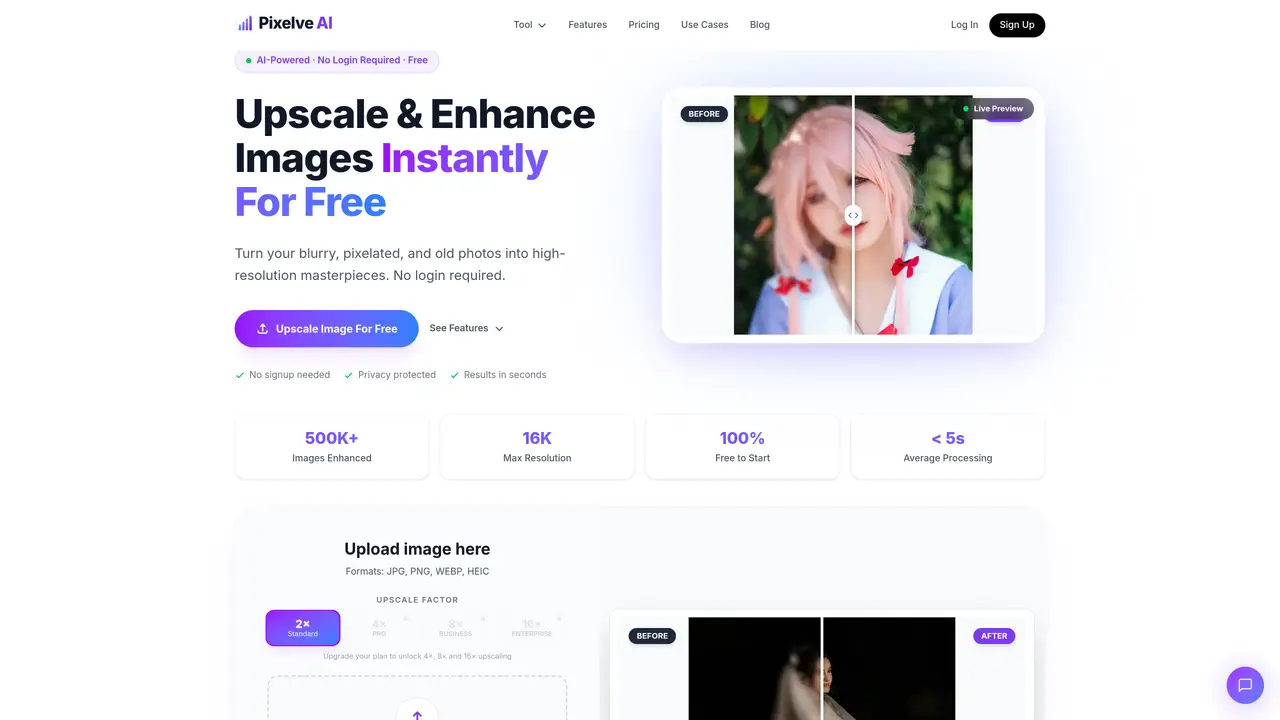
Pixelve AI is an online tool that uses artificial intelligence to upscale and enhance images, converting low-resolution, blurry, or pixelated photos into high-resolution versions. It supports formats including JPG, PNG, WEBP, and HEIC, allowing users to process images up to 16K resolution. The platform offers features such as batch processing for handling multiple images simultaneously, custom resolution options, and natural color preservation to maintain realistic tones during enhancement. It also includes denoising capabilities to reduce noise and improve clarity. The tool is designed for quick processing, delivering results in under five seconds on average, and does not require users to create an account or log in. Privacy is emphasized, with images not stored or shared and cache deleted within 24 hours. It is marketed for use cases such as restoring old photos, enhancing anime and cartoon images, improving social media content, and supporting e-commerce product images.
Pixelve AI is a free online tool that uses artificial intelligence to upscale and enhance images, converting low-resolution, blurry, or pixelated photos into high-resolution versions. It supports formats such as JPG, PNG, WEBP, and HEIC, and can process images up to 16K resolution.
No, Pixelve AI does not require users to create an account or log in. The tool is designed for quick, anonymous use, allowing users to upload and enhance images without any signup process.
Pixelve AI supports JPG, PNG, WEBP, and HEIC formats for both uploading and processing. This allows users to work with a wide range of image types.
Pixelve AI delivers results in under five seconds on average, thanks to its fast AI models designed for efficiency and speed. The processing happens in the background, providing quick enhancements.
No, Pixelve AI prioritizes privacy. Uploaded images are not stored or shared with third parties, and the cache is deleted within 24 hours of processing.
Yes, Pixelve AI supports batch processing, allowing users to upload and enhance multiple images simultaneously. This feature makes it efficient for handling large volumes of images.
We use essential cookies to run aitoolnavio™, and optional cookies to analyze traffic and measure our marketing. You choose what we use — optional cookies stay off unless you turn them on. See our Privacy Policy.
One short email a week: fresh tools worth trying, honest takes and the updates that actually matter. No spam, unsubscribe any time.
Remove image backgrounds instantly, save time with advanced AI, and create stunning images effortlessly.
AI platform for upscaling images, enhancing photos, and generating high-quality creative assets with contextual detail.
Remove backgrounds, adjust colors, add text, filters, and shapes with ease.
Unleash creativity: edit photos, videos, and designs with AI-enhanced tools.
Transform photos effortlessly with AI: edit, enhance, and remove backgrounds.
Web and mobile AI platform for generating, editing, and training custom visuals from prompts with community models and face-swap tools.
Convert raster images into scalable vector graphics within seconds.
Create stunning designs, edit photos, remove objects, make collages, and transform images with powerful AI tools and effects.
Create stunning visuals, access image recognition and processing, and express creatively with natural language processing.
Cloudinary provides APIs and tools to integrate, manage, and optimize images and videos for AI-driven visual experiences.
All-in-one AI suite for creators to automate workflows, edit media, and generate content across video, design, and productivity tools.
Identify stolen identities, uncover copyright infringements, and find unauthorized use of images with precision.
Matched on what this tool does — grouped by the job you would be replacing.
matches Upscale images up to 16K resolution · Batch processing for multiple images · Custom resolution options (8K, 16K, 1080p)
AI platform for upscaling images, enhancing photos, and generating high-quality creative assets with contextual detail.
Quickly upscale multiple images, get stunning visuals in less time, and easily batch process images.
Free, open-source AI image upscaler that enlarges JPG, PNG, and WEBP images while reducing blur and noise on desktop or web.
Online AI image upscaler for enlarging and enhancing photos in bulk