AI platform for upscaling images, enhancing photos, and generating high-quality creative assets with contextual detail.

Uplenz
FreeStarting price
0Popularity
About Uplenz
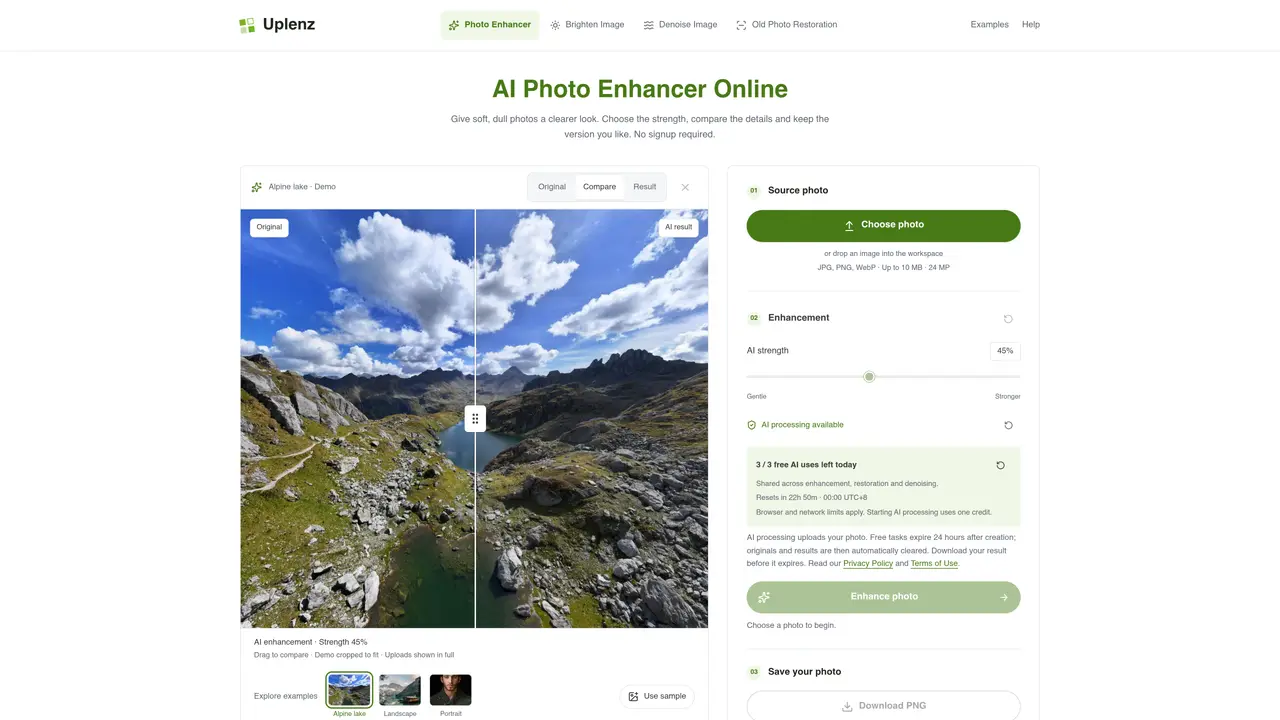
Uplenz provides an online AI photo enhancer that adjusts clarity, color and brightness of images without requiring user signup. The tool offers three main functions: general enhancement for soft or dull photos, local brightening for dark images, and denoising to remove grain or speckles while preserving texture. It also includes an old photo restoration feature for faded or lightly damaged prints. Users upload JPG, PNG or WebP files up to 10 MB and 24 megapixels, then select an AI strength before processing. The editor runs entirely in the browser on desktop, tablet or phone, with results available as PNG downloads. A comparison slider lets users inspect changes before deciding to save. Free tasks are limited to three per day across all functions, with credits consumed only when AI processing begins. Originals and results expire 24 hours after creation unless downloaded.
Key features
- General AI photo enhancement
- Local brightness adjustment
- AI denoising for grain removal
- Old photo restoration
- Strength slider for adjustment level
- Comparison slider for result review
- PNG download option
- Browser-based operation
Use cases
- Enhancing soft or dull everyday photos
- Brightening dark images with local adjustments
- Removing noise from grainy photos
Pros
- No account signup required
- Runs in browser on multiple device types
- Comparison slider for before-and-after review
- Three free AI tasks per day
- Preserves original alongside AI result
Cons
- Free allowance limited to three AI tasks daily
- Results expire after 24 hours if not downloaded
- No API or bulk processing
- Maximum file size 10 MB and 24 megapixels
Frequently asked questions about Uplenz
Is Uplenz free to use?
Uplenz offers up to three free AI tasks per day, shared across enhancement, restoration, and denoising, subject to browser, network, and site capacity limits. Local previews, brightening, and downloading existing results do not consume credits.
What file types and sizes does Uplenz support?
Uplenz accepts JPG, PNG, and WebP files up to 10 MB in size and 24 megapixels. The editor runs entirely in the browser on desktop, tablet, or phone.
How do I get started with Uplenz?
Upload a photo, choose an AI strength, and process the image. Compare the result with the original using the slider before downloading as a PNG. No signup is required to preview, process, or download.
Does an unsuccessful AI task consume a credit?
A credit is reserved when a task is accepted but is returned if the image cannot reach AI processing. Once a model request starts, the credit is used even if the request times out or a result cannot be retrieved.
How long are my original and results stored?
Originals and results expire 24 hours after creation unless downloaded. Free tasks also expire 24 hours after creation, and the files are automatically cleared afterward.
Can I use Uplenz on mobile devices?
Yes, Uplenz works in the browser on mobile devices such as tablets and phones, with no app or plugin required.