

AI-powered tarot readings and personalized interpretations for self-reflection and guidance.
1.5M visits/mo+13.1%#33 Chatbots & Assistants
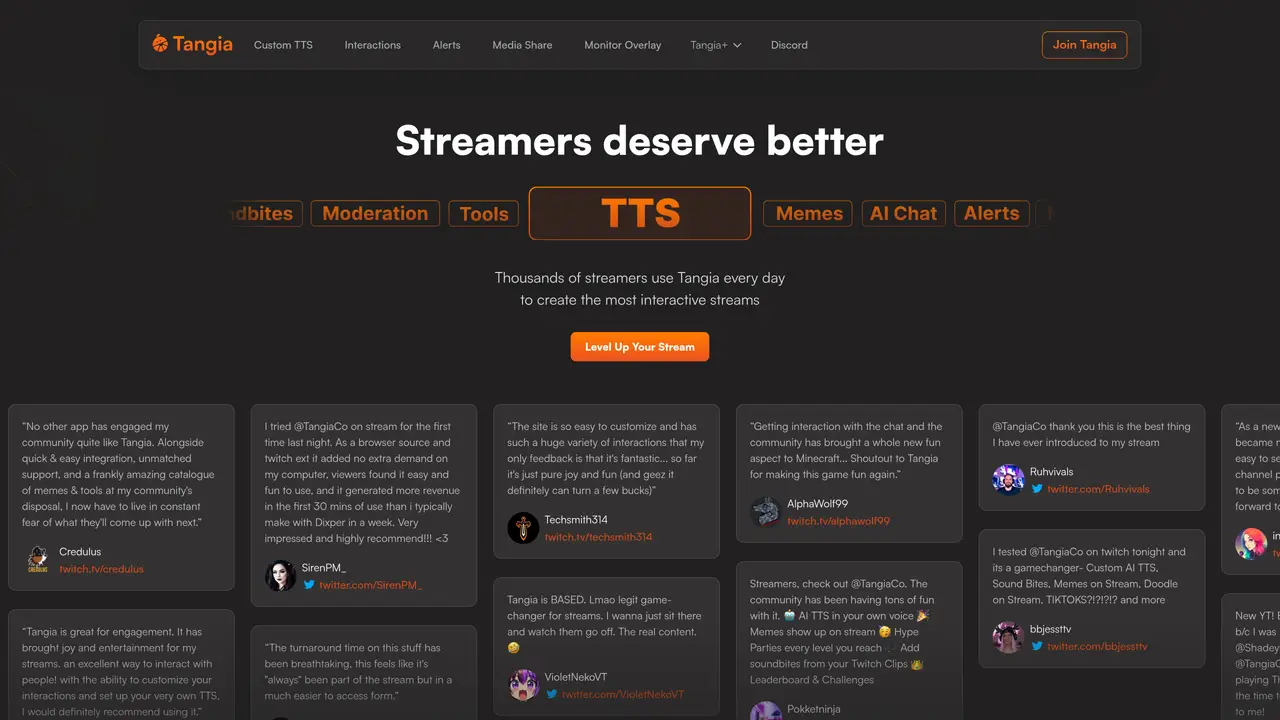
Tangia is a cutting-edge tool designed to elevate the streaming experience for both broadcasters and viewers. It specializes in creating highly interactive streams, utilizing a suite of innovative features that range from customized text-to-speech and AI image generation to interactive games and viewer-triggered events. This tool is crafted to engage audiences in new and exciting ways, ensuring that each stream is a unique and memorable experience. It’s the perfect companion for streamers looking to supercharge viewer engagement and stand out in the bustling world of live streaming. Key Features: Custom & AI Text-to-Speech (TTS): Create hyper-realistic custom TTS voices for chat interaction. Interactive Overlay Memes: Introduce timely memes into the stream for heightened entertainment. TikTok Sharing: Allows viewers to share favorite TikToks directly on the stream. AI Image Generation: Exclusive for partners, this feature lets the chat manipulate stream visuals using AI. Sound Bites: Lets viewers play sound alerts from Twitch Clips during live streams. Minecraft Integration: Gives viewers the power to affect the Minecraft gameplay, increasing interaction.
Tangia is an interactive streaming tool designed to enhance live streams by integrating features like custom text-to-speech (TTS), AI image generation, memes, sound bites, and viewer-triggered events. It enables streamers to create more engaging and spontaneous interactions with their audience.
Tangia is suitable for streamers of all levels, from small creators to established partners, who want to elevate viewer engagement through interactive tools. It is particularly useful for those looking to incorporate AI-driven conversations, dynamic visuals, and community-driven content into their streams.
Tangia works with any streaming software that supports a browser source, allowing seamless integration regardless of the platform used. This flexibility ensures compatibility with popular tools like OBS, Streamlabs, and others.
Key features include custom TTS voices, AI image generation, a library of memes, sound bites from Twitch clips, media sharing, and Minecraft integration. These tools enable viewers to actively participate in the stream through text, visuals, and gameplay.
Yes, streamers can create custom TTS voices, design AI personas for interactions, and share custom interactions with the community. Additionally, Tangia provides early access to features for affiliates and partners, along with subscriber discounts.
To get started, visit the Tangia website, sign up for an account, and integrate the tool with your streaming software using a browser source. The platform offers a knowledge base and support resources to help streamers set up and optimize their interactive streams.
tangia.co · third-party estimates from Similarweb
Last 4 months · grows by one month every month
Share of visits · estimated visits
Other countries: 18.9%
Lifestyle & Education · Sep 2026
Traffic figures are third-party estimates, good for scale and trends; they can differ from a company's own numbers. Updated monthly.
We use essential cookies to run aitoolnavio™, and optional cookies to analyze traffic and measure our marketing. You choose what we use — optional cookies stay off unless you turn them on. See our Privacy Policy.
One short email a week: fresh tools worth trying, honest takes and the updates that actually matter. No spam, unsubscribe any time.
AI-powered tarot readings and personalized interpretations for self-reflection and guidance.
Chat with AI friends, mentors, and characters on the world's largest conversational AI platform for entertainment.
Learn coding through interactive puzzles, simulations, and a global community of developers.
AI-powered Lenormand card readings that mimic traditional divination for practical everyday insights.
Create stunning visuals and captivating storylines with AI-driven tools and a user-friendly interface.
Generate playlists of current hits, nostalgic tunes, and personalized mixes for motivation.
An endless AI-generated TV channel where live chat votes steer what plays next.
Create, optimize, and share high-quality memes across various platforms with customizable options.
Bubio is a next-generation AI character platform where users can create, chat, and interact with expressive personalities.
Gadget is a revolutionary 3D printing AI failure detection assistant from OctoEverywhere.
AI-powered trading card grading predictions from photos
Converts videos, GIFs, and images into Live Photos and dynamic wallpapers with AI animation.
Matched on what this tool does — grouped by the job you would be replacing.
matches Interactive Overlay Memes · TikTok Sharing · Sound Bites
A free cloud-based bot for Kick.com streamers offering chat automation, moderation, alerts, AI text-to-speech, clips, widgets, and tipping tools.
Automate moderation, engage viewers with polls and commands, and integrate with Streamlabs for donations and tracking.
An AI-assisted planning and community management platform for Twitch streamers that integrates Twitch data with scheduling, chatbot tools, and workspace features.
matches Custom & AI Text-to-Speech (TTS)
Create personalized audio projects, generate realistic voices in any language, and voice music, videos, and more.
Create custom voices, tweak timbre, and share projects effortlessly for unique and professional-sounding audio.
Free AI Voice Generator: Realistic Text to Speech (Celebrity, Cartoon, Language, Gender, TikTok), AI SFX Generator & AI Voice Recorder.
Create custom Text-to-Speech donations, integrate with Twitch, Streamlabs, and Streamelements.