Discover personalized recipes, explore new ideas, and save favorites for easy access.
91K visits/mo+15.9%#141 Lifestyle & Education

AI-powered app that turns photos of pantries or meals into recipes and grocery lists
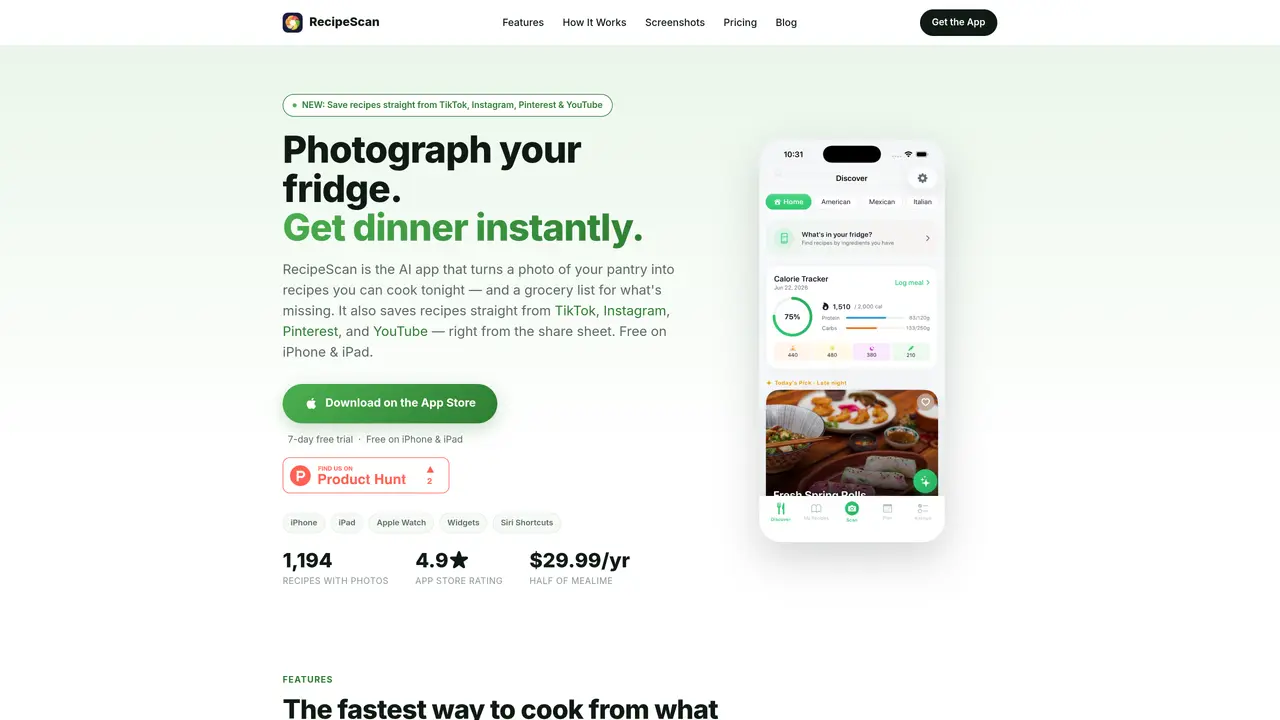
RecipeScan is an iOS application that uses artificial intelligence to transform photos of pantries, refrigerators, or meals into actionable recipes and grocery lists. The app can photograph entire shelves or single ingredients, identify items with quantities and storage locations, and instantly generate recipes based on available items. It also supports scanning barcodes, handwritten recipe cards, grocery receipts, and plated meals to extract ingredients and create editable recipes. Users can plan weekly meals, receive AI-generated grocery lists grouped by store aisle, and track grocery budgets in real time. The app includes hands-free cooking mode with step-by-step instructions, voice commands, and synchronized timers for multi-dish meals. RecipeScan learns user preferences through a taste profile that filters recipe recommendations based on dietary needs, spice tolerance, and disliked ingredients. It integrates with Apple Health for calorie and macro tracking, and offers features like a cooking journal, achievements, and a skill tree to gamify the cooking experience.
RecipeScan is an iOS app that uses artificial intelligence to transform photos of pantries, refrigerators, or meals into recipes and grocery lists. It identifies items with quantities and storage locations, generates recipes based on available ingredients, and creates shareable grocery lists grouped by store aisle.
The app is designed for anyone looking to simplify meal planning, reduce food waste, or cook more efficiently. It suits home cooks, busy families, health-conscious users, and those who want to learn new cooking techniques or manage grocery budgets.
RecipeScan allows users to save recipes directly from TikTok, Instagram, Pinterest, and YouTube using the share sheet. Simply tap the share button on a recipe video or post and select RecipeScan to import it instantly.
Yes, RecipeScan integrates with Apple Health for calorie and macro tracking. It also supports Apple Watch widgets, Siri Shortcuts, and syncs with grocery receipts, barcodes, and handwritten recipe cards for seamless recipe and pantry management.
RecipeScan offers AI-powered meal planning that auto-fills a week of recipes, generates grocery lists, and tracks grocery budgets in real time. It groups items by store aisle, merges duplicates, and provides weekly nutrition and cost insights.
Download RecipeScan from the App Store on iPhone, iPad, or Apple Watch. The app includes a 7-day free trial, and users can start by setting up a taste profile to personalize recipe recommendations based on dietary needs and preferences.
recipescannerapp.com · third-party estimates from Similarweb
Last 3 months · grows by one month every month
Share of visits · estimated visits
Lifestyle & Education · Sep 2026
Traffic figures are third-party estimates, good for scale and trends; they can differ from a company's own numbers. Updated monthly.
We use essential cookies to run aitoolnavio™, and optional cookies to analyze traffic and measure our marketing. You choose what we use — optional cookies stay off unless you turn them on. See our Privacy Policy.
One short email a week: fresh tools worth trying, honest takes and the updates that actually matter. No spam, unsubscribe any time.
Discover personalized recipes, explore new ideas, and save favorites for easy access.
Find perfect recipes, create gourmet dishes, and cook meals quickly with this time-saving tool.
FoodiePrep is an AI-powered meal planning assistant that helps you create personalized recipes, plan your meals, and manage your grocery shopping.
AI recipe app that generates meals from available ingredients
App that suggests recipes based on available ingredients, preferences and time
Automate meal planning, create unique dishes, and share AI-generated recipes for exciting culinary experiences.
Personalize meals, craft unique recipes, and cook delicious dishes effortlessly with AI-powered technology.
AI-powered app that generates healthy recipes from fridge contents to reduce waste and save money
Transform YouTube cooking videos into recipes with instructions and ingredient lists.
Create custom recipes, generate recipes for any occasion, and customize cooking details for the perfect meal.
Easily prepare meals with curated ingredients, avoiding food waste and shopping stress.
Browse recipes, get personalized meal suggestions, and access meal plans & grocery lists for easy meal prep.
Matched on what this tool does — grouped by the job you would be replacing.
matches Pantry scan with AI item identification · Six scanning methods (ingredients, pantry, barcode, meal, receipt, handwritten) · AI meal planning and grocery list generation
FoodiePrep is an AI-powered meal planning assistant that helps you create personalized recipes, plan your meals, and manage your grocery shopping.
AI-powered app that generates healthy recipes from fridge contents to reduce waste and save money
AI recipe app that generates meals from available ingredients
AI-powered recipe generator and meal planner using fridge or pantry contents
matches Hands-free cooking mode with voice commands · AI cooking assistant chat for substitutions and technique questions
matches Taste profile for personalized recipe recommendations · AI cooking assistant chat for substitutions and technique questions
Find perfect recipes, create gourmet dishes, and cook meals quickly with this time-saving tool.
AI-powered cooking assistant that suggests recipes based on available ingredients
AI-powered meal planner and kitchen assistant that respects dietary restrictions
Generate custom meal plans, adjust nutrition for special diets, and get comprehensive shopping lists.
AI assistant that plans meals, manages grocery lists, compares stores, and handles family-related tasks to reduce daily mental load.
App that suggests recipes based on available ingredients, preferences and time
AI-powered fridge scanner and meal planner to reduce food waste by tracking expiry dates and generating