Generate content, correct spelling, suggest synonyms to enhance writing.
173M visits/mo+0.1%#1 Productivity & Office

Voice-first journaling app that transcribes speech, tracks moods, and generates AI insights from entries
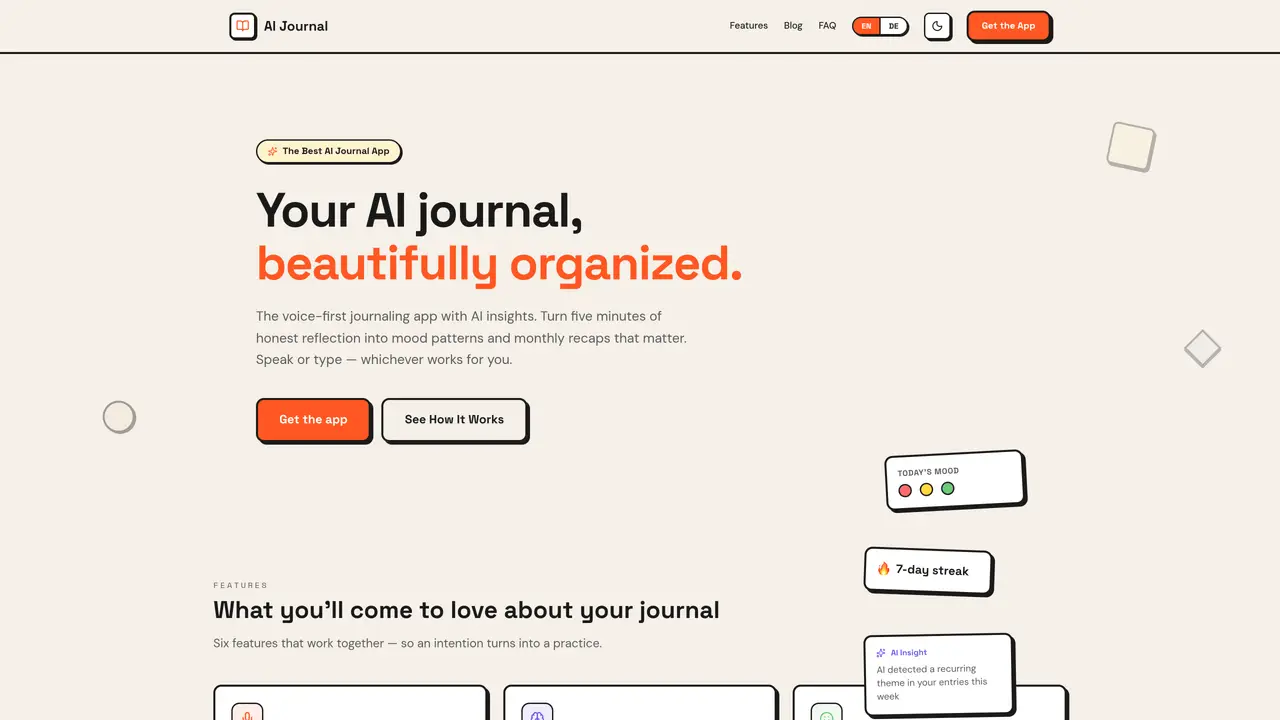
AI Journal App is a voice-first journaling application that allows users to record spoken reflections or type entries. The app transcribes voice recordings into text, organizes entries by date, and provides AI-powered insights such as weekly mood patterns and monthly recaps. Users can track their emotional state with a simple three-button mood selector and view their journal in a colored calendar grid. The app supports offline use for writing and reading entries, with voice transcription and AI analysis requiring an internet connection. Photos can be attached to entries, and entries can be formatted using Markdown or checklists. Local storage is encrypted by default, with optional cloud sync to Google Drive or iCloud. The app includes features like biometric locking, daily reminders, and AI-generated suggestions for titles and tags.
By default, entries are stored in a local SQLite database on your device with AES-256 encryption. Cloud sync is optional and uses your own Google Drive or iCloud, with the encryption key remaining in your account. The service does not train models on user text or sell data.
Tap the microphone, record your thoughts, and receive a cleaned transcription. You can edit, add, or delete text before saving. Audio is processed transiently for transcription and is not stored permanently.
The AI reads across your entries to identify patterns, providing a weekly insight, a full monthly recap, and a year-in-review summary. It organizes your existing content without judgment or diagnosis.
Reading and writing entries work offline at any time. Voice transcription and AI recaps require an internet connection, but they sync once you're back online.
AI Journal Pro is available on iPhone and iPad via the App Store. An Android beta is accessible through Google Play via a waitlist.
Mood tracking uses three simple options per entry: Bad, Neutral, or Good. These appear as colored dots on the calendar, avoiding complex scales or lengthy emotion lists.
We use essential cookies to run aitoolnavio™, and optional cookies to analyze traffic and measure our marketing. You choose what we use — optional cookies stay off unless you turn them on. See our Privacy Policy.
One short email a week: fresh tools worth trying, honest takes and the updates that actually matter. No spam, unsubscribe any time.
Generate content, correct spelling, suggest synonyms to enhance writing.
Markdown-based note-taking and personal knowledge management app that turns notes into a connected system of ideas.
Capture, organize, and share ideas, notes, and documents effortlessly.
Easily create and track training courses, design learning environments, and access from any device with an intuitive interface.
An AI-powered note-taking app for students and professionals to write, sketch, annotate PDFs, record audio, and generate summaries, quizzes, and flashcards.
Handwritten note-taking app with searchable ink, PDF annotation, synced audio, and AI-powered study tools.
AI-powered process documentation tool that captures workflows into visual step-by-step guides with screenshots, editing, and exports.
AI web app that transcribes audio, video, and YouTube links into text in 98 languages with summaries, mind maps, and export formats for students and teams.
A note-taking and spaced-repetition flashcard app for students and learners, with PDF annotation plus AI tools for generating cards, quizzes, and study summaries.
AI-powered research assistant for organizing, analyzing, and synthesizing information from notes and documents.
Capture thoughts, create documents, and access on any device for convenient organization and productivity.
AI-powered PDF editor with built-in agents for summarization, translation, and document analysis.
Matched on what this tool does — grouped by the job you would be replacing.
matches Voice and text journaling · AI-powered weekly insights and monthly recaps · Mood tracking with three simple options
AI-powered journaling app that identifies recurring life patterns through structured reflection
AI audio journaling app that records thoughts, transcribes them into text, and provides insights into emotions and patterns.
A privacy-focused AI journaling app that helps users reflect, track habits, and uncover patterns in their writing without compromising data security.
Private AI voice journal for iPhone that transcribes and organizes spoken notes offline
matches Mood tracking with three simple options · AI-powered weekly insights and monthly recaps · Calendar view with colored mood indicators
Track thoughts, set goals, receive personalized tips for wellbeing.
AI-powered mental wellbeing app for mood tracking, coaching and insights
AI-powered mood journal and wellness companion that tracks emotional patterns over time
Private journal that records daily moods and recurring themes from written reflections